
Here is an interesting way to shut down or restart your Windows 11/10 computer without using the mouse cursor, but by using keyboard keys only. Make sure you have saved all your work before you try it.
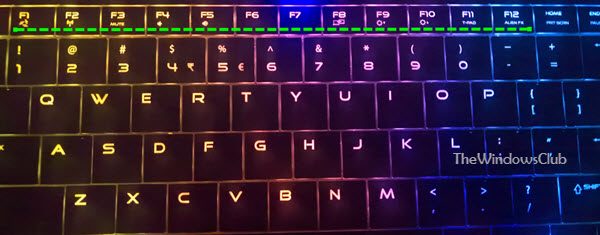
Sometimes, your physical keys might not work as they should be. In such situations, you can use the keyboard keys to complete the job. While you can use the Start Menu to shut down or restart your PC easily, this trick offers a novel way by using the keys only.
Shutdown or Restart Windows 11/10 using keyboard keys
To shutdown Windows 11/10 laptop using keyboard keys, follow these steps:
- Press Alt+F4 keys together.
- Use the Tab key to move the selected on the OK button.
- Press the Enter button.
If you want to restart a Windows 11/10 PC using keyboard keys, you need to press the down arrow key after pressing Alt+F4. It will select the Restart option. then, you can press the Enter key on your keyboard.
However, if you are using Windows 7, the steps are quite different and easy. You need to follow the below steps.
Shutdown Windows 7 using keyboard keys
- Press the Windows Key (WinKey).
- Release it
- Press the Right Arrow key
- Hit the Enter button.
Restart Windows 7 using keyboard keys
Re-starting though, may not so convenient.
- Press the Windows Key.
- Release it.
- Press the Right Arrow key twice
- Press the Up Arrow key
- Hit Enter.
Commenters add: If on the Desktop, press Alt+F4 and then use arrow key to select Shutdown or Restart. If not on the Desktop, press Win+D first.
Windows Vista users may need to do this to shut down or restart your computer without using the cursor.
- Press the Windows Key.
- Press the Right Arrow key thrice
- Hit Enter.
- Press & leave each key. Don’t keep the keys pressed.
Re-starting Vista though is again not so convenient.
- Press the Windows Key.
- Press the Right Arrow key thrice
- Press the Up Arrow key twice.
- Hit Enter.
Which keyboard keys can be used to shutdown a computer?
If your laptop doesn’t have a dedicated key to shut down the system, you can press Alt+F4 to open the Shut Down Windows panel on your computer. Following that, you need to hit the Enter key. In the meantime, you must ensure that the Shutdown option is selected.
Related: Keyboard shortcuts to Shut down or Lock Windows computer
How do I restart my laptop with a Windows 11 keyboard?
To restart your laptop with a Windows 11 keyboard, you need to press Alt+F4 keys together. After that, press the down arrow key to select the Restart option. Once done, you can hit the Enter button. However, some laptops come with a power button. You can use the same to get the job done.
I hope you like this small tip!
