
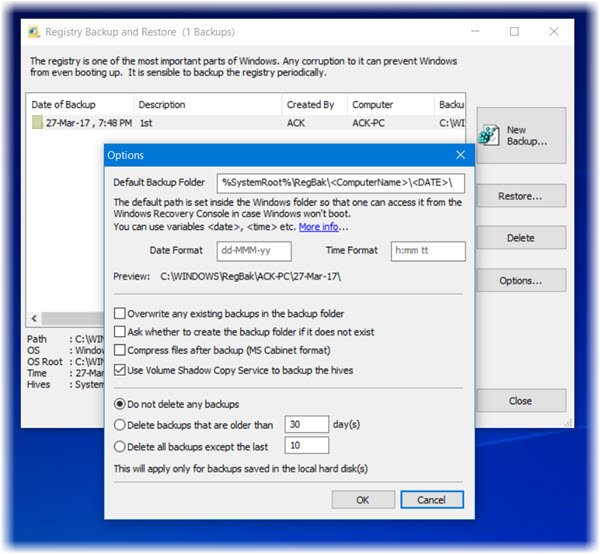
Regbak is a free Registry backup software tool that lets you backup and restore the Windows Registry in a few seconds. We have blogged about ERUNTgui. Regback is another easy-to-use registry backup software for Windows 11/10.
Free Registry backup software for Windows
The Registry, the central hierarchical database used in Microsoft Windows, is used to store information necessary to configure the PC for one or more users, applications, and hardware devices.
The Registry contains information that Windows continually references during operations such as setting profiles for each user, details about the applications installed on your computer and the types of documents that an application can create, what all hardware exists in the system, the ports that are being used, etc.
To start the backup process, select the New backup button. Next, select the ‘Registry Hives’ to backup. By default, the ‘System’ and ‘Current User’ hives are selected. You can instruct the program to backup the rest of the hives also by enabling the ‘Other Available Hives’ option.
After selecting the backup folder location and the hive(s) to backup, click ‘Next’. This will take you to a confirmation page. Click ‘Start’ to begin the backup process. Clicking ‘Show Progress’ will show you the backup operation progress: which file is being backup-ed.
After successfully saving the Registry files, click ‘Cancel’ button to close the program. Also, you can go to the folder where the backup was made by clicking the path shown.
If at any time you feel the need to restore the backed-up registry files, you can select the Restore button.
Regback is available here.
Go here if you are keen on learning how to back up the Windows Registry manually.

