
Most programs that run on Windows 8/7/Vista will run on Windows 11/10. However, if you find that the program still does not run properly, you should run the Program Compatibility Troubleshooter in Windows 11/10.
Programs or applications designed for earlier versions of Windows may also work in higher versions of Windows, but some may run poorly or not at all. As a last resort, one can try running the Program Compatibility Troubleshooter to simulate the behavior of earlier versions of Windows, if an older program is not running correctly. It might be the case that, the program is better suited for a legacy version of Windows. The Program Compatibility Troubleshooter lets you test your program in different modes (environments) and with various settings. It lets you emulate earlier versions of Windows so that a program thinks it’s running on the operating system it requires.
UPDATE: Microsoft has deprecated the MSDT-based Windows Troubleshooters. You have to use the new Get Help based Program Compatibility Troubleshooter.
Program Compatibility Troubleshooter
While you can always access it via the Windows Settings Troubleshoot page, you can also open Control Panel > All Control Items. You will see the Run programs made for previous versions of Windows, under Programs & Features.
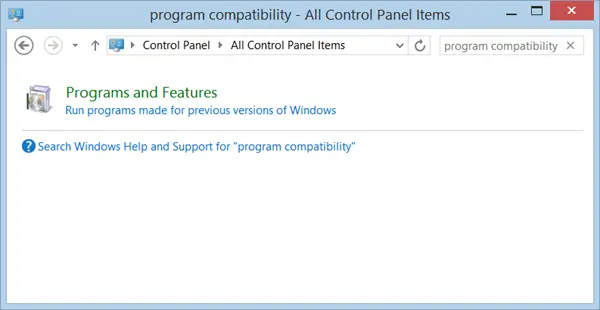
Click on it to open the Windows Program Compatibility Troubleshooter.
If you use it frequently, you can also create a Program Compatibility Troubleshooter desktop shortcut.
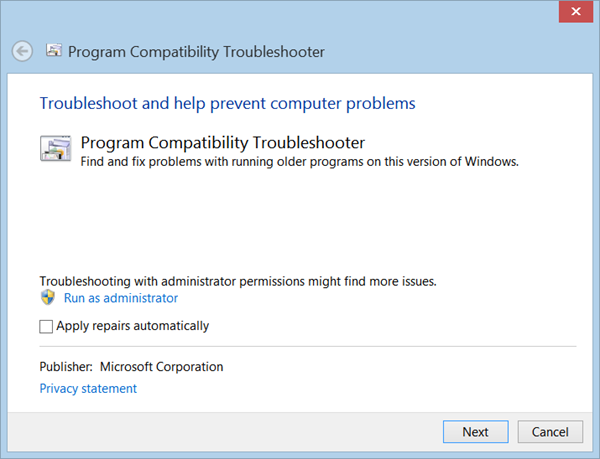
If you don’t want things fixed automatically, click Next or the Advanced option. Windows will try to detect programs you may be facing problems with.
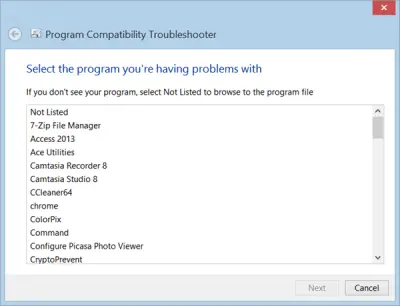
Select the one you want and click Next.
The Troubleshooter will analyze and present a list of problems.
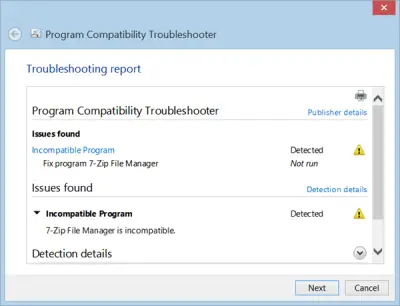
Click on Next to fix the problems.
Windows 11/10 will try to resolve the issues and or offer you another recourse.
In this way, you will be able to identify the issues and help you make old programs work using Compatibility Mode.
Create Program Compatibility Troubleshooter desktop shortcut
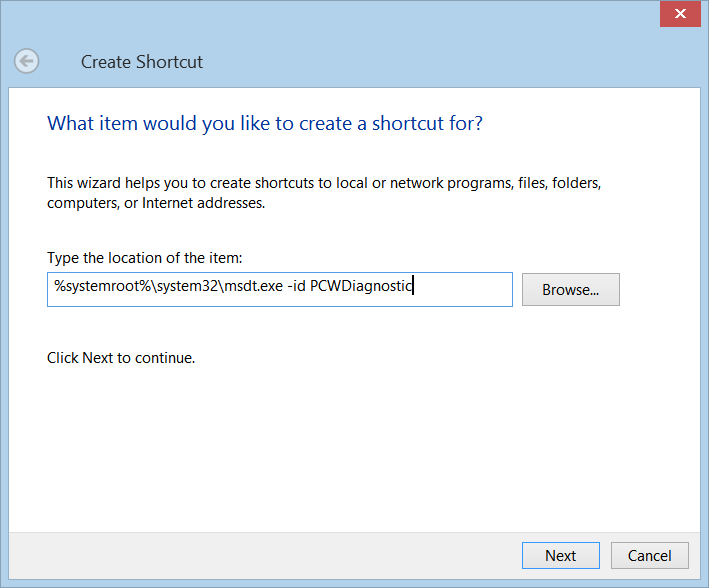
If you need to run this wizard frequently, you may want to create its shortcut on your Desktop rather than opening the Control Panel every time.
To do so, right-click on an empty area on your desktop. Select New > Shortcut. In the first box of the Create Shortcut Wizard, copy-paste the following in the box:
%systemroot%\system32\msdt.exe -id PCWDiagnostic
Click Next. Name the shortcut as Compatibility Shortcut and click Finish.
Then select an appropriate icon for it.
Read:
