
Windows does not allow you to install 3rd party themes. You have to patch some system files to be able to do so. Like UxStyle Core, Universal Theme Patcher lets you install themes on Windows 7 & Vista easily.
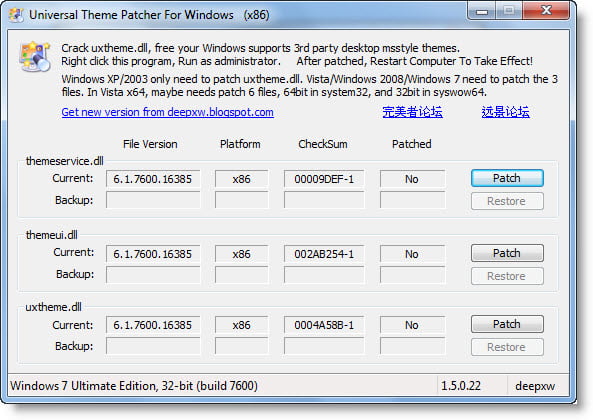
Universal Theme Patcher
Choose the corresponding patcher based on you Windows 32bit or 64bit and OS:
Run patch with UAC turned off. Right-click the exe file, select Run as Administrator.
- Windows XP/2003 only needs to patch one file: uxtheme.dll
- Windows 2008/Vista need to patch 3 files: uxtheme.dll, themeui.dll, shsvcs.dll
- Windows 7 needs to patch 3 files: uxtheme.dll, themeui.dll, themeservice.dll
Sometimes, in x64 Windows, you need to patch 2 copies of files:
- Using UniversalThemePatcher-x64.exe to patch the 64bit files in \windows\system32;
- And using UniversalThemePatcher-x86.exe to patch the 32bit files in \windows\syswow64.
After running the patch, restart the computer for the changes to take effect.
You can run the program with the argument “-silent” to patch in silent mode.
You will now be able to apply 3rd party themes to change the look of your Windows 7.
You can download it from its home page.
TIP: You may want to check out the Windows Theme Installer! too.

