
Removing complete traces and leftovers of files and attachments from Microsoft Outlook means having to open the Windows Registry, find the concerned registry a key, and then use it to find a random folder name.
This is necessary because, in Microsoft Outlook, whenever you open an attachment, the OS quietly places itself in a temporary folder, leaving it open for anyone to grab it, even when you have deleted the attachment in the email. However, IntelliAdmin Outlook Attachment Cleanup lets you clean up the attachment leftover files from the temp folder too.
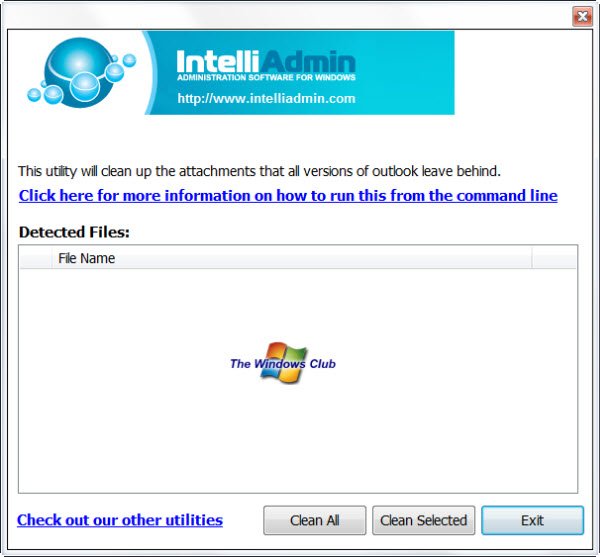
Outlook Attachment Cleanup Tool
Outlook Attachment Cleanup is a small application that allows you to clean out Outlook attachments automatically. It automatically scans your registry, finds all Microsoft Outlook attachments, and then displays them to you in the main window. Using the main window, a user can quickly clean the attachment leftovers in his Outlook email client with the Clean button.
The free Outlook Attachment Cleanup Tool can also be run silently using the command line.
Run Outlook Attachment Cleanup using the command line
OutlookCleanup.exe /SILENT
The toll will quietly scan through your registry, find the temp folder and empty it. It is advisable to run this command line at log-on. Doing so ensures that you do not have to deal with any kind of prompts. The best part of the application is that it comes for free. Thus, you can use Outlook Attachment Cleanup until Microsoft comes up with another better alternative.
If you have a problem downloading Outlook Attachment Cleanup Tool, stop using your download manager and download directly from the browser. Also, check your firewall, proxy settings, because some download mirrors may require that you do not block the HTTP referrers.
Outlook Attachment Cleanup Tool has no special system requirements. It runs efficiently on Windows 11/10/8/7.
You can download it by clicking here. You will be required to give them your email ID.
Read next: How to Auto Delete email in Outlook selectively.


Thanks