
By the time you are 40 years of age, your body has undergone and is undergoing a fair amount of wear and tear. So, you’re that much more vulnerable to occupational hazards. If you have a career in computers, you may want to know what problems could crop up and how to prevent them.

Health issues computer users should be aware of
Here are five of the most common problems, which a PC user may face:
1) Eye Strain
Cause: Staring at the monitor glare and the writing on it continuously for hours, day in day out, puts a strain on the eyes. The eye lens and the eye muscles stay locked in the same position for a long time and thereby, get strained. They then weaken and cannot contract and relax enough to adjust the eye lens to view objects at close or far distances. The vision thus gets impaired.
Symptoms: Headache, pain in the eyes, watering of the eyes.
Remedy: Glasses.
Prevention:
- Keep the monitor at a distance of two feet
- Take frequent breaks and focus on an object far away. This will release the eye lens and muscles from their locked positions, and prevent strain.
- Keep cotton soaked in raw (unboiled) milk over the eyes before going to bed at night. Squeeze gently to prevent dripping. Let them be overnight. Do this at least once a week
- Rub your palms until they feel warm, then place them over your eyes until you feel the warmth. Rotate eyes gradually clockwise a couple of times and then similarly anticlockwise. Repeat 2 to 3 times a day. This will exercise and strengthen the eye muscles.
- Take Vitamins A and C regularly through natural sources like fruits and vegetables, meat and fish.
- Use protective tinted eye glasses to protect your eyes from the monitor glare
- Force yourself to relax your eyes using Eyes Relax.
2) Cervical Spondylosis and Lumbar Spondylosis
Cause: Although you might be aware that proper posture is important, you tend to forget this when you are sitting in front of the computer for hours, every day. You do not hold your neck in that neutral position and you do not sit upright, as a result of which, you tend to shift into a more comfortable position of slouching or leaning back. The muscles of the neck and back then are held in this unwanted position, over long periods, every day. They get strained and subsequently weaken over time. As a result, they are not able to perform their function of holding the vertebrae (bones of the vertebral column) upright as they should. A particular vertebra slips and the space between the two adjacent vertebrae is reduced. There is pressure on the inter-vertebral disc which is present between two vertebrae. Over time, it erodes, and the nerves coming out through the intervertebral space get pressed by the slipped vertebra. Symptoms appear and this can be crippling if not managed on time.
Symptoms: Cervical Spondylosis – Pain in neck and shoulder/s, Headache, Tingling and numbness in one or both hands, Stiffness of neck and shoulder muscles. Lumbar Spondylosis – Low Back pain, Tingling, and Numbness in one or both lower limbs; inability to bend and stand or sit for a long time due to pain. In advanced stages, there is a sharp shooting pin in the lower limb/s.
Remedy: Your Physician may advise you to rest till the pain disappears. This could be followed by a lifelong regimen of neck or back strengthening. Proper posture will become mandatory, and he may advise you to wear the lumbosacral belt while sitting at your workstation to prevent you from slipping into that improper posture. In advanced cases, traction becomes necessary, and you must wear a cervical collar or a lumbosacral belt (as the case may be) at all times. In severe cases, surgical intervention becomes necessary. See how to sit in front of the computer.
Prevention: Keep the monitor at eye level, Maintain a proper posture of the neck and the back, exercise daily, especially to keep the back and neck muscles strong. Yoga exercises will be very helpful.
3) Carpal Tunnel Syndrome:
Cause: Constant mouse use and repeated keyboard use can inflame and swell the carpal ligament of the wrist. As a result, it presses on the median nerve passing below it through the carpal tunnel, formed by the carpal bones on three sides and the carpal ligament on one side.
Symptoms: Pain, stiffness, soreness and a burning sensation in the forearm, palm and the finger, tingling, numbness and loss of strength in the affected hand. Pain may be referred to the shoulder.
Remedy: Best to leave it to your physician as there may be other underlying causes, (such as rheumatoid arthritis, obesity, pregnancy, menopause, and endocrinal disorders like Acromegaly and hypothyroidism ), which may require treatment.
Prevention: The posture should be such that the forearms and wrists should be parallel to the thighs. Hold the mouse lightly and learn to operate it with both hands to prevent pressure on one hand. make a habit of using the other hand too for handling the mouse, take frequent breaks – even if they are for 2 minutes only! Workrave may definitely help you! Go here for images & some more details on Carpal Tunnel Syndrome !
4) Mental stress:
Cause: This happens due to long hours and overtime in front of the computer to achieve those targets and incentives. As a result of this work pressure, there is tremendous tension at work every day, coupled with a sense of loneliness. In people with a low stress threshold, this tension soon develops into stress, and stress over time develops into depression.
Remedy and Prevention: Try to socialize at work during breaks and talk to friends and family. Try to keep your social life as it was before. If required, take professional help if you feel the stress is eating into you.
5) Indigestion and weight gain:
Cause: This is the result of physical inactivity due to long hours at work. In ladies, at this age, there is an additional cause of menopause.
Prevention: A low-fat, high-fiber nutritious diet must be adhered to. Exercise 30 minutes daily to keep your bowels active and burn calories.
By the time you reach the 50’s, two-thirds will have vision, hearing, Scoliosis or dexterity impairments that will impact our computer use.
This Guide from Microsoft may interest the Over 50 crowd!
This Healthy Computing Guide from Microsoft is designed to help you be more comfortable and productive while using your computer. It may also help you reduce your risk of experiencing painful and disabling injuries or disorders described in the following Health Warning.
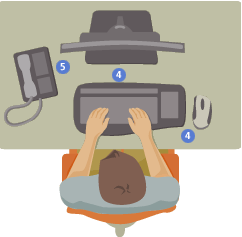
When using a computer, as with many activities, you may experience occasional discomfort in your hands, arms, shoulders, neck, or other parts of your body. However, if you experience symptoms such as persistent or recurring discomfort, pain, throbbing, aching, tingling, numbness, burning sensation, or stiffness, DO NOT IGNORE THESE WARNING SIGNS. PROMPTLY SEE A QUALIFIED HEALTH PROFESSIONAL, even if symptoms occur when you are not working at your computer. Symptoms like these can be associated with painful and sometimes permanently disabling injuries or disorders of the nerves, muscles, tendons, or other parts of the body. These musculoskeletal disorders (MSDs) include carpal tunnel syndrome, tendonitis, tenosynovitis, and other conditions.
For example, to minimize eye strain, try the following:
- Position your monitor about an arm’s length away from you when seated comfortably in front of it.
- Avoid glare by placing your monitor away from light sources that produce glare, or use window blinds to control light levels.
- Remember to clean your screen. If you wear glasses, clean them also.
- Adjust your monitor’s brightness and contrast.
- Adjust onscreen front sizes to make viewing more comfortable for you, if your computer program has this feature.
How to prevent computer health problems?
To prevent health problems caused by computer overuse, take 2-3 minute breaks after every 30minutes. Walk around or stretch a bit. Make sure you use eyeglasses that protect against blue light or bright screens, use a proper chair, follow good ergonomic practices and position your computer, keyboard and mouse properly.
Not yet 40? Well, this concerns you too! Inculcate good posture and healthy computing habits from today itself as these will go a long way in the future. After all, you too will be turning 40 some day, you know!
Guest Post by Dr. Sanjiv Khanse for TWC readers
