
Microsoft has released a new tool called Windows Defender Offline Tool. While most other security tools remove malware after Windows has started, they cannot remove some hard-to-remove malware like Rootkits, as they activate their malicious code before the Windows operating system starts.
Windows Defender Offline can be saved to removable media like a CD, DVD, or USB drive and can be booted from it to start the scan. It was earlier called Microsoft Standalone System Sweeper.
Sometimes, malware or potentially unwanted software installs themselves on your PC, when you are installing some software or when you visit unsavory websites on the Internet. Windows Defender Offline can help remove such hard-to-find malicious programs. Armed with definition files, Windows Defender Offline can detect such malicious and potentially unwanted software, and then notify you of the risks.
UPDATE: Windows Defender in Windows 10 now allows you to conduct an Offline Scan, that can help you get rid of persistent and difficult-to-remove malware and malicious software, using the latest threat definitions. You can perform a Windows Defender boot-time scan with the Offline Scan feature in Windows 10.
Windows Defender Offline Tool
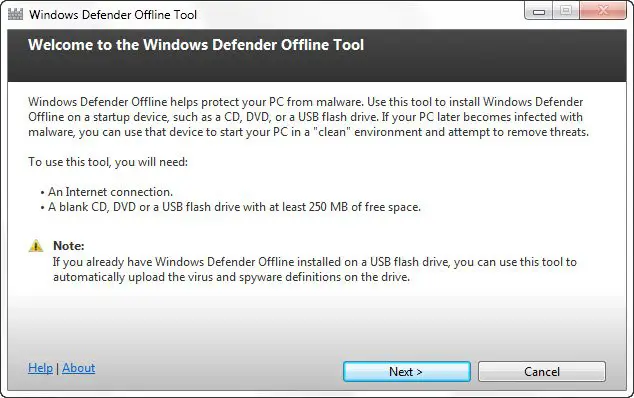
To use Windows Defender Offline Beta, you need to follow the following steps:
- Download Windows Defender Offline and create a CD, DVD, or USB flash drive. You can also first download the ISO file to your disk.
- Restart your PC using the Windows Defender Offline media.
- Scan your PC for malware.
- If any are found, Windows Defender Offline will inform you.
- Remove the malware found from your PC.
- It is important always to have the most up-to-date definitions installed in Windows Defender Offline Beta, and so to download it only when you need it so that it has the latest definitions.
Download Windows Defender Offline Tool from Microsoft.
I have not downloaded it. But I have noticed that although Windows Defender Offline Tool and Microsoft Standalone System Sweeper Tool, both sport different icons and create download folders for the ISO under different names, they have an identical size of the ISO file and the Help links point to the same page. So it does look like there has been a name change.
