
Windows 11/10 has been improving itself in terms of making it more personal since its launch. Windows has seen lots and lots of changes in the Personalization section of the Settings app. You can download several themes from the Microsoft Store which houses an abundance of them. However, if you’re a person who will not settle up for basics, you can easily create your custom themes in Windows 11 and Windows 10. In this post, we’ll talk about how one can create custom themes in Windows 11/10 with a bunch of selected images.
How to create a Theme in Windows 11
Windows 11/10 comes pre-loaded with a bunch of default themes. You can choose a theme and even change the color, background images and sounds associated with the underlying theme. Switching between the downloaded themes is really as easy as ABC. Just one click would be enough for that. Creating a customized theme of your own is also pretty easy. All you need is a package of one or more background images.
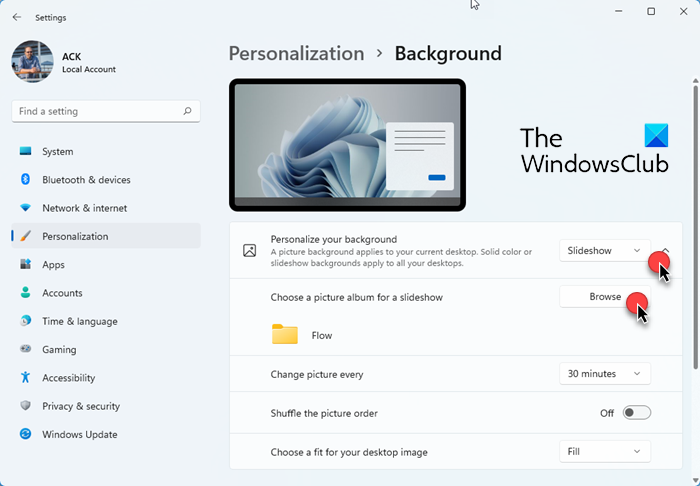
To create a custom or personal theme in Windows 11, follow these steps:
- Press Win+I to open Settings
- Select Personalization > Background
- Select Slideshow and then click on the Browse button
- Select the folder where you have placed all your preferred wallpapers
- Change other settings like:
- Change picture every
- Shuffle the picture order
- Choose a fit for your desktop image
- Next, go back to Personalization and click on Colors and set your preferences
- Now again go back to Personalization and click on Themes
- Click on the Save button, name the theme and click Save again.
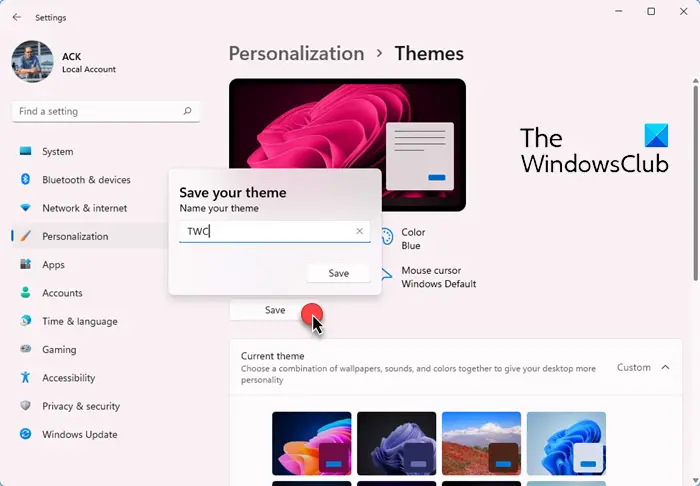
That’s it!
TIP: Download Windows 11 wallpapers for your PC.
Create Custom Themes in Windows 10
Follow the below steps to create your custom theme in Windows 10:
1. Gather all the images you would like as the wallpapers for your theme and put them in a folder on your local drive.
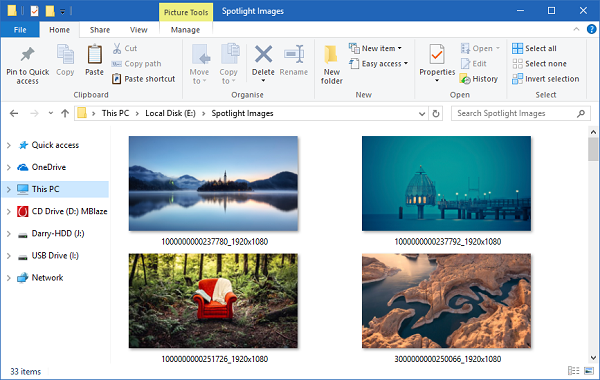
2. Go to Settings app (WinKey + I) and select Personalization.
3. Select Background on the left navbar. Now, on the right side window, click Browse button present under Choose albums for your slideshow. Select the folder which contains your chosen images.
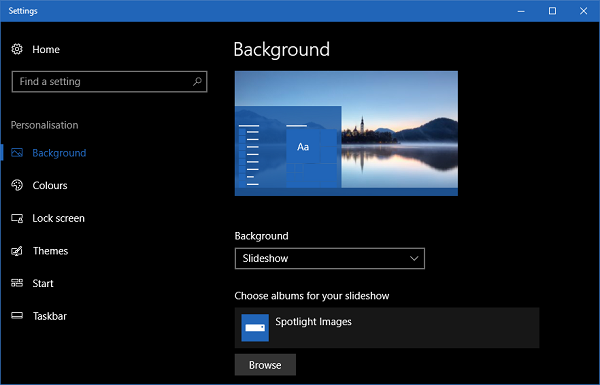
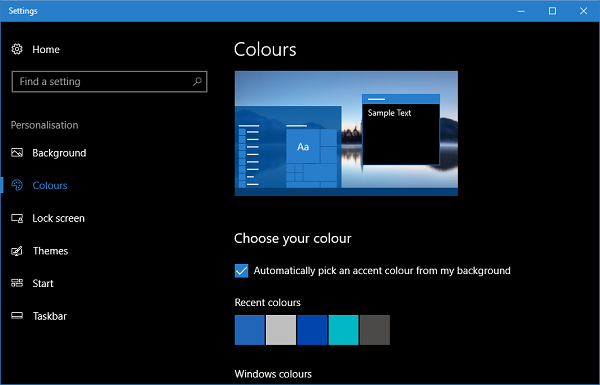
4. Next up, go to Colours tab and select an accent color for your theme. You can even choose to pick an accent color automatically from the active background image.
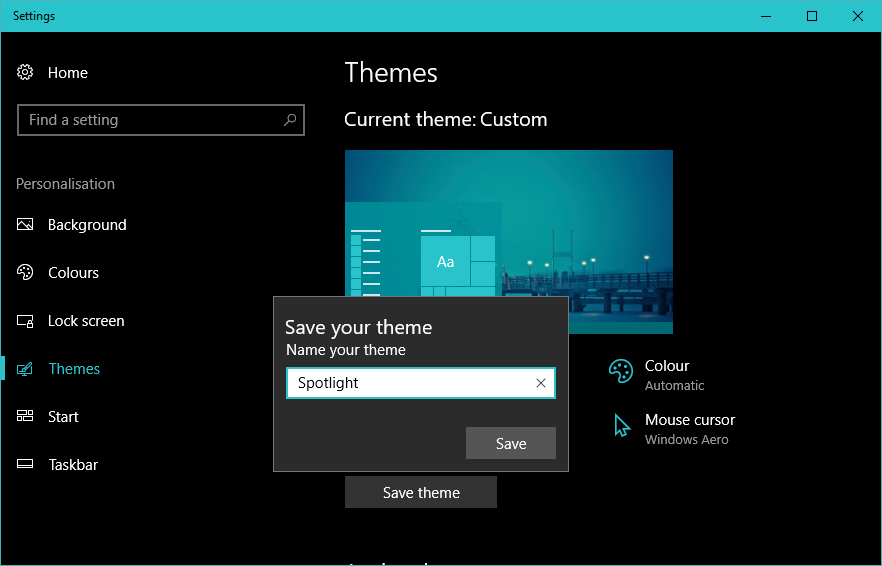
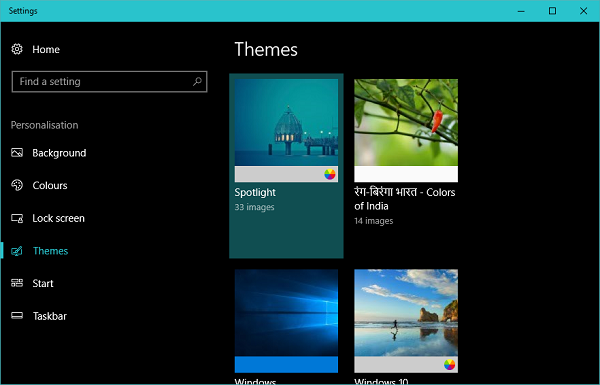
5. Now, your custom theme is ready and you just need to save it. Go to Themes tab and click on Save button present there. Note that before saving your theme name is just Custom and it will not be visible in the collection of themes present on this leaf. Once you save the theme, it will be listed on the page and the given name should appear on the top.
Tweaking your custom Windows 11/10 theme
Once your custom theme is created, you can even change the settings at any later point of time.
Background Images
For changing the settings related to wallpapers included in your theme, you can jump on to the Backgrounds tab and modify the appearance per your taste. You can change the frequency on which the background images changes, choose to shuffle the images and select an appropriate screen fit for the wallpapers.
Colors
To change color settings, you need to scroll over to the Colours tab. Here, you can disable or enable transparency effects, enable the accent color on Start menu, taskbar, title bars, and action center etc. and of course, choose between light or dark themes for the entire OS.
Sounds and Mouse Cursor
While creating a custom theme, you get the default settings for Sounds and Mouse cursor. Although, you can change them later as per your wish. Just click on the respective option on Themes page and select the one which suits you well.
TIP: This post will show you how to create, save, use, delete Themes in Windows.
Create Windows 7 Theme Pack
The file format, .themepack, has been introduced with Windows 7 to help users share themes. A .theme file is basically a .cab file. It enables you to change the appearance of certain desktop elements. You can create or modify a .theme file in two ways:
- Modify personalization or display settings in Control Panel and save the settings as a .theme file.
- Create a .theme file manually for a greater level of control over the details of your theme.
To make your theme available to users of your application, you must supply your .theme file, as well as the background picture, screen saver, and icon files. You can do this with a theme pack.
A theme pack contains the following things:
- Wallpaper with or without Slideshows
- Window color
- Sounds
- Screen Saver
Note that you can also change the Desktop Icons & Mouse Pointers from the left pane.
To create a theme pack:
Right-click on your Desktop > Personalize.
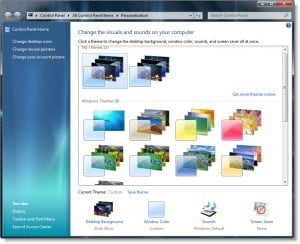
Apply the default theme. Click on Desktop wallpapers. Select the wallpapers or browse to the folder which includes your desired wallpapers.
Set the Picture position – usually Fill or Stretch. Confirm the time interval for the Slideshow and if you want it to shuffle. Save changes.
Next, Choose the Windows Color, Sounds, and Screen Saver, if any.
You will see it as an Unsaved Theme. Click on Save Theme and give it a name. Next, right-click on this theme and select Save theme for sharing. Give it a name and save it a .themepack file.
To install the theme, simply double-click on the theme pack.
That’s about it, folks! I hope this has helped customize your system appearance.
