
In the Windows File Explorer, on the left side, you have the navigation pane, in which a section is Favorites, where you can see places like Desktop, Recent Places, etc. If you wish, you can add a folder or Windows Library to this favorites section in Windows Explorer.
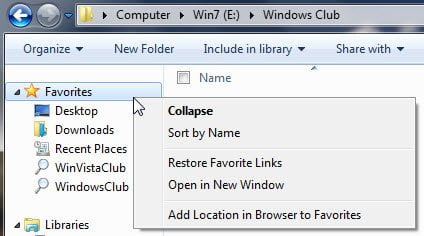
Add Folder or Library to Favorites Link
To do so, browse to the folder which you want to be added to this section.
Next right-click on Favorites in the left side navigation pane, and click on Add Location in Browser to Favorites.
Alternatively, you can also use the drag and drop method to do so or re-arrange them.
How do I restore Default folders in Windows Library?
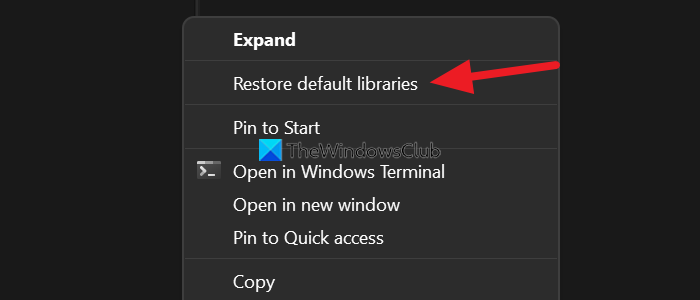
To restore the default libraries on Windows 11/10,
- Select Libraries on the Explorer
- Right-click on it
- Select Show more options
- Click on Restore default libraries.
This is how you can restore default libraries on Windows 11/10.
How do I add a folder to my favorites in Windows Explorer?
To add a folder to my favorites in Explorer, click the folder and drag it to Favorites. Next, right-click the folder you want to add or remove, and then click Show in Favorites.
