
If you cannot associate a file extension to an application in Windows 11/10, and see an error message The program you selected cannot be associated with this file type, then this post may be able to help you resolve the issue.
The program you selected cannot be associated with this file type
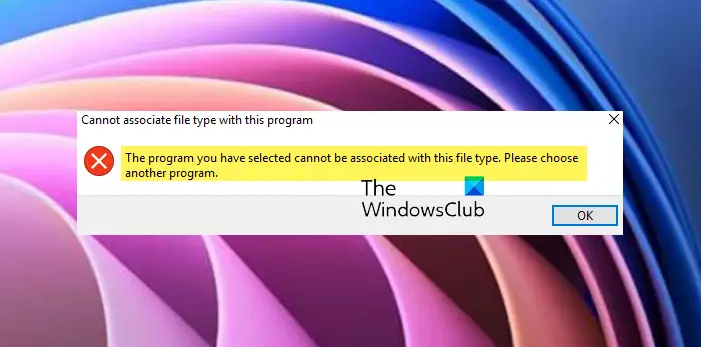
Cannot associate File Type with Program in Windows
Open regedit and navigate to:
Computer\HKEY_CLASSES_ROOT\Applications
Here, find the .exe name, which is creating problems
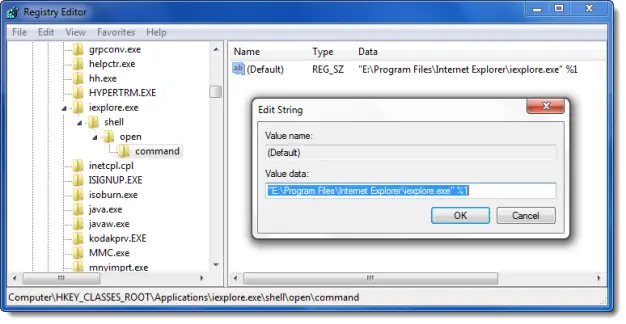 Expand it and navigate it to:
Shell > Open > Command.
Double-click on it and ensure that the application location points to the actual location of the executable file in the value data field.
Exit the Registry Editor.
Now associate the file type for this particular extension and see if it helps.
Our freeware File Association Fixer for Windows should also interest some of you.
How to fix This file does not have an app associated with it for performing this action?
Generally speaking, to fix the This file does not have an app associated with it error on Windows, right-click the file and select ‘Open with’ to choose the appropriate program. Alternatively, navigate to ‘Default Apps’ in Settings to set default programs for file types. Ensuring the correct application is set to open your file type often resolves this issue.
TIP: This post will help you if you cannot change the default app by File Type and this one will show you how to reset all File Associations to default in Windows.
How to fix This file does not have a program associated with it?
To fix This file does not have a program associated with it error go to your system’s settings and assign a default program to the specific file type. This tells your computer which application to use when opening files of that format, instantly fixing the association error.
How do I force a file to open with a specific program?
To force a file to open with a specific program on a desktop, right-click the file and choose ‘Open with’ from the context menu. Then, select your preferred software. If the program isn’t listed, click ‘Choose another app’ and find it on your computer or set it as the default.
