
Digital learning has empowered educators and helped students better prepare for their future. Tools like simple calculators have become more advanced and now feature dozens of functions beyond basic arithmetic. These developments have helped students solve the most challenging equations and enhance their understanding of math. Many of the Microsoft Store apps like Evernote have become ideal for classroom use. There are more apps of this kind.
Microsoft Store Apps to learn Maths
We have covered a few useful Windows Store Apps for you that will help you learn and master Maths subject.
1] FluidMath for Windows
Fluid Math is a pen-centric application designed for teaching and learning mathematics. Simple gestures can produce graphs, tables, and computations from your hand-written expressions.
FluidMath is easy to use. When you first launch it, you are offered a digital graphing paper with two pen functions
- For solving equations
- For free-hand drawing.
The “math pen” visible under the app’s ribbon interface transforms your input into text as you write down the formula on the screen. To begin, simply write a math notation. It will be represented as a graph.
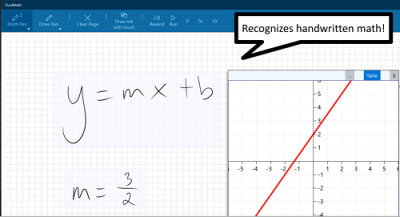
You can use the latter tool to mark important locations or draw arrows, animations to highlight an area of interest.
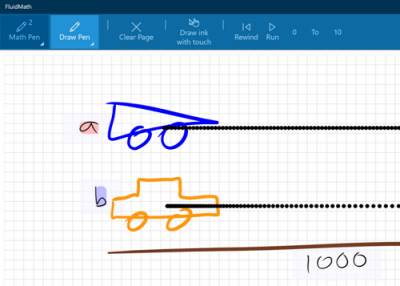
When you represent lines as equations, multiple graphical representations will be shown in the screenshots below. You can click on ‘Table’ to display different tools like ‘Hand’ to adjust the graph up-down or left-right.
Likewise, the app can solve word problems using simple arithmetic functions such as addition, subtraction, multiplication, and division.
Thus, FluidMath for Windows enables you to use your device’s pen and touch capabilities for teaching and learning math and science through interactive visualizations and computations.
Please note that you must create an ID to use the application. However, if you are a student, you can just contact your admin or ask your school administrator to sign up for the service. Get FluidMath for Windows from the Microsoft Education Store.
2] Microsoft Mathematics
This app features important tools to help you complete your homework quickly. It features a graphing calculator equivalent to a handheld calculator in design and function. Additional math tools help you evaluate triangles via a triangle solver and convert from one system of units to another using a unit converter.
The app has been designed to work on touch-enabled devices. As such, you can enter data with a stylus. Besides, it supports several add-ons that enable the app to integrate well with the Microsoft Word software application. Click here to download the app.
3] Math Solver
Math Solver helps you solve Linear Equations, fractions, and numerals related to the Geometry discipline. Getting started with the app is not difficult as there are tutorials available in the app for your help. A unique feature of this app is that it keeps a history of previously entered expressions, so you can refer to or reuse them at any time. However, there’s a shortfall – short memory. The saved expressions are deleted once you quit the program.
The app includes an excellent database with constants and functions. I would have given a FIVE STAR rating if it had helped me solve LIMITS, INTEGRATION, and DERIVATIVES.
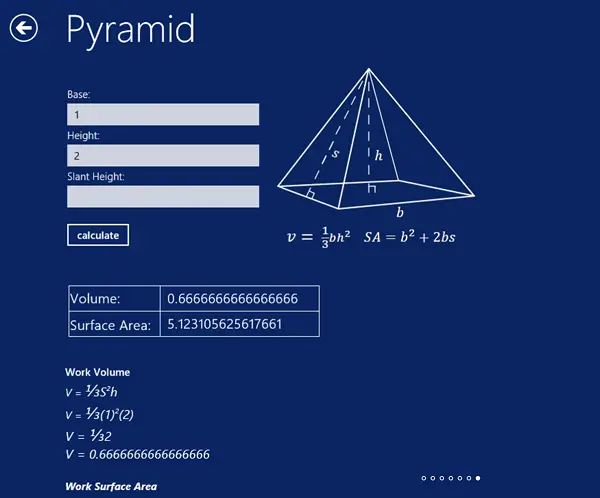
4] All Math Formulas
Conceptual understanding of formulas makes it easier for students to solve problems but remembering dozens of them or recalling them in the hour of need can wreak havoc in a student’s brain. that’s where the role of All Math Formulas app comes into play. The app is a collection of formulas from the mathematics and physics disciplines. All essential math formulas and equations: Algebra, Geometry, and Trigonometry can be found in this app.
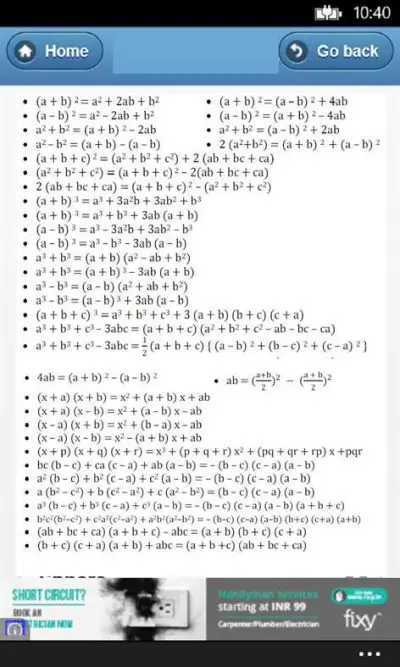
Go here to get the free All Math Formulas App.
I hope you find them useful!
