
Quick Restore Point Maker v4 is a smart 1-click freeware for creating a System Restore Point in Windows 11, Windows 10, Windows 8.1, Windows 8 and Windows 7 & Windows Vista.
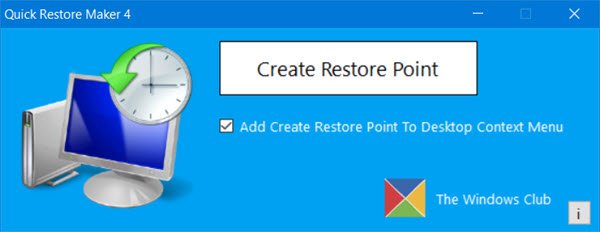
Quick Restore Maker
Normally, to create a system restore point, you have to, via the Control Panel, open the System Protection box and then open the System Restore utility (rstrui.exe) to create a restore point.
Quick Restore Maker allows you to create one in a single click. The restore point so generated is named as ‘QRM Generated‘ point.
Simply download and extract the content of the zip file and place the program folder in your Program Files folder and the shortcut of its exe file to your Start Menu.
Run the portable tool as administrator. Click on Create Restore Point button. You will be informed that the Restore Point is being created. One the process is completed, you will see a The restore point was created successfully dialog box. Click OK to exit the application.
If you wish, you can also add Create Restore Point entry to your desktop right-click context menu, so that you can create a system restore points on the fly.
To create a keyboard shortcut to open Quick Restore Maker, right-click on its exe file and select Properties. Place your cursor in the Shortcut key field and press the key that you want to set. You could use an F key or any other. Click Apply and exit. Now when you press that Key, QRM will open.
Now anytime you are trying out a new software or are tweaking your system, create a restore point first with just a click,

Quick Restore Maker v4 updated and released on 21st March 2017, has been developed by Paras Sidhu. It has been tested on Windows 10, Windows 8.1, Windows 8 and Windows 7.
Other downloads:
- Download Quick Restore Maker v3 for Windows 8 and Windows 7.
- Download Quick Restore Maker v2 for Windows Vista.
- Download Quick Restore Point Maker Customizable Portable.
OLDER VERSIONS:
UPDATE: 22nd Aug 2012: Quick Restore Point Maker has been updated to v3 to work smoothly with Windows 8/10 and has got a new UI. It also adds an option to check if System Restore is disabled and gives the user the option to Enable it. Download it here.
Quick Restore Maker v3 has been developed by our TWC Forum member Lee. Download Quick Restore Maker v3 for Windows 8 and Windows 7. Download Quick Restore Maker v2 for Windows 7 and Windows Vista.
For those who would like to name their own Restore Points, you may download Quick Restore Point Maker Customizable.
UPDATE: 4th Sept 2010: Customizable Quick Restore Point Maker has got a new UI with some changes. A setup file is also available which adds Create System Restore Point to your right click context menu. Details below!
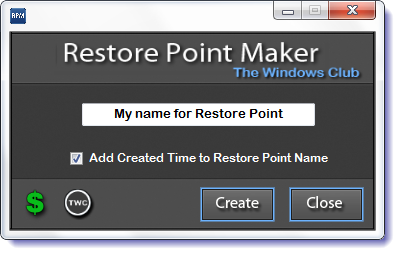
Differences in this version:
- Does not automatically generate Restore Point when the application is opened
- Name your Restore Point to a custom name
- Click the Create Restore Point to generate the Restore Point
- Switched the Restore Points generated from an Install to System
- Rewrote the progress function to reflect better the time it takes to create the Restore Point
- Added by request, the option to add the time to the Restore Point name
- Custom Photoshop CS5 style GUI created.
Download: Quick Restore Point Maker Customizable Portable.
How do I create a Restore point first?
To create a System Restore point in Windows 11 and Windows 10, you can follow this detailed guide. You can open the System Properties and click the Create button after enabling the Protection for the C drive. Then, you can enter a name for your System Restore point and click the Create button.
How do I create a System Restore point automatically?
It is possible to create a System Restore point automatically every day or week on Windows 11 and Windows 10 PC. For that, you need to take the help of the Task Scheduler. For your information, a basic task can do the job for you.
Restore Point Manager, from this developer, allows you to completely manage your Windows system restore points and customize its options. You may want to check it out!
