
We are pleased to release Quick Clean for Windows 11/10/8/7/Vista. Quick Clean is a freeware tool that lets you clean up the junk temporary files from your Windows desktop safely and quickly.
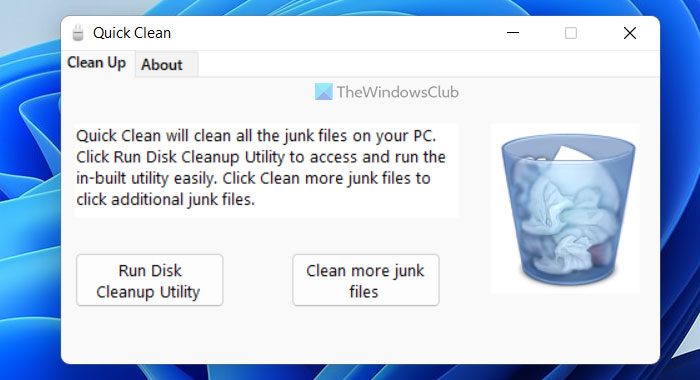
In a click it allows you to access and run the in-built Disk Cleanup Utility and also clean additional junk files, which the Disk Cleanup Utility does not.
Click ‘Run Disk Cleanup Utility‘ to open and run the in-built Disk Cleanup Utility.
The ‘Clean more junk files‘ module cleans the following junk files:
*.tmp, *.temp, *.chk, *.old, *.gid, *.nch, *.wbk, *.fts, *.ftg, *.$$$, *.err, *.—, *.~*, ~*.*, *.??$, *.___, *.~mp, *._mp, *.prv, *.sik, CHKLIST.MS, *.ilk, *.aps, *.mcp, *.pch, *.$db, *.?$?, *.??~, *.?~?, *.db$, *.^, *._dd, *._detmp, 0*.nch, chklist.*, mscreate.dir, *.diz, *.syd, *.grp, *.cnt and *.~mp.
This module DOES NOT delete any files from the Windows folder.
It also DOES NOT delete the following files:
- *.bak, *.thumbs.db, *.log, *log.txt, *.pf files.
How do I delete junk files from my computer using Command Prompt?
To delete junk files from your computer using Command Prompt, you need to run more than one command. For example, you can use the cleanmgr /sagerun command to delete files automatically. On the other hand, defrag c: command will run the defragmentation tool on your computer. Whether you use Windows 11 or Windows 10, the chain of commands is the same.
How do I clean up useless files in Windows?
Useless files can be piled up in different locations on Windows 11/10 PC. For example, you can use the Disk Cleanup utility to remove a particular set of files. On the other hand, you can use a large files finder to find large files and delete them on the go. Apart from that, you can delete files from the Temp folder as well.
To uninstall the program, simply delete the executable.

Quick Clean for Windows 11/10/8/7/Vista v 1.0 has been developed for The Windows Club, by Ritesh Kawadkar.
