
Zoom is one of the top video-conferencing platforms available. It has one of the best features: video filters. Some users are unable to see Zoom video filters on their PC. In this guide, we have a few solutions to fix it.
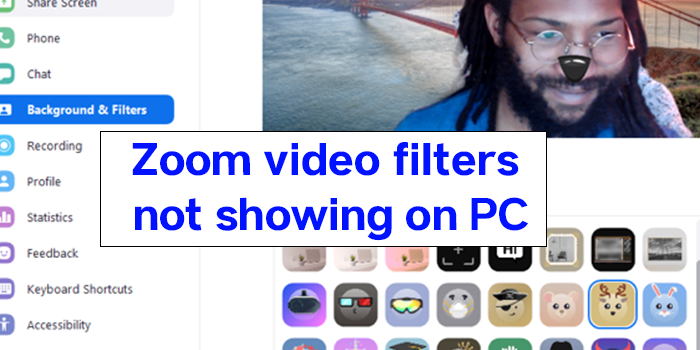
Zoom has grown multifold. As the companies’ physical locations are closed, their meetings and collaboration can only happen through apps, and Zoom was at the top of the league at the beginning. After that many platforms came and succeeded too. Zoom has a lot of best features to make the users love it like virtual background, video filters, etc.
Zoom video filters not showing on PC
Some users are experiencing issues with Zoom video filters. Let’s see how we can fix it:
- Turn on the filters in Zoom settings
- Switch to Desktop Client
- Update Zoom app
Let’s get into the details.
1] Turn on the filters in Zoom settings
The video filters option is turned on by default on your Zoom account. You cannot see the video filters if they are turned off by accident or will. Login to your Zoom account, on a web browser and go to Settings on your Profile. Then, click on Meetings and scroll down to Meetings (Advanced) and toggle the button on beside Video filters.
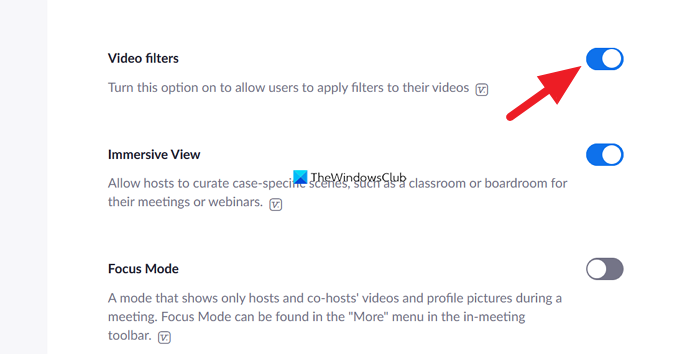
This will enable video filters.
2] Switch to Desktop Client
You cannot see video filters on Zoom when using it in a web browser. You need to switch to the Zoom desktop app from the web client. Download Zoom application for windows from the official website and install it. Then log in with your credentials and try video filters.
3] Update Zoom app
The Zoom app on your PC might be outdated or glitchy. You can fix it by updating it to the latest version. Uninstall the Zoom app, then download the latest version from the official Zoom website and install it on your PC.
This is how you can fix the Zoom video filter not showing on PC. There are also some system requirements mentioned on the official Zoom website for virtual backgrounds. They also might cause the issue, and you need to use it on the latest acquired PC.
Why do I not have any video filters on Zoom?
You might have turned off the video filters in the Zoom profile settings, or you might be using the oldest version of the Zoom app. Uninstall the Zoom app currently installed on your system, then download the latest version of Zoom from its official website and install it.
How do I get Zoom filters on my computer?
You need to install the Zoom desktop client on your PC and make sure the video filters option is enabled in your profile settings. Then, while in the meeting, you can use video filters by clicking on the gear icon.
Related read: Zoom Microphone is not working.
