
When you install or run certain applications on Windows, you may see a prompt asking you to install the Windows Desktop Runtime. What is Windows Desktop Runtime? Why is it needed? Is it safe? Let’s discuss these questions in this post.
What is Windows Desktop Runtime?
The Windows Desktop Runtime is part of Microsoft .NET. It provides the essential libraries and execution environment that allow desktop applications to be built with Windows Presentation Foundation (WPF) or Windows Forms.
When developing and publishing .NET apps, developers have two options:
- Self-contained apps: These include the runtime inside the installer, making them larger but independent.
- Framework-dependent apps: These rely on the Windows Desktop Runtime being installed on the system, keeping downloads smaller and updates easier.
What is Windows Desktop Runtime used for?
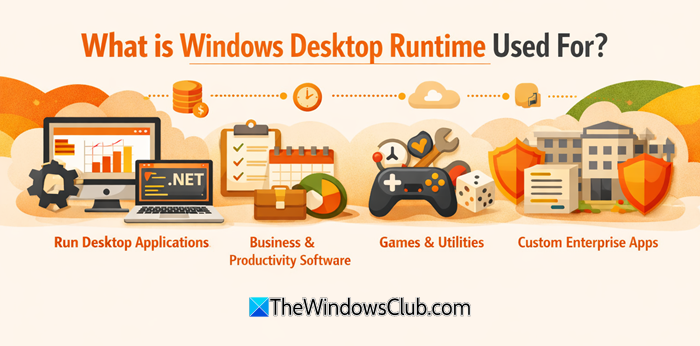
Windows Desktop Runtime is the backbone that enables .NET desktop applications. You need the Windows Desktop Runtime for the following reasons:
- Running software built on .NET
- Using tools that rely on WPF or Windows Forms
- Installing custom enterprise applications
- Playing certain games or utilities that depend on .NET libraries
The runtime handles critical tasks like:
- It uses the Common Language Runtime (CLR) to run managed code.
- It enables rich graphical interfaces through WPF and Windows Forms.
- It manages memory, garbage collection, and threading so apps run efficiently.
- It provides built-in support for collections, file I/O, networking, and more.
Do you need multiple Microsoft Windows Desktop Runtime versions?
Yes, you generally need multiple versions of the Microsoft Windows Desktop Runtime installed on your computer. This is because different applications depend on different runtime versions, and uninstalling one may cause those apps to stop working.
Is Windows Desktop Runtime safe?
Yes, Windows Desktop Runtime is safe as it is developed by Microsoft. You should always install it from the official Microsoft .NET download page or via Windows Update.
How to check if Windows Desktop Runtime is installed on your computer?
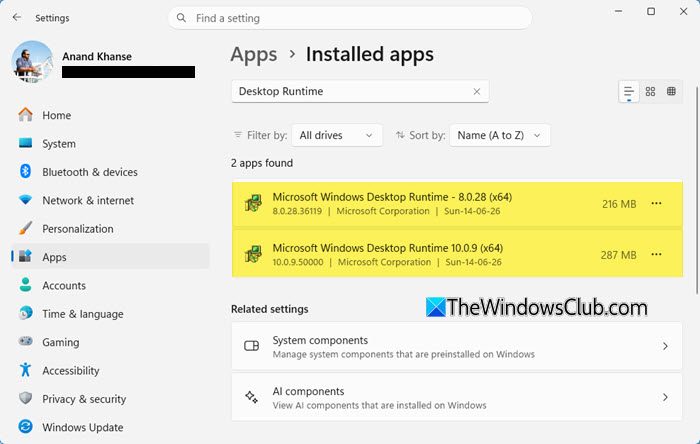
- Press Win + I to launch the Settings app.
- Go to Apps > Installed apps.
- Search for Desktop Runtime
- Look for entries like Microsoft Windows Desktop Runtime
- If you see it listed, the runtime is installed.
If not, you’ll need to download it from the official Microsoft .NET download page.
How to check which Microsoft Windows Desktop Runtime version is installed using command line?
Open an elevated CMD, type the following and hit Enter:
reg query "HKLM\SOFTWARE\Microsoft\Net Framework Setup\NDP" /s
This will show the versions installed.
That’s all.
