
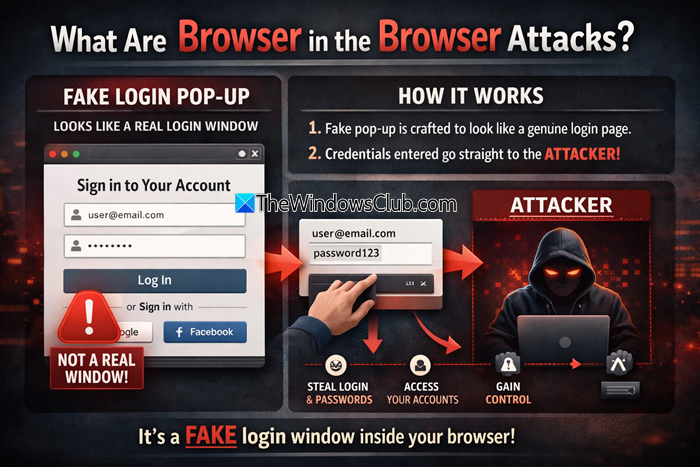
Heard of Browser in Browser Attack (BITB)? It’s a new threat emerging worldwide. Identity theft, malware/trojans, and ransomware are some examples of the cyberattacks we know, but there is a new attack called the Browser-in-Browser Attack, which has recently emerged. This attack is nearly undetectable and is now targeting government utilities as well. This new phishing technique was discovered and shared by a researcher Mr.d0x. This type of attack works by creating a fake browser window within your actual browser, making it appear to be a legitimate login prompt (for Google, Facebook, etc.), but everything you type goes straight to the attacker.
Browser in the Browser Attacks
It sounds strange, but it is exactly what it sounds like. In this attack, the attackers fool you with a new browser pop-up in your browser. This new browser is controlled by the attackers, and they trick you into signing in there using your credentials. The fake browser closely resembles your real browser and is nearly impossible to detect.
So, basically, this attack happens through the Single Sign-In Option (SSO) and we are so used to the Single Sign-In option that we hardly notice if the website is real or fake. This is because it’s easy and quick; we don’t really want to create a new account for every website and then remember hundreds of passwords.
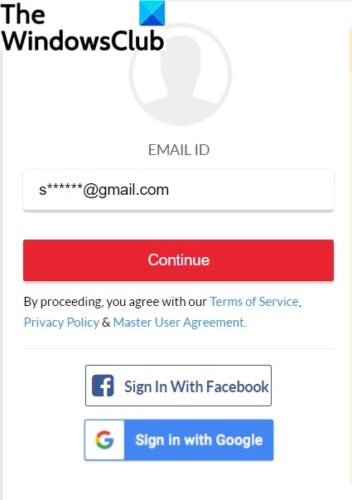
The Single Sign-in option means when we sign in to any app or program using our other accounts like Facebook, Google, Microsoft, Instagram, or your Apple ID, etc. It is an authentication method in which we authenticate and log in to multiple websites and applications using the same user ID and password. The SSO process collects and transfers your data between systems.
So the attackers first send you a malicious link via email or message, trick you into opening a fraudulent webpage, and then you get a new browser with the SSO option. As mentioned above, this login page looks very real and is almost impossible to detect. When you log in to your account via this attacker-controlled webpage, your account gets hacked.
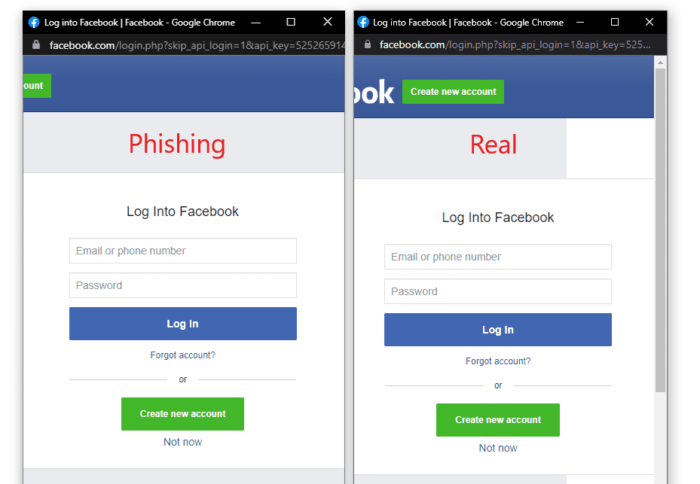
The attackers create login pages that are absolutely identical to the real ones using HTML/CSS. mr.d0x has shared a picture of the phishing page vs the real page and even after trying really hard, I couldn’t notice the difference.
How to avoid Browser in the Browser Attack
Here are some tips to help you to avoid Browser in the Browser Attacks on your PC:
- Don’t click on suspicious links
- Multi-factor authentication
- Avoid SSO
- Use password managers
- Use anti-hacker software
1] Don’t click on suspicious links.
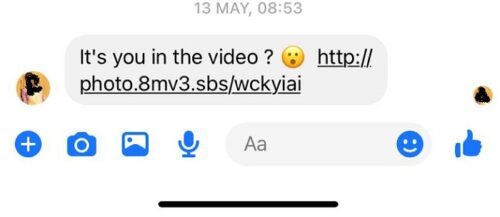
The first and very important thing to do is to avoid clicking on any suspicious link you receive in your email or via any instant messaging service. Attackers usually send such malicious links via emails with some tricky messages like- “It’s you in the video”? If you are sure about the sender but still suspicious about the link, it is better to first verify it with the sender. Remember that the major trick is to land you on the malicious webpage before the pop-up window is displayed, so if you don’t click on such links, you are 100% safe.
2] Multi-factor authentication
Adding a two-factor factor authentication is a very good way to avoid any kind of hack attempts. We all know that just keeping strong passwords is not enough nowadays; attackers are very skilled at cracking any kind of password. Multi-factor authentication provides an extra layer of security against such cyber-attacks.
3] Avoid SSO
I know it’s very difficult to avoid the single sign-on option because we are quite used to them, but it is a very good and, in fact, the best way to avoid the Browser in the Browser attack.
Read: Tips to keep Hackers out of your Windows computer
4] Use password managers
The password managers with the autocomplete option usually can detect if the login URL is authentic or fake, thus using a password manager is a good idea to avoid these attacks. With password managers, you can store all your login credentials securely in digital form and remember just one master password. This way you can assign different passwords to the individual sites, which is certainly more secure.
5] Use ‘anti-hacker’ software
There is actually no such thing as anti-hacker software, but there are a few programs/software that can help you avoid such cyber-attacks, and some of those are Windows Security and OneDrive, Ghostpress, Anti-Hacker, etc.
Now read: What are MitB or Man In The Browser Attacks?
What is BITB Attack?
Browser in the Browser Attack, abbreviated as BITB, is an attack in which you are spoofed with a browser within the browser. You receive a malicious link in your email or via instant messaging. When you land on the attacker-controlled webpage, they deceive you with a fraudulent login page, and once you enter your credentials, your account gets hacked.
Read: Safe software download sites to download Windows software free
Can we avoid Browser in the Browser attack?
The fake login page in the Browser in the Browser attack looks very real, and it is almost impossible to detect it. All you can do is avoid clicking any suspicious and be a little extra careful while using SSO.
