
With the Microsoft To-Do application out there already, you might have had the chance to test it out. The Microsoft To-Do application is beautifully designed and can really replace your existing To-Do app. But as usual, applications sometimes have issues, and that is where troubleshooting posts like these can help. We have already seen how to use the Microsoft To-Do app. Now in this post, we’ve discussed some of the common Microsoft To-Do app problems faced by users.
Troubleshoot and Fix Microsoft To-Do app problems & issues
Microsoft To-Do app Minimum Requirements
If you are unable to access the app properly, it might be due to the system requirements. The Minimum Requirements for various platforms are as follows:
- Windows: Windows 10 or later
- Mac: 10.10 or later
- iOS: iOS 9 or later
- Android: Android OS 4.4 or later
- Web: Latest version of Edge, Safari, Chrome or Firefox
Microsoft To-Do app To-Do is not enabled
If you see this error message when you try to access the application, then To-Do has not been enabled by your organization’s admin. If you are the admin, you can enable this feature by going to ‘To-Do Preview’ section in the ‘Services & Add-Ins’ page. Unless you toggle the switch ON, your users will not be able to access any of the To-Do’s features. If you think everything else is functioning fine and you’ve received this message due to an error, you can contact the IT administrator or write to Microsoft about it.
Microsoft To-Do app Crashes
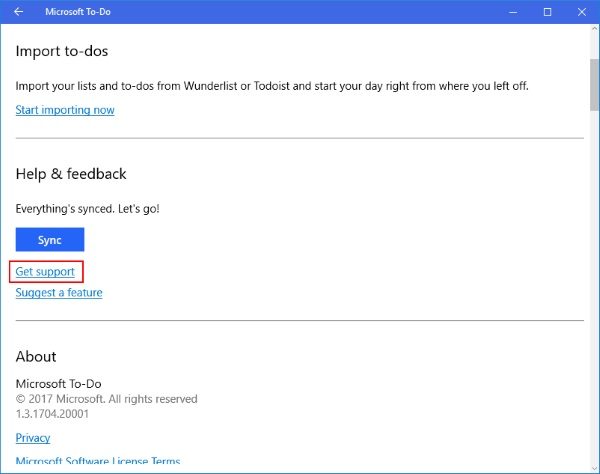
If the application keeps crashing, you can try uninstalling it and then reinstalling it. A further step could be to test the application on a device similar to yours. Although Microsoft tracks and records application crashes automatically. But you can still report errors and other situations to Microsoft to help improve the application experience for yourself and other users.
I don’t have a license for Microsoft To-Do app
Well, if you are using To-Do with a Microsoft 365 work account, then you may probably encounter this error. It is currently available to users with valid licenses for Business Essentials, Business Premium, Enterprise E1, Enterprise E3 and Enterprise E5. If your organization does not have any of the licenses mentioned, you cannot use this service for now.
If you use Microsoft To-Do with a personal Microsoft account on iOS, then you may see an error message on the device. You can simply ‘Dismiss’ the error and continue using the application normally.
I don’t have a Microsoft To-Do Mailbox
To-Do preview requires an Exchange Online mailbox to store and securely sync your tasks across different devices. So, if you have not purchased Exchange Online on your account, then you will not be able to access To-Do and its services; else you will have to invest in an Exchange Online plan.
Read: Microsoft To-Do Tips & Tricks
Unsupported Account Types in Microsoft To-Do app
As the service is still in preview, some account types are not yet supported. If your account is any of the following types, then you cannot use Microsoft To-Do.
- On-Premise installation of Exchange Server and Microsoft account that is not on Exchange Online.
- Microsoft 365 Pro Plus, Business, Kiosk K1, and Education accounts.
These were some common problems faced by To-Do users.
