
Efforts like raising awareness about Phishing have yielded the desired results, but cybercriminals continue to devise new attack methods. The latest attacks via PDF attachments are designed to prompt users to enter their email account credentials on well-crafted phishing pages, according to Microsoft. Before you proceed, you might want to take a look at what is Phishing and how to identify Phishing Attacks.
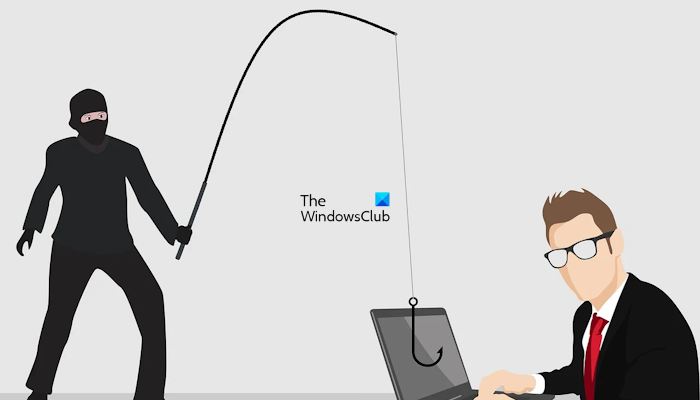
Social Engineering makes use of PDF for Phishing
A new variant of the Phishing attack makes the PDF file look like a protected Excel file that can only be displayed with Microsoft Excel after entering email credentials. The attachment is mainly carried by an email message that pretends to be official communication, faking authenticity. It urges the potential victim to open the file by following the link in the PDF.
When a user tries to open the attachment, an error message is displayed that instructs the user to “Open document” with Microsoft Excel”. This, in reality, is a link to a website.
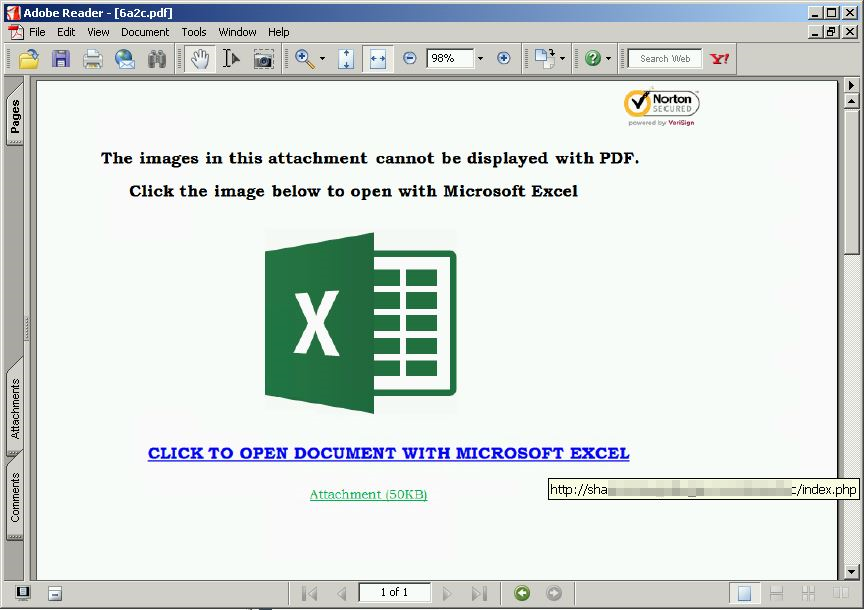
For an informed user, an event such as this is enough to raise the alarm, since Adobe Reader is used to read PDF files, not Excel files.
Clicking the link opens your browser and takes you to a web page, where the Social Engineering attack continues with a message stating that the document is protected as confidential and that you need to sign in with your email credentials.
Why is this social engineering technique used? It involves a human element, making it tricky for enterprises to prevent these attacks. Moreover, it invokes urgency, fear, and other negative emotions in the victim, forcing him to promptly reveal sensitive information by clicking a malicious link or opening a malicious file.
Once you enter the information, a cybercriminal with access to your email can launch further phishing attacks against your contacts or gain access to your online banking.
Microsoft Edge browser, through SmartScreen technology, blocks these phishing pages from loading. Users of the Edge browser for web browsing need not worry. Also, recent versions of popular browsers, such as Mozilla Firefox and Google Chrome, are equipped with the tools needed to avoid phishing. It is, therefore, advisable to always use the latest release of modern Internet Browsers.

Additionally, Windows Defender can detect and block malicious PDF attachments and other malicious code.
The second method involves a slight variation in which the PDF prompts a user to click a link that supposedly takes him to an address where he can view a Dropbox-hosted document online. Again, here, the user is redirected to a phishing page that “allows” him to view the document only if he enters his correct email credentials.
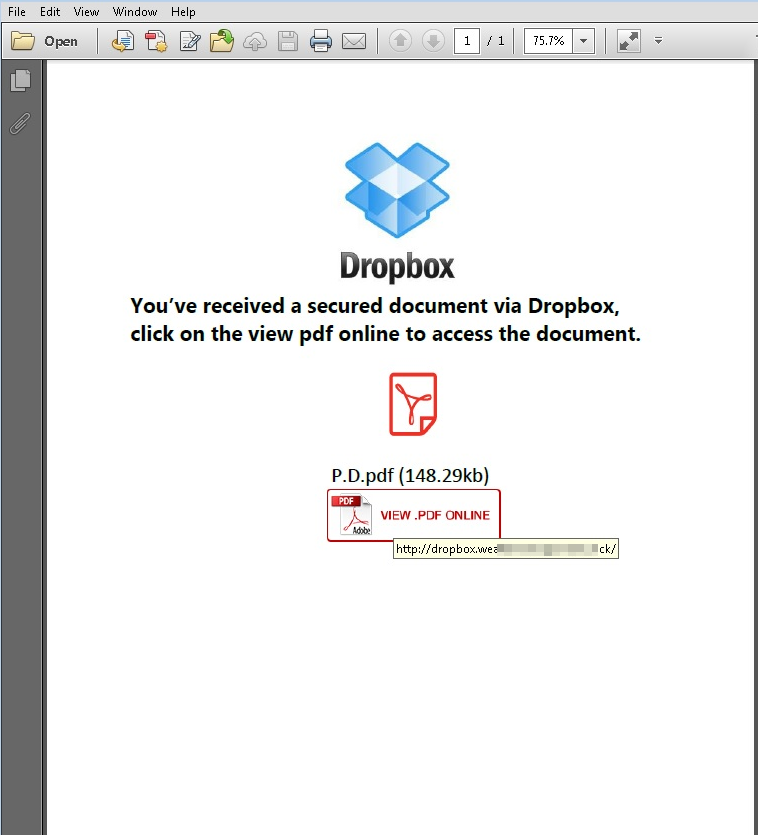
Awareness is the key here. You should look for the URL address. If it is using HTTP not HTTPS, it is not a secure session but a well-crafted phishing page. Close the page right away and exit!
How to stay safe from Phishing attacks
Social engineering attacks are designed to exploit fear, leading to lapses in decision-making. So, awareness is the key. Never open email attachments or click links in suspicious emails. Also, security features in Windows 11/10 can help you identify and stop phishing attacks. Read this post for more on how to protect yourself from Social Engineering attacks.
What happens if you open a PDF in a phishing email?
The PDF files in a phishing email contain links embedded in texts or images. If a user clicks these links, they will be redirected to a phishing website, where their sensitive data or information may be compromised. In addition, hackers may install malware on the user’s system.
Now read: What is Socially Engineered Malware and what precautions can you take?
