
While online clipboards are getting old, I still find their usage on certain occasions. However, now I look for clipboards that are secure, i.e., have HTTPS implemented and do not share data over plain text. I am sure I will never use any sensitive data for them, but when pooling data across different platforms or devices, they are handy.
Secure Online Clipboards
While the Windows Cloud Clipboard is not online, it’s a part of Windows 11/10, which everyone should use. Data syncs across devices and is secure, making it a great choice. However, you will be restricted to the Windows Platform.
1] cl1p.net
It’s a straightforward clipboard where you create a unique URL. Once you paste the content, open the URL on another computer. Once you have your data, the cl1p url is destroyed as soon as it is read. If you or anyone revisits the same URL, the data will no longer be visible. It is handy when you do not want to use personal services on a computer which you do not trust.
2] clipbrd.com
This clipboard works through Chrome extensions. It runs in the background and monitors whatever changes happen on the OS clipboard. The same extensions can be installed on your second computer, and any differences it detects on the first device become available on the second. It will work between multiple devices, and all of them will remain in sync.
Right now, it only works for text, not for images or anything else. It also offers an Android app that lets you sync the clipboard between a phone and a computer.
3] Pasteboard.co
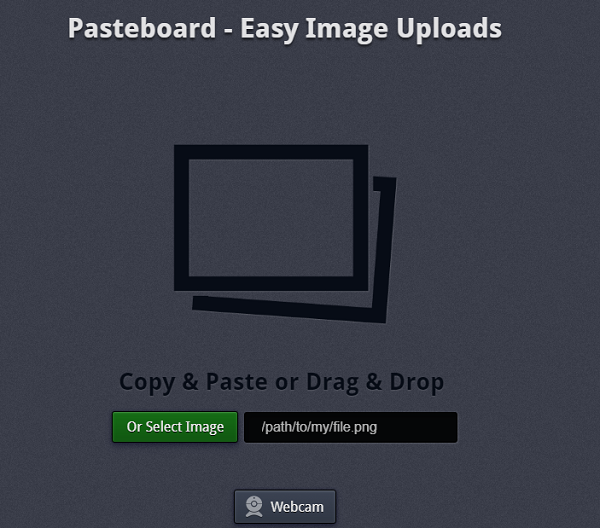
Pasteboard is perfect if you want to copy an image from one computer to another or a phone. It works with the Windows clipboard. So, any image that you copy can be pasted on the pasteboard, and it will generate a unique URL. You will have to choose to delete it; otherwise, it will remain on their servers forever. You can also use the webcam.
4] Clipboard.Ninja
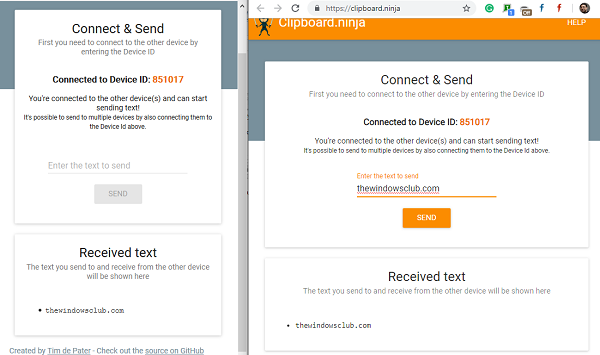
It’s another unique but secure online clipboard that works between devices, but differently. Every time you open the website, you get a unique ID. Note the ID. Open the Clipboard Ninja on another machine and enter the ID. It will securely connect two devices, and you can send texts.
I am sure there are many clipboard managers around there, so if you use any of them, we would love to hear about them.
