
Windows has a built-in logging system that allows the OS to collect a performance-based log. These logs are useful for diagnosis to determine what is happening with Windows 11/10 under various working conditions. All these logs are kept into folders and are hidden from users. In this post, we are looking at the PerfLogs folder.
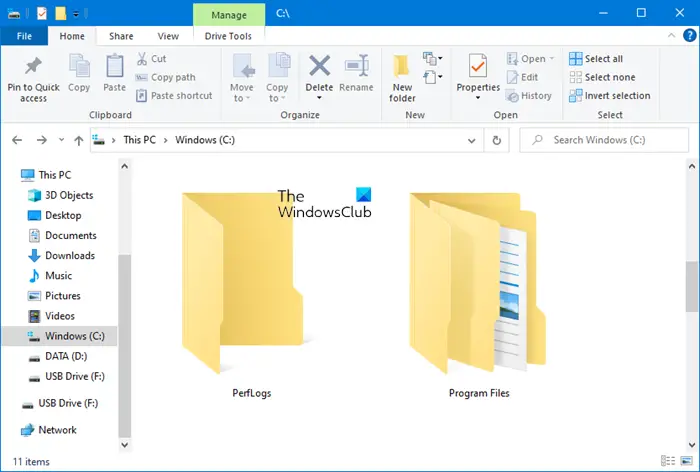
What is PerfLogs folder in Windows 11/10
Perflogs, short for Performance Logs, is an OS-generated folder where Windows stores all log files, which includes system issues, and performance-related reports. And other matrics useful for analysis. The folder is located in the root directory (%SYSTEMDRIVE%\PerfLogs), where the OS is installed but is hidden and needs admin permission to access it.
If you want to read these files in a way it can be understood, then you need to use the Performance Monitor tool that is available in Windows 11/10. The tool also retrieves log files from PerfLogs and provides a clearer view. You can also run your diagnostics using this tool.
- In the Start menu, type and open Performance Monitor
- Expand Data Collectors Sets > User Defined and right-click on it
- Select New > Data Collector Set.
- Follow the wizard, and you can choose from a predefined template
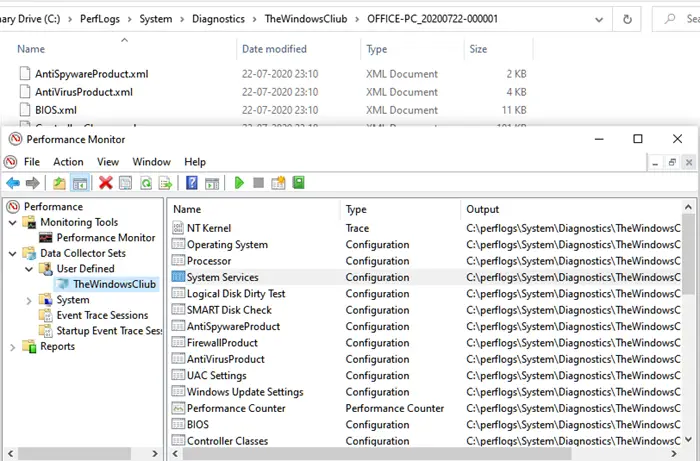
Once done, start the data collection, it will instantly start capturing data that will be stored in the PerfLogs folder. If you manually move inside the folder, you will find the logs on the following path.
C:\PerfLogs\System\Diagnostics\<Data Collector Set Name>\ComputerName_Date-000001
There is a Reports.html file inside the folder which you can open in any browser and look at the summary of performance logs file in an understandable and visual format.
Is it safe to delete a PerfLogs folder?
These are only log files, so you are free to delete the folder without any risk. However, every time you delete the folder, it will be autogenerated by the OS. If the log files are taking up too much space, you can delete them to clear the space. However, if you frequently face this problem, it is best to relocate the folder.
From what we have seen, relocating doesn’t work completely, and Windows can still generate the PerfLogs folder. It would be best to leave the folder as is, as it’s harmless; it only contains small text files.
I hope you were able to understand what the Perflogs folder is.
