
Are you looking for a multipurpose image and video player because you’re tired of using different apps to get things done? Well, you might be in luck because we came across a tool known as MrViewer, and as always, we’ve given it an extensive test to see if it’s worth using at all. According to the creators, it’s “A video player, interactive image viewer, and flipbook for use in VFX, 3D computer graphics and professional illustration.”
Now, we must say it comes packed with a ton of features that should keep users occupied, especially if you’re new to most of what MrViewer has to offer. Trust us, there’s a lot here to play with.
Before moving forward, note that we downloaded the app using the Mozilla Firefox web browser. We launched it from the browser’s downloads section, and for some reason Firefox froze for several seconds before returning to normal. After that little hiccup, the installation was relatively swift, but it will always depend on the speed of your computer at the end of the day.
Flipbook, Image Viewer & Audio-Video Player for Windows
1] The user interface
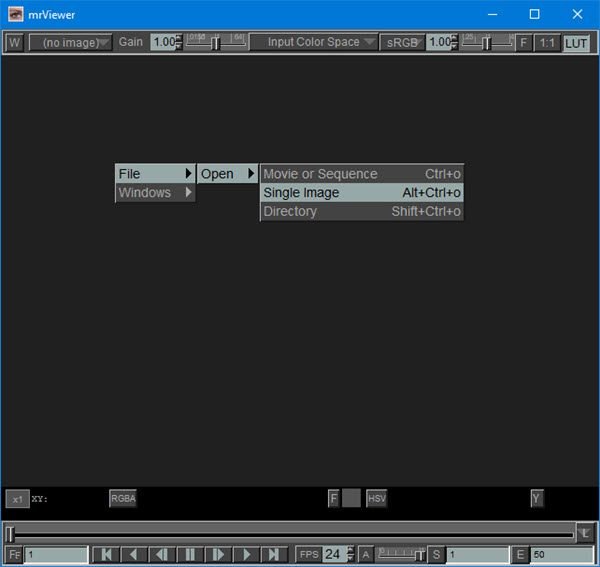
One of the most important aspects of any computer program is the user interface. You see, when it comes down to MrViewer, it has one of the most difficult unintuitive user interfaces we have ever seen.
If you’re a complete novice, then you’ll be scratching our all of your hair while wondering what to do next. Luckily, we decided to go through all the problems of learning how to use this thing to the best of our ability.
2] Opening a file
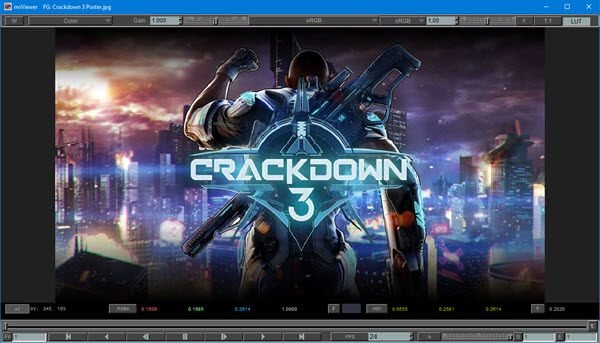
Opening files with MrViewer is not that difficult once you’ve figured out what to do. Simply right-click in the middle of the program, then select File > Open and choose an option. You can either open a video or an image from here.
We chose to open a video to see how well it plays. Now, once the video is opened, it doesn’t play automatically. Therefore, users must press the play button at the bottom to get things going.
Unfortunately, we did not find an option to hide the video and return to the black screen we started from.
When it comes down to opening an image, well, the same rule applies. Go to File > Open, select the image option, then locate the image in the directory and add it.
Everything you’ve added previously will be temporarily saved in the tool until the user closes it. We supported this move because if the user wants to return to a previously used file, there’s no need to search the hard drive again.
3] Opening new windows
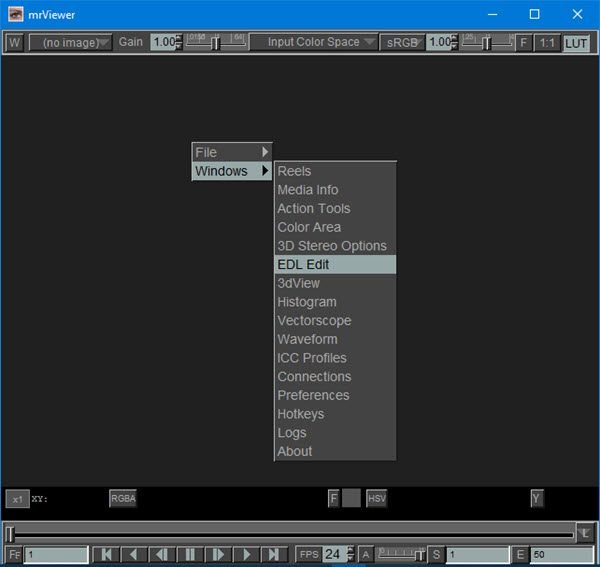
Yes, it’s possible to open new windows in MrViewer, but they are not regular windows. If you right-click in a space and hover the mouse over Windows, you’ll see a dropdown menu of several options to choose from. They include Reels, Media Info, Action Tools, Color Area, 3D Stereo Options, EDL Edit, 3DView, Histogram, and more.
MrViewer free download
Now, since we’re not professionals when it comes to illustration, the majority of the tools we listed are useless, but for you, the sky is the limit, it would seem. Download MrViewer directly from SourceForge.
