
If you love playing Minecraft and searching for a way to play with your friends on another platform, this guide is for you. We guide you on how to play Minecraft cross-platform between your PC and Xbox.
Minecraft is one of the most popular video games ever created. It is liked in many countries and played by many people all over the world. One of the major reasons the game has gained this much popularity is its multiplayer capability. It gave friends and families to spend time digitally, playing Minecraft. The developers have taken this to the next level with cross-platform support. You can play with your friends on any device or system they are in. Let’s see how we can cross-play Minecraft.
What are the requirements for Minecraft Crossplay?
You need to have Minecraft Bedrock Edition to play cross-platform. The friend you want to play with should also have the same edition. Everything on Minecraft cross-platform is connected through a Microsoft account. So, you need to have one.
How to play Minecraft cross-platform between PC and Xbox
To play cross-platform on Minecraft Bedrock Edition:
- Sign in with your Microsoft account
- Load the game and pause it
- Select Invite to Game
- Then, click on Find Cross-Platform Friends
- Click on Add Friends
- Then, click on Send 1 Invite to friends
Let’s get into the process in detail.
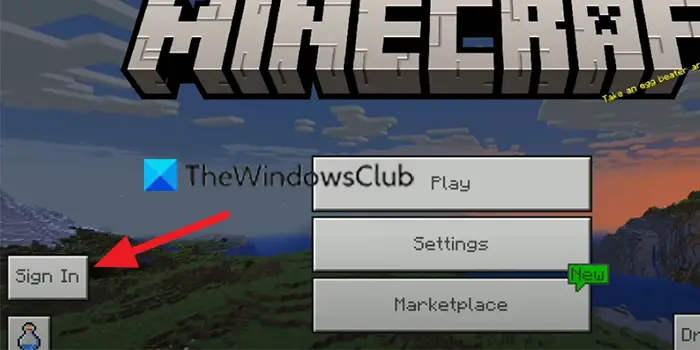
Click on Sign In on the Minecraft game window and select to sign in with Microsoft account.
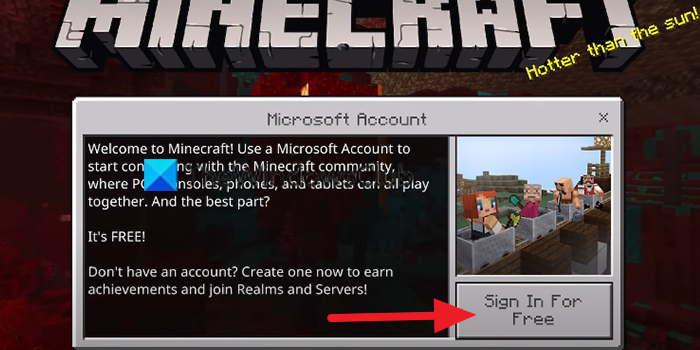
Then, click on Sign In For Free button and sign in with your Microsoft account credentials.
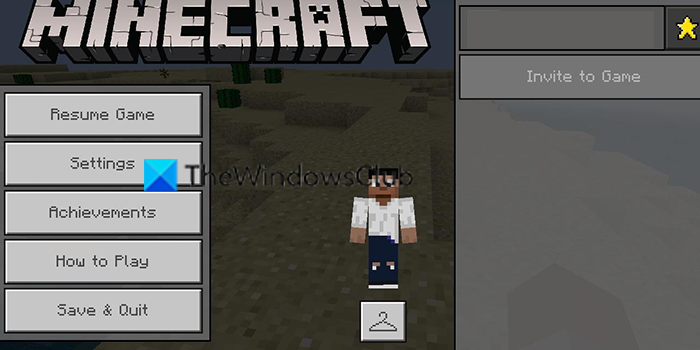
After signing in, launch the game and pause it to see in-game options. Click on Invite to Game.
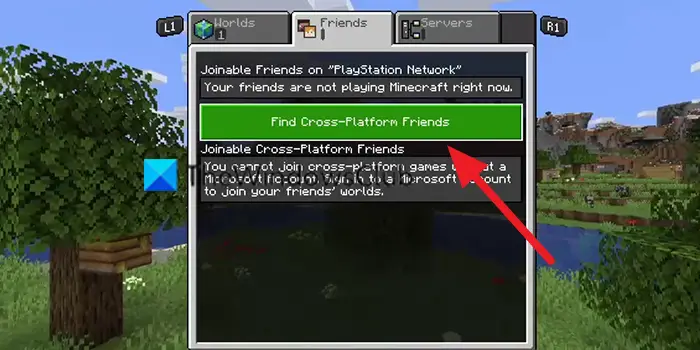
Then, click on Find Cross-Platform Friends to start playing Minecraft on cross-platform.
Then, you will see Add Friends button. Click on it and add your friends to the list. After that, you will see who are online and who are not. Select the friends who are online and click on Send 1 Invite.
If they accept your invitation, you will be able to play them on cross-platform. This is how you can play Minecraft cross-platform between PC and Xbox.
How do you add cross-platform friends on Minecraft PC?
You need to sign in with a Microsoft account and launch the game. Then click Invite to Game, then select Find Cross-Platform Friends. Now you can click Add friends and send them an invite. The players who accept your invitation will become your cross-platform friends on Minecraft.
Related read: Minecraft keeps crashing or freezing on PC.
