
I’m one of those people who like to know what is going on in the background on my Windows computer. I used to manage them with the Task Manager, Widgets, and freeware to find out which program is running, what is my memory usage, etc. And then I came across this nifty little utility called MemInfo.
MemInfo is a Real-time Memory & Page file Usage Monitor for WindowsPC
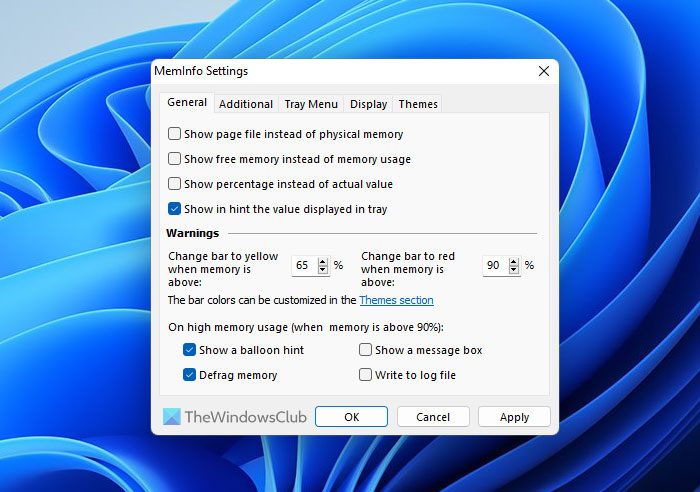
MemInfo will display Windows’ current memory usage in the system tray. Current memory refers to both physical memory and the Page file in real time. It’s highly customizable as well. Under Settings, you can choose to show the page file instead of physical memory, or change the display to show free memory and the actual percentage.
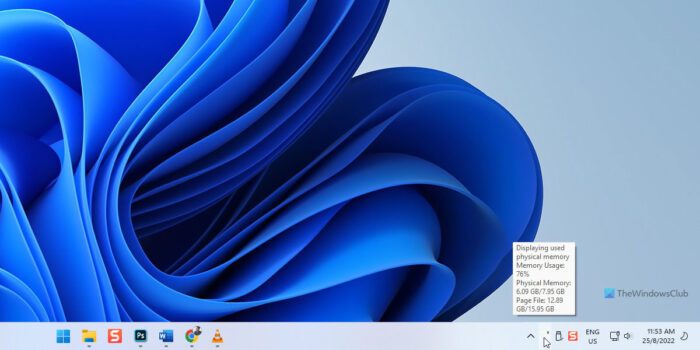
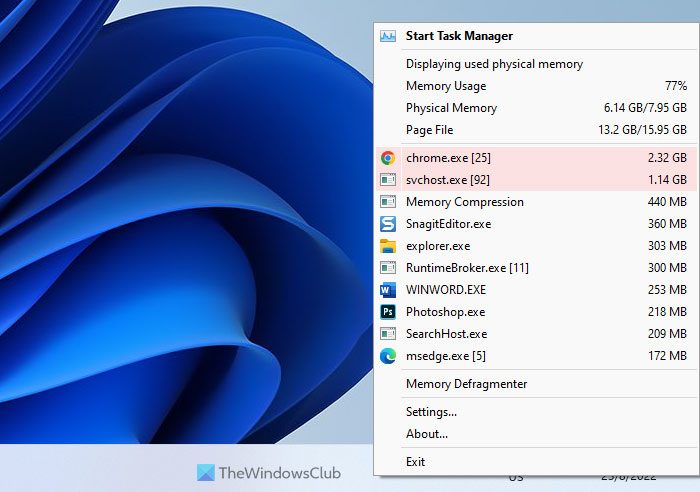
You can right-click on MemInfo in System tray to make it show you more details about the Memory usage like the top 5 processes, Physical memory usage, Page file usage and Memory Defragmenter.
You can also set up alerts if your usage crosses a certain percentage, it can be done from the Settings window. You have a couple of themes from which you can choose apart from being able to change the font and display options as well.
I was not sure about the Memory Defragmentation option because I didn’t find any visible changes but according to the developer, the way to test is:
The defrag memory module should be instant, but there is no guarantee that a significant gain in memory is obtained. The best way to test the defrag module is to open some applications, then close them, and try to defrag. A drop in memory should be visible in MemInfo own tray value (you can also open the Windows Task Manager to confirm).
Sometimes, if you have more GB of RAM, under Settings, make sure you select “Optimize GB values”; otherwise, the display won’t be shown correctly.
Go to the developer’s website to download the application.
That’s all! Hope it helped.
How can I monitor my memory usage?
There are mainly two ways to monitor your Memory usage on Windows 11/10. First, you can use Task Manager to get the job done. However, if you need more information, you should use a third-party program called MemInfo. This freeware is available for Windows 11, Windows 10, and some other older versions.
How do I check pagefile utilization?
To check the Page File usage in Windows 11/10, you can make use of MemInfo. You can download this portable app on your computer and use it without installation. Whether you use Windows 11, Windows 10 or any other version, it works pretty well on all the versions.
