
Chances are, you’ve heard of the JSON file, and maybe just recently, someone sent you one of these files. Now, opening a JSON file is not hard, however, it would make more sense to convert it to the Microsoft Excel (CSV) format for easier use. How does one convert a JSON file to Excel? You’d be surprised to find how easy this is to implement. And that is exactly what we’re going to discuss today.
How to convert JSON to an Excel CSV file
The task of converting JSON to an Excel CSV file won’t take a long time. We suspect it can take less than a minute if you move fast enough and have the relevant knowledge.
- Open Microsoft Excel
- Start a new Spreadsheet
- Select the Data tab
- Go to the From JSON option
- Import the preferred JSON file
- Convert to table
1] Open Microsoft Excel
To get started, please open Microsoft Excel right away. Do this by clicking on the Start Menu button, and from there, seek out the Excel icon to launch it. Alternatively, you could find the icon from the Desktop.
2] Start a new Spreadsheet
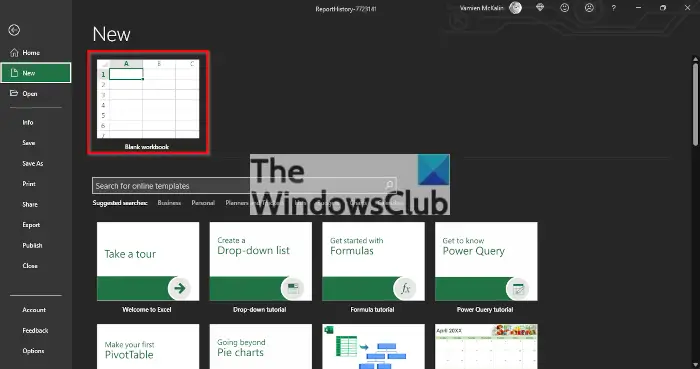
You will now need to get a new Spreadsheet up and running. Once you’ve fired up Excel, please click on Blank Workbook and that will create a new spreadsheet.
3] Select the Data tab
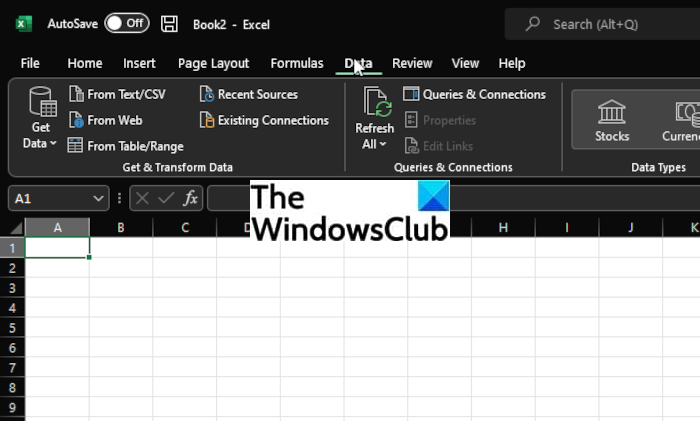
In order to move on, you will need to click on the Data tab that is located at the top of Excel’s ribbon. Doing this will reveal several features, but the majority are not important at this time.
4] Go to the From JSON option
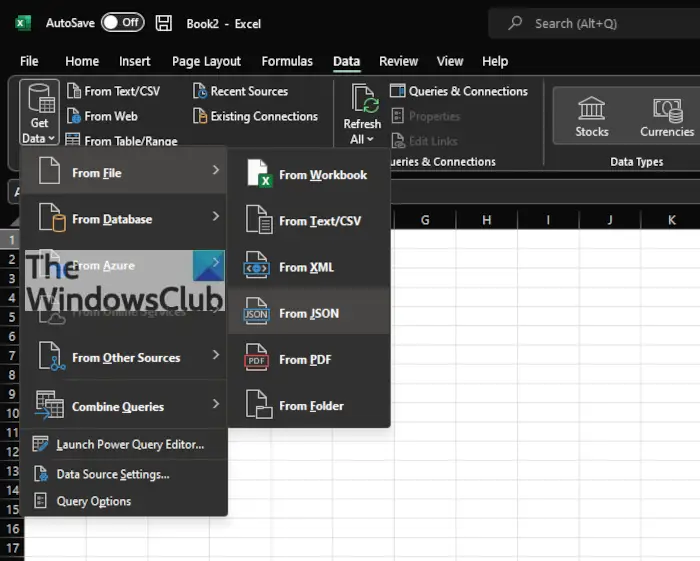
From under the Get & Transform Data section, you must now click on Get Data > From File > From JSON.
5] Import the preferred JSON file
From the standard import window that has opened, navigate to the JSON file and select it. You should now click on the Import button at the bottom, and right away Excel will launch a Power Query Editor window. This window lets you choose how the JSON data is loaded into your spreadsheet.
6] Convert to table
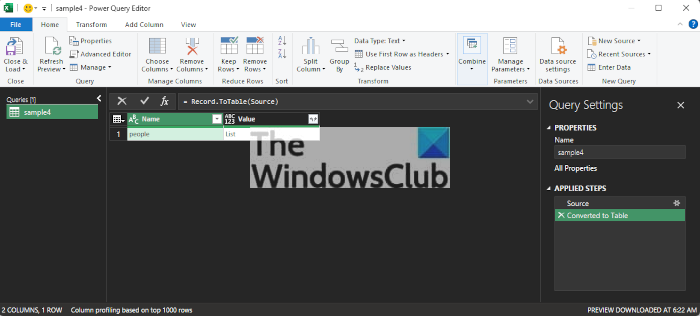
The final step is to convert the JSON data to a table. Do this by clicking on Into Table, then hit Close & Load. You should now see the data from within the JSON file populating your spreadsheet.
What is JSON?
OK, so JSON stands for JavaScript Object Notation and it’s a format for storing and transferring data with ease. JSON comes into play whenever data is sent from a server to a webpage, which happens regularly.
Related: Online JSON Tools is a collection of useful JSON utilities.
Is JSON a programming language?
Yes, JSON is a programming language, but one that is lightweight and a language-independent data interchange format. Not only that, but it is independent of other languages, and that also goes to Javascript/ECMAScript, its parent language.
Read: How to open and view a JSON file on the web and on PC.
List of data types supported by JSON
- string.
- number.
- boolean.
- null.
- object.
- array.
Read: How to remove Compatibility Mode in Excel.
