
In this post, we’re going to talk about how to fix Origin error 196613:0 when downloading games. Origin is one of the best platforms for purchasing and playing games. However, like any other application, it also isn’t free from errors. Users have recently reported encountering error 196613:0 while downloading games. This error also occurs while updating an already installed game. If you are struggling with the same Origin launcher error, follow the troubleshooting guide to fix it.
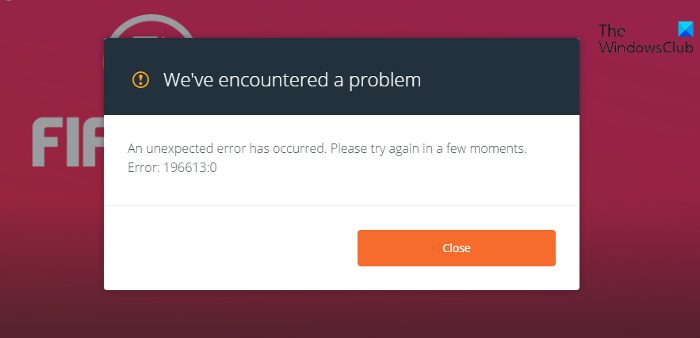
Fix Origin Error 196613:0 when downloading or updating games
Here’s a list of effective workarounds you can try if you encounter Origin error 196613:0 when downloading games on your Windows 11/10 PC.
- Download the Latest Version of Origin
- Run Origin With Administrator Rights
- Reboot the Router
- Delete the Origin Cache Data
- Use VPN While Downloading Games
- Reinstall the Origin Launcher
Now, let’s check out all these solutions in detail.
1] Download the Latest Version of Origin
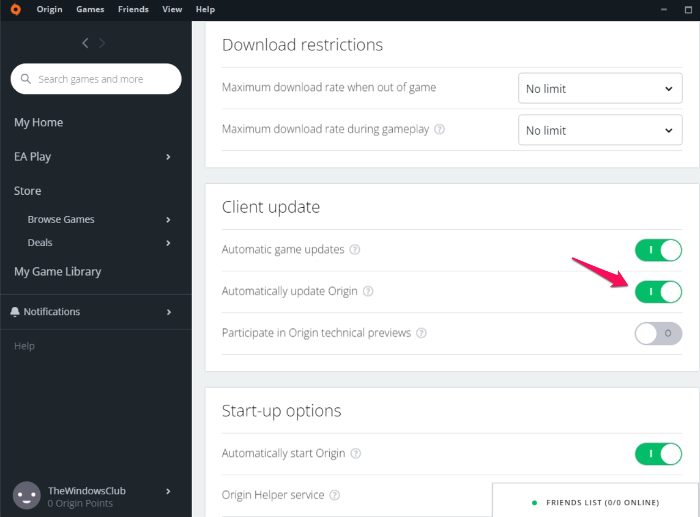
As with any other application, downloading the latest Origin launcher update can fix minor issues. There may be a temporary bug in the launcher causing the issue. And in such a situation, updating the launcher is the best thing you can do. You can either update the launcher by first uninstalling it followed by redownloading it from its official website. Or you can follow the steps below to update the launcher without uninstalling it.
- Launch the Origin launcher on your system and log in with your credentials.
- Click your Profile name in the bottom-left corner of the screen.
- Under Client update, toggle on Automatic update Origin option.
That’s it. Re-launch the launcher, and when the new update prompt appears, download it to keep the launcher up to date.
2] Run Origin With Administrator Rights
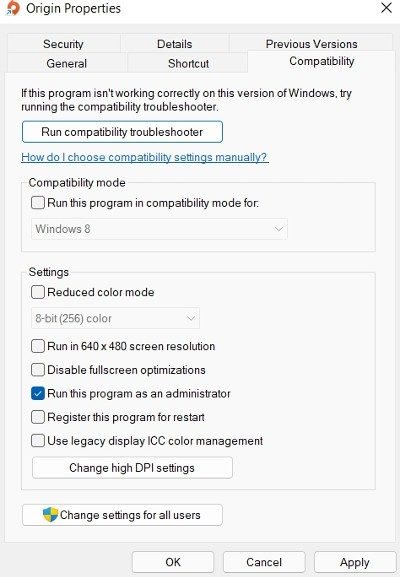
If you haven’t granted administrative rights to the Origin launcher, you are most likely to encounter the issue mentioned. Thus, run the Origin launcher with administrative rights to fix error: 196613:0. Here are the steps you need to follow.
- To begin with, close the Origin launcher, in case it’s already open.
- Right-click on the Origin launcher shortcut and choose the Properties option.
- Tap on the Compatibility tab.
- Check the Run this program as an administrator option.
- Click on Apply > OK.
Launch the Origin launcher application and check if the problem is resolved.
3] Reboot the Router
Rebooting the router is another effective solution you can try. There may be a problem with your router causing the issue. As a solution, reboot the router and check if it makes any difference. You can also contact your ISP if the problem persists even after rebooting the router.
4] Delete the Origin Cache Data
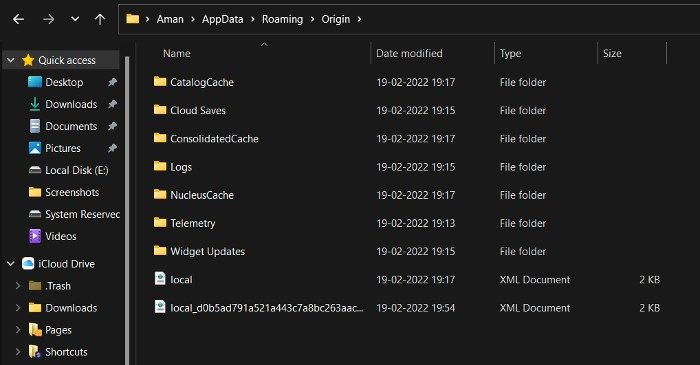
If you have reinstalled the Origin launcher after keeping it uninstalled for a long time, it is likely that you are experiencing this problem due to corrupted files from the previous installation. The corrupted files are mainly stored in the cache folder. Thus, you will have to delete the Origin cache folder to fix the problem. To do so, follow the steps below.
- Press the Windows + R hotkeys to open the Run dialogue box on your system.
- In the search bar, type %AppData%, and press the enter key.
- In the following window, you will find a folder associated with all the applications installed on your system.
- Double-click on the Origin folder.
- Select everything inside the folder and choose the Delete option.
Now, reboot the system. Download Origin launcher again from its official website. Open it and check whether the problem is fixed.
5] Use VPN While Downloading Games
If the problem continues, you can use a VPN client while downloading games on Origin. It could be that something in your ISP’s network is blocking the download process. Thus, using a VPN client when downloading games can be the best approach.
6] Reinstall the Origin Launcher
If none of the above-mentioned methods helped you in solving the problem, the last thing you can try is to reinstall the Origin launcher. Sometimes, certain bugs and glitches can cause different problems, including the one you are currently facing. Thus, reinstall the Origin launcher to fix Origin error: 196613:0 when downloading games.
What does repairing mean on Origin?
Repairing in Origin basically means troubleshooting problems with different games. Once you have selected the repair option, Origin checks for any faults in the game’s installation. If found, it replaces it with the correct file or re-downloads it from the internet.
How long does it take to repair a game in Origin?
It totally depends on the processor and disk speed. If your system has a good processor and fast disk speeds, the repair process takes just 5-10 mins. Whereas, if you are preparing a game on an old PC with an old processor and a slow disk drive, the repair process can take 10-20 mins.
Read Next: Fix Origin not loading problem on Windows PC.
