
OK, so you’re using Gmail and come across an error that says Something’s not right or Something went wrong. What could this be about, and why is it happening? We can say for certain that this error is very common, and most of the time, it’s the user’s fault rather than Google’s. The big question is: how do we fix this problem, and do you need to switch to a different email client?
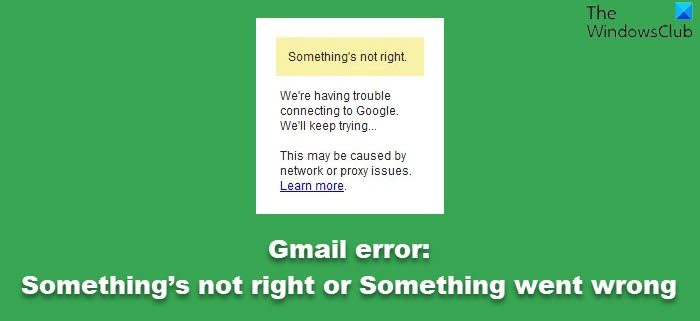
Fix Gmail error: Something’s not right or Something went wrong
Before you begin, you may clear your browser cache, Hard refresh the webpage, restart your router and try once. If that doesn’t help, read on for more suggestions.
1] Use a different web browser
Many web problems can be fixed by switching browsers, even temporarily. We recommend browsers like Microsoft Edge, Mozilla Firefox and Google Chrome, as they offer strong support and follow web standards.
Because Gmail is a Google service, chances are, Chrome and Opera might work best since the engine behind these web browsers come directly from the search giant.
2] Repair or Reset your browser
To Reset or Repair Edge, open the WinX Menu and click on Settings. Next, under the Apps and features section, search for Microsoft Edge. Now click on the Advanced options link and then on Repair or Reset Edge.
If you’re not using Microsoft Edge, then consider resetting Firefox or Chrome or Internet Explorer as the case may be.
3] Is your internet connection running properly?
The most common reason why we see the “Something’s not right” error has much to do with slow or problematic internet connection. To confirm, open a new tab and try loading a different web page.
If it takes a while to load or doesn’t load at all, your internet connection is the main issue. In this case, please contact your ISP to find out what’s going on, then wait patiently for them to restore service.
Alternatively, you can use the Basic-HTML Gmail version until your internet connection returns to normal.
Hope this helps!
