
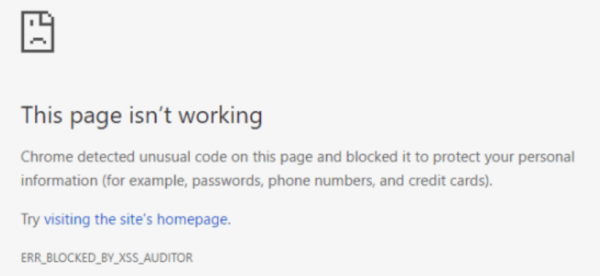
Sometimes even one line of missing code or a symbol can cause an entire web page not to load. This case is similar. In some cases, Google Chrome can throw an error saying, ERR_BLOCKED_BY_XSS_AUDITOR. This error occurs if Chrome detects an unusual code on a web page.
“This page isn’t working. Chrome detected unusual code on this page and blocked it to protect your personal information (for example, passwords, phone numbers, and credit cards). ERR BLOCKED BY XSS AUDITOR”
Today, we will be taking a look at various methods that will help us in recovering this error.
ERR_BLOCKED_BY_XSS_AUDITOR Chrome error
In this case, we will examine two methods to resolve this error. These fixes are one each for 2 cases: if you are an administrator, and the other case if you are an end user browsing the web.
1] When you are an administrator of the web page
If you are an administrator of the website, you can try to fix this error by adding just a one-line code to the header to the POST submission.
If your website runs on PHP, you can try to enter the following code,
header('X-XSS-Protection:0');
And if your website runs on ASP.NET, you can try to enter the following code,
HttpContext.Response.AddHeader("X-XSS-Protection","0");
2] When you are not an administrator of the web page
You can contact the website owner and report the error.
Temporarily you can switch to another browser or finally, you can disable the XSS Auditor on Google Chrome.
To do that you need to copy the following path:
x64 Operating System
"C:\Program Files\Google\Chrome\Application\chrome.exe" -disable-xss-auditor
x86 Operating System
"C:\Program Files (x86)\Google\Chrome\Application\chrome.exe" -disable-xss-auditor
Then right-click anywhere in the File Explorer or the Desktop.
Now select New > Shortcut.
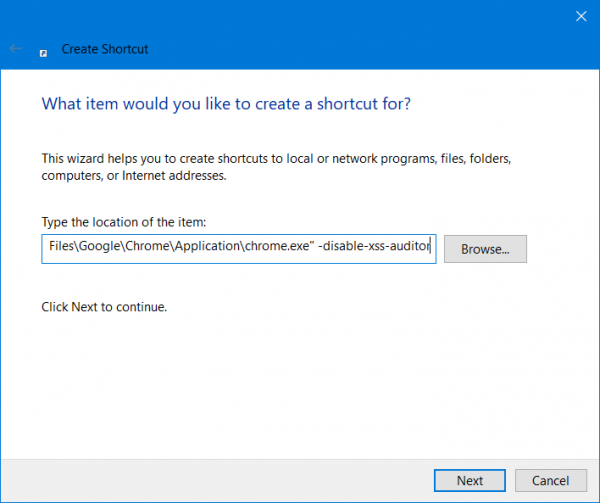
In the first field for the path, enter the path specified above.
Click on Next and follow the on-screen instructions.
This will create a shortcut to Google Chrome wherever you want it.
However, this is more of a temporary workaround than a fix, but it will be helpful when a user is in desperate need.
That’s it. I hope this helps.
How do I download harmful files from Chrome?
By default, Google Chrome blocks malicious files from being downloaded. Malicious files can harm your computer. If you want to download harmful files in Chrome, you have to disable protection in Chrome Settings. However, it is not recommended. While doing so, Chrome will show you a warning message. Ignore this message and disable the protection. After that, you have to browse the internet at your own risk.
How do I fix Chrome not opening?
If Google Chrome is not opening or launching on your Windows 11/10 PC, kill Chrome in Task Manager and then launch it again. Also, check whether your Antivirus is blocking Chrome. Launch Chrome in Safe Mode to check whether any extension is causing the issue. Sometimes, corrupted system image files cause issues. Therefore, we recommend repairing your system image files.
Read next: ERR_BLOCKED_BY_ADMINISTRATOR Edge, Chrome error.
