
Netflix is arguably one of the most popular online streaming services globally. Ever since Netflix forayed into India a couple of years ago I have been hooked and had several sessions of binge-watching. The Netflix Windows app is something I use a lot on my Windows laptop, and sadly, the same is not available for MacOS. Netflix has introduced its Offline Download feature for the Windows 11/10 app, which lets you download Netflix TV Shows, Videos, and Movies to your computer for offline viewing.
Download Netflix TV Shows, Videos & Movies to PC
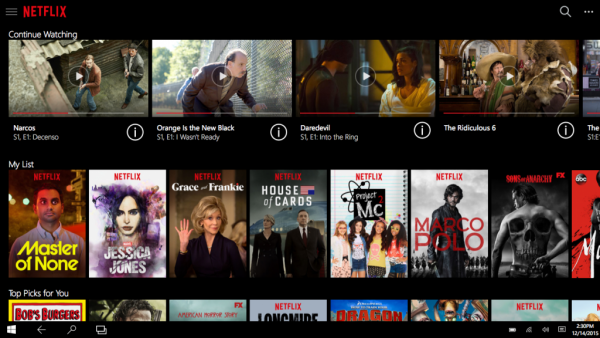
That being said, one cannot download Netflix content on the web browser and compulsorily need to download the app from the Microsoft Store. Well, I do agree that Netflix offers a restricted catalog for download, but hey, you can still download Netflix exclusives like House of Cards and Narcos. Also, it’s worth noting that Windows is the first desktop operating system to support Netflix’s download feature.
Install/Update Netflix from Microsoft Store
As obvious as it might sound, you need to install the Netflix app from the Windows Store. Search for “Netflix” in the search bar, and you will be able to download the app.
If you have already been using the Netflix app, check for the “Download and Update” button. If it’s active, it means that your app has not been updated to the latest version; in this case, download and update. If the button is frozen, it indicates the update has already taken place, so you are good to go.
Read: How to download YouTube playlist videos at once.
Download Netflix videos
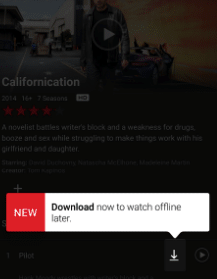
If you are familiar with the Netflix UI, go to a show you would like to download, then notice the small download button next to it. The video starts downloading, and the progress will be indicated on the progress bar. Unlike Amazon Prime, Netflix doesn’t let you adjust video resolution, and that is one thing I hate about the Netflix app. Also, the download size is most likely determined by the video’s duration and the quality it’s offered in.
Access the downloaded Netflix videos
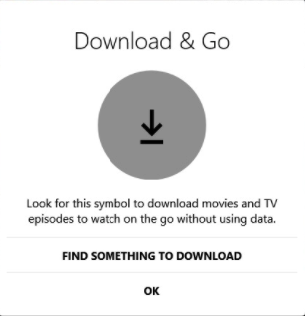
All of your downloads are populated on the “My Downloads” page of the Netflix app, and one can access it by navigating to the menu. At this juncture, internet connectivity is not required, and the best part is that all the audio tracks and the related subtitles are downloaded along with the video. The videos are downloaded and saved in the following folder:
C:\Users\<username>\AppData\Local\Packages\4DF9E0F8.Netflix_mcm4njqhnhss8\LocalState\offlineInfo\downloads
Here is one more caveat: the downloaded video is subject to expiration depending on the individual license, and I have seen some titles expiring in a few days. However, if you connect to the internet, the license might be renewed.
Read: Netflix Tips & Tricks.
Wrapping it up
I have been an avid fan of Netflix’s content for a couple of years, and despite the increase in their subscription fees, some of the Netflix Originals do deserve the attention they receive. Also, I prefer watching Netflix on my PC with a large screen rather than on my smartphone, and the Offline feature adds a comprehensive touch to Netflix’s offering.
Can I download Netflix shows on computer?
You can download the Netflix shows on your PC using the app. The app allows you to download and keep the shows for a few days. You can also set up to delete the downloaded shows once you have watched them. It will ensure that we free up space.
Can you download Netflix shows offline on TV?
No, you cannot download shows on TV. The Netflix app for Android TV is strictly for streaming movies and shows and doesn’t offer downloads. The primary reason there is no support for downloading is that someone could tamper with Steam and export high-quality data, which raises legal issues.
