
Microsoft Office products have a longer life cycle than the Windows OS. Office 2010 was supported until 13-10-2020, and Office 2013 was supported until 2023. While it is always a good idea to use the latest Office version, you can still use an earlier version. In this post, we will show you how to download earlier versions of Microsoft Office.
Download earlier versions of Microsoft Office
The guide is only for older versions of Office for Windows and Mac, which Microsoft still supports. For example, support for Office 2007, 2010 or 2013 has ended, and there is no way to download the installer for the product. However, at the time of writing this post, you can still download & install Office 2021, Office 2019, and Office 2016.
1] Download Office old version
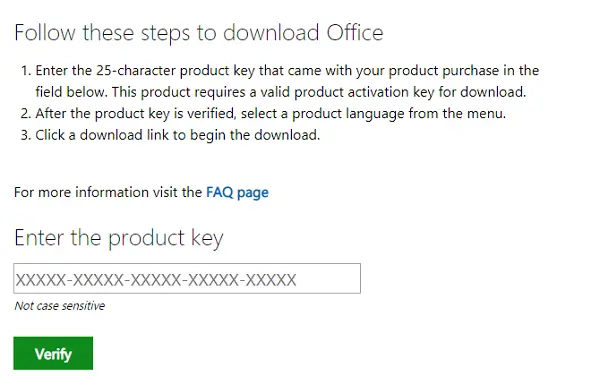
If you have, say, an Office 2016 Product key, visit this page www.microsoft.com/en-us/software-download/office to download Office 2016 for Windows or Mac. There is a good chance the product key is in your email account, the one you used to buy Office. If you cannot find the product key but have it installed, follow our guide to find your product key.
- Enter the 25-character product key that came with your product purchase in the text box under “Enter the product key.”
- Once it verifies the product key, select a product language from the menu.
- Click on the download link to begin the download.
- Once you download and install it, Office will prompt you to enter the keys again. Enter and validate it again.
Read: How to install Office Offline
2] Download Office 2021, 2019 and Office 2016
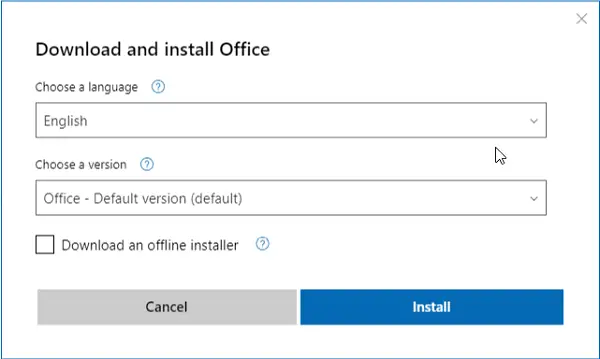
These Office products are linked to your Microsoft account. So if you need to download the installer for Office 2021, Office 2019, or Office 2016 for Windows or Mac, you can do so from your Microsoft Account.
- Go to the Office section in the Microsoft Account.
- Click on Install Office link, and then select language, and version (32-bit or 64-bit)
- Download and install. Since it is linked to your Microsoft account, it will automatically activate.
- You can also download an offline installer, which is handy for installing on multiple computers.
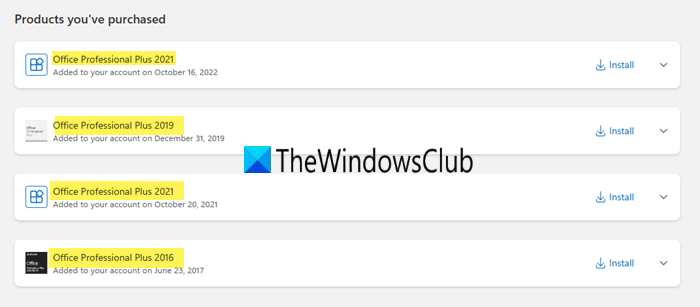
The same will apply for all future versions of Office, including Office Home 365. The online account will keep track of how many PCs the key was installed on. If you exceed the limit, you will be warned. To reinstall on a new computer, remove one of the listed machines you are no longer using.
I hope the guide helps you download older versions of Microsoft Office.
Related: How to roll back Microsoft Office to the previous version
Can Office 2010 still be downloaded?
No, Office 2010 can no longer be downloaded from Microsoft’s official site because it has reached end of life. To reinstall it, you would need the original download file or installation disc.
Read:
- How to download and install Office Free version on Windows
- Microsoft Office 2024 Download, Price, Features, FAQ
How to get old versions of Word?
You can download and install Word 2021, Word 2019 and Word 2016 from your Microsoft Account Office services website. Once support for these versions ends, you will not be able to download them. This post details how you can do it.
Read: List of websites to download old version software for Windows PC.
TIP: Microsoft has officially launched a free version of Office for Windows and Mac.
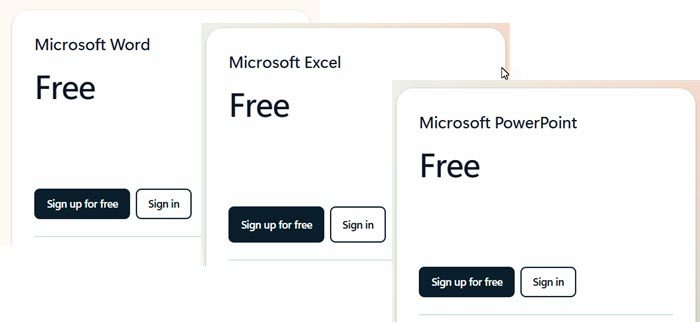
You can now download free versions of Word, Excel, PowerPoint.
