
A Network Bridge is a hardware or software that connects two or more networks – maybe one a wired one and the other a wireless one – so that they can communicate with each other. If you have two (or more) networks running, one using a cable and the other, say, a Wi-Fi network, then computers using a wired or wireless network will be able to communicate only with those computers running the same type of network. To enable all Windows 11/10 computers to communicate with each other, you will need to create a Network Bridge.
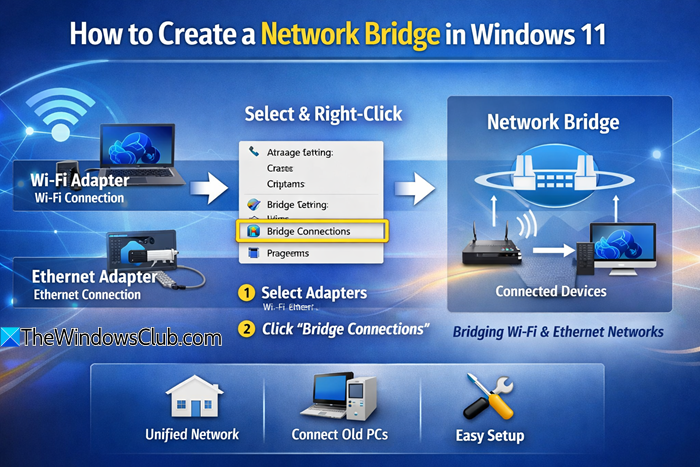
Before you begin:
- Ensure that you have two active adapters, e.g., Wi-Fi + Ethernet, or two Ethernet ports.
- Disable VPNs or virtual adapters from VMware or VirtualBox to avoid conflicts.
- Confirm that both adapters are working and connected.
How to create a Network Bridge in Windows 11
The Windows operating system allows you to create a network Bridge easily and natively. On any given computer, you can create only one Network Bridge, but this bridge can handle many connections.
To start, type ncpa.cpl in Run box and hit Enter to open Network Connections.
Alternatively, you can via Control Panel open Network and Sharing center and from the left panel select Change Adapter settings.
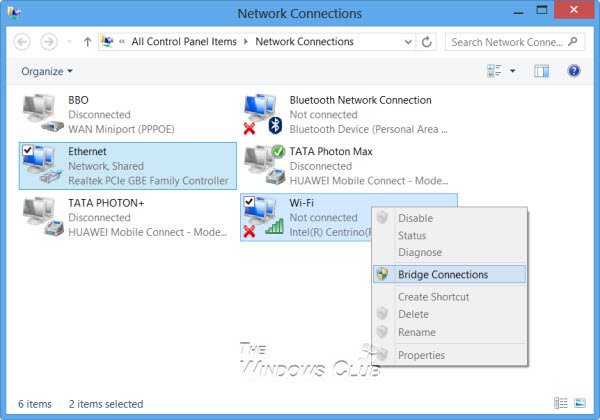
To create a Network Bridge in Windows, you must select at least two LAN or High-Speed Internet connections that are not being used by Internet Connection Sharing.
Press and hold the CTRL key and select two or more network connections you want to add to the bridge. For example, I have randomly selected two in the image above.
Right-click on any one of the selected network connections and select Bridge Connections.
You will see a message:
Please wait while Windows bridges the connection.
Once done, the Network Bridge will be created.
To delete the Network Bridge, right-click the Network Bridge and select Delete. Windows will remove the bridge right away.
You can also use netsh bridge commands in Command Prompt:
- To create a bridge, use
netsh bridge create <AdapterID1> <AdapterID2> - To show existing bridges, use
netsh bridge list - To remove an adapter from a bridge, use
netsh bridge remove <AdapterID>
Creating a Network bridge connection can help share an internet connection among multiple devices.
You should never create a bridge between an Internet connection and a network connection because it creates an unprotected link between your network and the Internet. This can make your network accessible to anyone on the Internet, which is not ideal from a security standpoint.
I hope this helps!
Read next: How to set up an ad hoc network in Windows.
