
There’s always the need to download and convert YouTube videos to MP3, MP4 or other video formats. These days, developers want us to use apps, but for those who want to do things a little differently, we’ve got what you want right here.
If you’re looking for the best ways to convert YouTube videos to MP4 or MP3, I’ll let you know about online resources and free desktop software that makes the process easy.
YouTube is one of the leading video hosting websites on the internet. Most of us save them offline so that we can see them later without an internet connection. Let us say we have a video of a good tutorial or a song and want to extract audio from it. What would you do to extract audio from YouTube videos? We will discuss how to convert YouTube videos to MP3, MP4 and other formats.
Convert YouTube videos to MP4 or MP3 using free online tools
Using a web browser is easy. The only requirement is for the user to remain connected at all times while the file is being downloaded and then converted to the specified format.
Let’s look at our options:
1] YouTube MP3
YouTube MP3 supports +800 sites. This is possible due to the open-source project youtube-dl that they use for the downloading process. Download your favorite video clips in MP3 320 kbps without software here from dlnowsoft.com.
2] Y2Mate
This YouTube to MP3 Converter allows you to convert your favorite YouTube videos to MP3 (audio) or MP4 (video) files and to download them for FREE. Y2Mate works on your desktop, tablet and mobile device without the installation of any additional apps. It offers a 2imple interface with quick conversions.
3] YT1s Converter
YT1s Converter is a simple YouTube to MP3 converter that lets you configure audio bitrate.
4] amp3.cc
amp3.cc lets you adjust individual start and time in just a click.
5] 9convert
9convert.com offers support for many languages including English, Hindi, Japanese, French, Filipino, and so on.
6] CnvMP3
CnvMP3 is a tool that allows you to download videos and convert it into audio or video format. It is ad-free and supports up to 320kbps quality.
7] YT Saver
YT saver is an excellent tool that lets you download YouTube videos and convert them into your desired format. Using this tool, you can download YouTube videos at different resolutions like 480p, 360p, 720p, 1080p even 8k.
8] AISEO YouTube to MP3
AISEO YouTube to MP3 is a free, no-sign-up-required tool that supports multiple languages.
9] 4Kdownload YouTube to MP3 converter
4Kdownload YouTube to MP3 converter lets you convert an entire YouTube playlist into individual MP3 audio. Free 4K Download Tools allow you to download videos, images & convert media.
10] Loader.to
Loader.to makes things easy by offering browser extensions for Chrome, Edge, Firefox, Opera, Safari, and others.
11] YouTube Convert
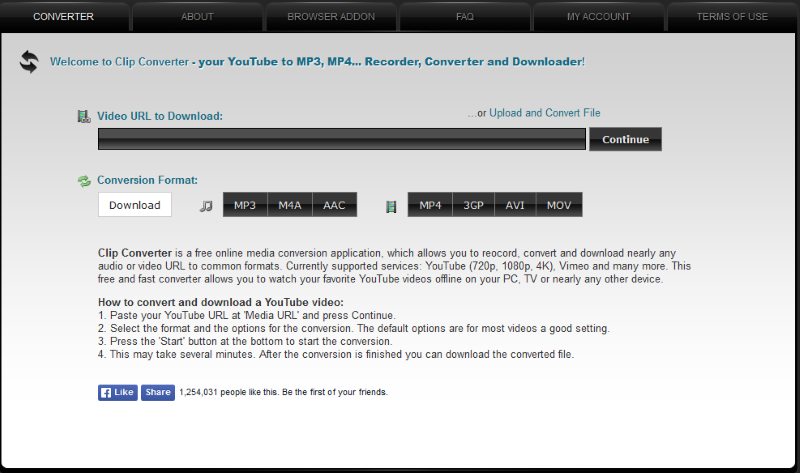
While most websites of this nature are as simple as saying the ABCs, this website is a little bit more advanced. It offers a wider range of options in terms of the number of formats available. You see, if you’re not a fan of MP3 audio, there are alternatives like AAC or M4A. If for some reason you’re more interested in having a video file, then this same website offers the ability to download YouTube videos in file formats such as MP4, 3GP, AVI, and MOV. Whether or not the videos are 720p, 1080p, or 4K, this bad boy will suck them down the pipe and deliver them to you in good quality.
12] mp3converter.net
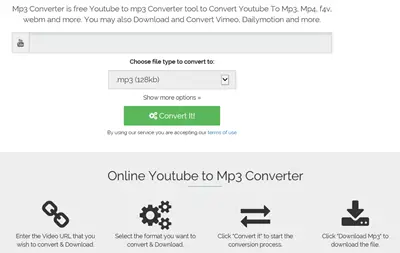
This is an online resource that converts YouTube to MP3 for free. You just need the YouTube URL. There is no need for any registration. Just submit the YouTube URL and click on “Convert Video” button. Within a few minutes, the submitted video will be converted to MP3 and you will be able to download it to your PC.
13] listentoyoutube.online website
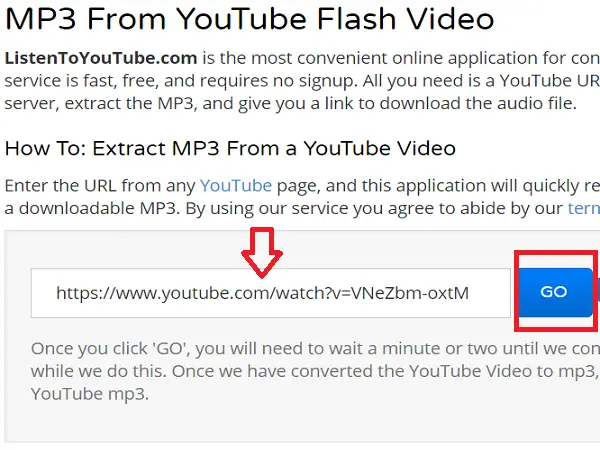
Listentoyoutube is another convenient online application to extract mp3 from YouTube videos. Here too you need to just provide the required YouTube URL and click on the “Go” button. Their back-end servers will extract the audio and once the conversion is done, they provide you the link to download the converted audio.
14] Onlinevideoconverter.com
Online Video Converter allows you to convert not only YouTube video to MP3, but also videos from other websites like Daily Motion, Sound Cloud, Facebook, and more. Click on “More Settings” to specify whether to convert the entire video to MP3 or part of the video by mentioning the start and end times.
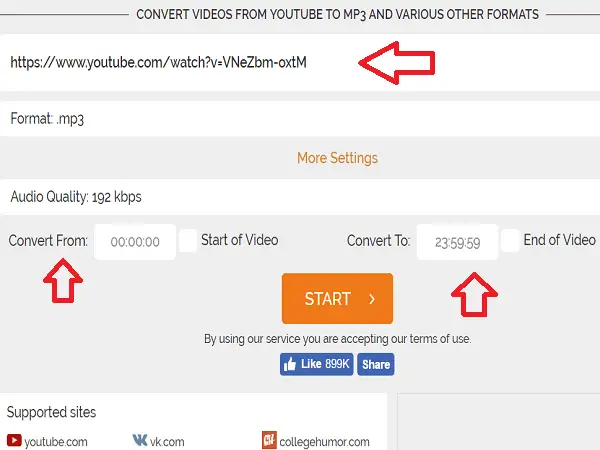
Once you click on “Start” button, it converts YouTube video to MP3. You can click on “Download” button or scan the QR Code with your device to download the converted audio. It also has an option to save the converted audio directly to Dropbox.
15] YouTube to MP3 video conversion tool
Does the same thing as the option above, but at a faster rate, according to our tests. Others may have a different opinion on the matter, so test them both. In fact, test every option here at video2mp3.net.
16] YouTube MP3
A simple website that does a simple thing. Just copy the YouTube URL and place it in the box, and click on Convert Video. That is all because this website doesn’t have any other function, and guess what? It works on any mobile platform with a modern web browser. URL – youtube-mp3.org
17] YouTube in MP4
This one is quite different from the others, as it doesn’t convert videos to MP3, but to MP4. Essentially, this option is for individuals who wish to download YouTube content for the video, rather than just the audio. It should work with all mobile web browsers as well. Furthermore, there’s a browser extension, but we wouldn’t recommend it. URL – youtubeinmp4.com.
18] TheYouMp3
TheYouMp3 is another online service theyoump3.com, which allows you to convert your favorite videos from YouTube to MP3 in high quality. There are no limits on file size or video length, and it offers a QR facility for faster downloads to Mobile & Tablet.
These websites are much better suited for basic tasks, so if that’s all you want, give them a try instead of downloading software or an application.
YouTube to MP4 and MP3 converter software
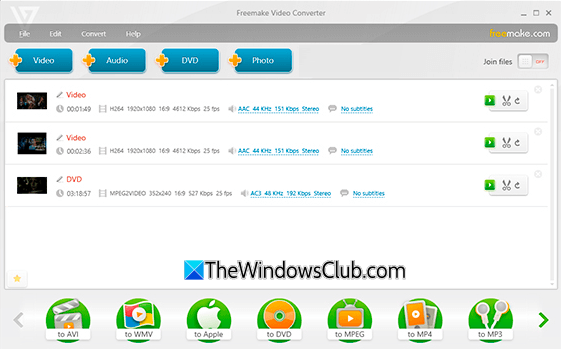
Freemake Video Converter is a free desktop application to convert YouTube to other file formats. You can use this to convert it to MP4 and MP3 as well. Just copy the YouTube URL and click on “Paste URL” button in Freemake Video Converter.
It will fetch the video. Then click on “to MP4” button. It will ask you to select the location where you want to save the MP3 file. Having done that, click on the “Convert” button. After a few minutes, the sound will be extracted from the specified YouTube video and saved as an MP4 file. Go get it here.
Read: HitPaw Video Converter Review: A video converter, downloader
If you have anything to add, please do share with us through comments.
