
Batteries are probably the most volatile component in modern-day computers. Batteries wear out before any other component, and taking good care of them is essential for increased efficiency and longer life. We often use battery monitors to keep track of battery health and other important statistics. But the set of tools that we are talking about in this post are called battery limiters. The purpose of these tools is to remind you to limit battery charge and not to charge your batteries to 100% capacity.
Often, we leave our devices plugged in which results in overcharging and thus deteriorates the battery. Additionally, when we charge the batteries to 100%, they undergo considerable stress to reach the full capacity. It is often advised to never fully charge Lithium-Ion batteries. The same principle applies to discharge: never let your device’s charge drop below 20% or 15%, as this can seriously affect battery life. We are now moving on to the list of battery limiters available for Windows 11/10.
Battery Limiter for Windows 11/10 PC
A Battery Limiter or Laptop Charging Control software reminds you to remove the charger to protect your devices from overcharging. Here is a list of Battery Limiters for Windows 11/10 PC.
1] Battery Limiter
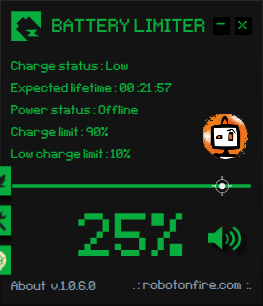
This is a very simple and free to use utility. The primary goal of this application is to remind you of an alarm or notification whenever the battery charge level exceeds a certain threshold. It comes with five different alarm sounds and an option to also visually notify you. Apart from setting a reminder for the upper limit, you can also set one for the lower limit of battery charge percentage. The default settings are 90% and 10%, which work well for most users.
The tool does not have much of UI, but a small squared window which displays the current configuration and battery stats. The program displays current battery percentage, plugged-in status and expected lifetime.
There is an additional SMART feature that can be used to automatically turn off the wall charger if you have a smart home. This is a fairly advanced and technical feature. It works by sending a POST webhook to your smart home service about the battery status of your device. You can use this information to automatically turn on or off the wall socket. Download it here.
2] Battery Alarm
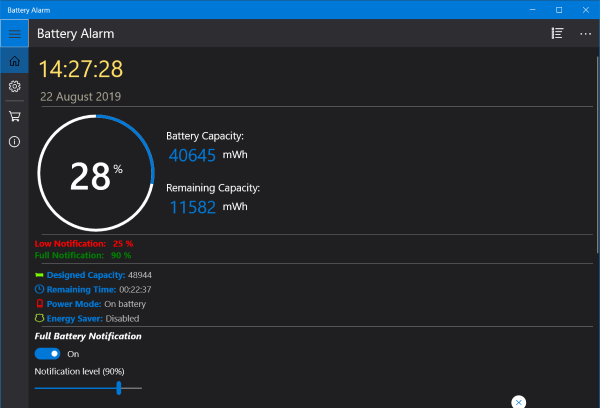
This is a free application that can be downloaded from the Microsoft Store. Battery Alarm apart from giving you all the notification features also displays some vital stats about the battery. You can view the remaining percentage, total capacity, remaining capacity, remaining time, etc.
The app lets you set levels for full battery and low battery notifications. You can also choose from a wide variety of notification sounds available. The loop feature also lets you play the notification audio on a loop so that you don’t miss it out while you are away. Apart from that, the tool can also send an email notification too. Simply enter your email address, and you will be notified when the battery charge percentage reaches the set level. Download it from the Microsoft Store.
3] Pure Battery Analytics
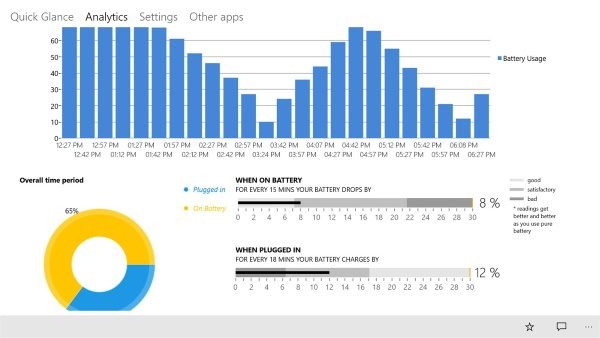
This is another Microsoft Store application. It is rather a complex and complete battery analytics suite. Full battery notifications are just another feature inside it. The tool features a beautiful user interface and provides real-time analysis of the device’s battery.
Pure Battery Analytics comes with a ton of features and notifications that work well. There are some additional features available such as night mode and theft alarm. Download it here from the Microsoft Store.
Now read: What happens when battery is fully charged but still connected?
