
We are pleased to release Windows Event Viewer Plus, a portable freeware app that lets you view Event Logs faster than the default in-built Windows Event Viewer and do more with them.
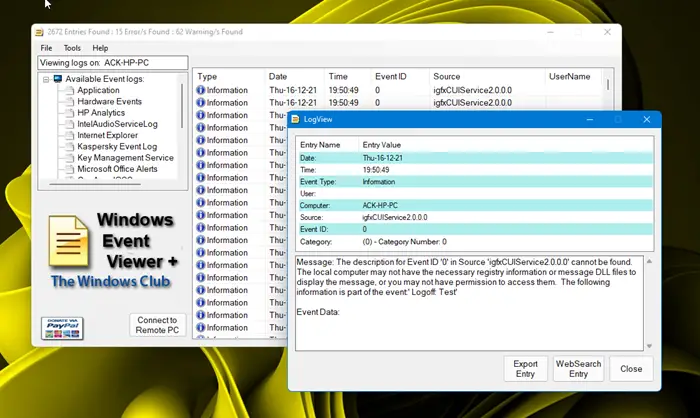
Windows Event Viewer Plus
Simply download and run this portable app, select the Log you want to view and you will see the list almost immediately.
Double-click an entry to view detailed information about the entry. You can also export the Entry to a text file, select the Web Search Button to look up the entry online to find out more information or troubleshoot errors.
Features:
- You can view logs from Local Computer or you have the option to connect to Remote PC to view logs.
- The Tools Menu includes easy access to some built-in functions to solve PC problems as well as resource links to help you research. You can search Microsoft Support, Bing, Google or Yahoo for further help. Clicking on the buttons will launch your browser and search the internet for the Event Type and Event ID.
- Eliminated the sorting order that default Windows Event Viewer uses, thus allowing logs to load much faster than using the Windows Event Viewer.
- You can export each entry to a text file.

Windows Event Viewer Plus has been developed by Lee Whittington for TheWindowsClub. It works just fine on Windows 11 and Windows 10 too. You have to run it as an administrator.
This tool is intended to be a quick access tool to help users easily manage their PC problems.
