
We are pleased to release Windows 7 Folder Background Changer. This portable freeware application, allows you to change the explorer/folder backgrounds in Windows 7.
UPDATE: Windows 7 Folder Background Changer has been updated to v 1.1. This version has the option to uninstall the changes made and restore to the original state.
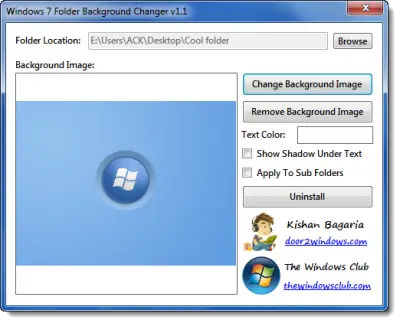
Change Folder Background
You can now customize your windows explorer folder backgrounds using your favorite wallpaper or photograph!
Using Windows 7 Folder Background Changer, you can also change the color of the text and show shadows under the text to help make your file and sub-folder names stand out! You can even apply the same background to all the sub-folders!
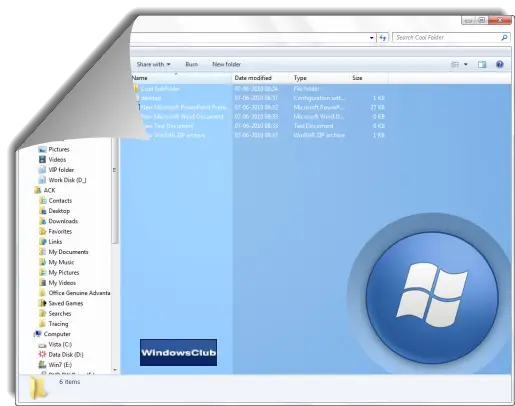
Once you have downloaded and extracted the app, right-click on it and Run it as Administrator. Version 1.1 has the option to uninstall the changes made and restore to the original state. Before running this or any other tool, do create a System Restore Point first, so that you can always revert back if you feel the need. We have uploaded the file to our OneDrive and you can download it by clicking this blue button.

Windows 7 Folder Background Changer v 1.1 has been developed for TWC, by our TWC Forum member Kishan. It works on Windows 7 & Windows Vista, 32-bit & 64-bit too!
UPDATE: 26th Jan 2011. It appears from the comments at the forum that this program works for some and does not work for others. So do create a system restore point first before trying out this tool.
This post will show you how to change the folder background in Windows 10.
If you liked this freeware, you might want to see our other exciting 70+ freeware releases for Windows here!
