
While using Windows 11/10/8/7, you may need to cycle or flip through your taskbar thumbnails. You see the thumbnail views when you move your mouse cursor over the taskbar icons. While most of us use our mouse cursor, there is a way to do it using the keyboard.
What is a thumbnail preview in Windows?
It’s a sneak-peak into what is open in the application without switching to that particular application. While it doesn’t give all the details, it is good enough for the user to figure out anything changed on the screen, if a new message has arrived, or if the page has finished loading.
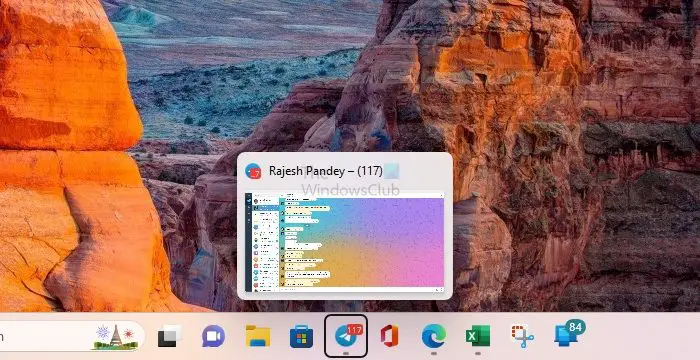
View Taskbar Thumbnails using keyboard
Here is a simple to achieve the same with the help of the keyboard.
Keep pressing the Windows+T key, and you will see the focus shifting from the left-most icon and moving towards the right side. The image above focuses on the Telegram icon with a preview of the open chat.
Alternatively, you could press Windows+T once and leave. Then use the arrow keys to move the focus.
If there is no open window for that app on the Taskbar, you can use Win + 1, Win + 2, and so on to open it.
I hope this makes working with Windows easier!
How do I save taskbar thumbnail previews in Windows?
Windows Performance settings allow users to change setting so Windows can save the taskbar thumbnail. It is handy when you preview too often and there is no change in the open windows. You must go to Advanced System Settings > Performance > Settings and check the box that says Save taskbar thumbnail previews.

