
The No Add-ons mode allows Internet Explorer to temporarily run without any add-ons like Toolbars, ActiveX controls, etc. The No add-ons mode in Internet Explorer is rather useful when you want to troubleshoot incompatible browser add-ons or extensions. It is also very useful when you want to troubleshoot a problem like say freezing of your IE, to identify whether it is related to any add-on.
Add-ons are programs that supplement your web browser with additional features such as toolbars and ActiveX controls. Some come pre-installed in Internet Explorer while some are installed via the Internet. It is relatively easy to install Internet Explorer add-ons. They require your permission before getting installed on your system. But some may do without your consent.
Run Internet Explorer in No Addons mode
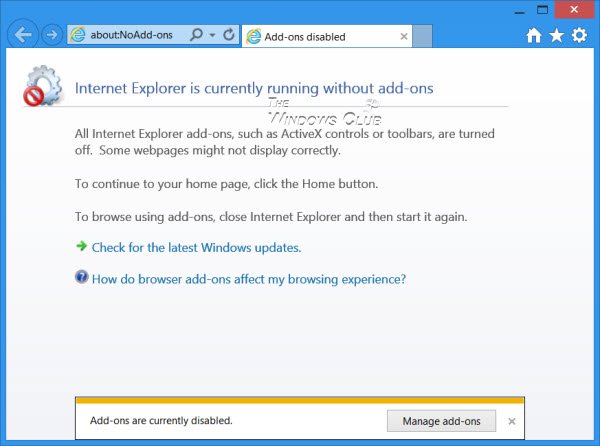
There are four ways you can start Internet Explorer in the No Addons mode.
1] In Windows 7, to run your Internet Explorer in the no add-ons mode, Open Start > All Programs > Accessories > System Tools > Internet Explorer (No Add-ons).
2] You can also open the Run box from the WinX Menu in Windows 8, type the following command line argument and hit Enter:
iexplore.exe –extoff
This will start IE with no add-ons.
3] Open a command prompt windows, type the following and hit Enter, to open IE in No add-ons mode:
“%ProgramFiles%\Internet Explorer\iexplore.exe” -extoff
If you use the IE in no add-ons mode frequently, you can also create desktop shortcut using this for the location field.
4] Open Internet Explorer and type about:NoAdd-ons in the address bar and hit Enter.
Then if you need to, the through Internet Options > Manage Add-ons, you can enable or disable each add-on to identify which, if any, add-on is creating problems. Useful if your Internet Explorer crashes or freezes frequently and you want to make it run faster.
Go here to see how to start Firefox in Safe Mode.
