
The Master Boot Record (MBR) is a special type of boot sector, placed at the very beginning of the storage device. It tells your computer what to do when it starts. It also contains information on how your hard drive is partitioned. If the MBR is damaged or corrupted, whether by a boot sector virus, malware or by other means, you may find that the data on your hard drive is irretrievably lost.
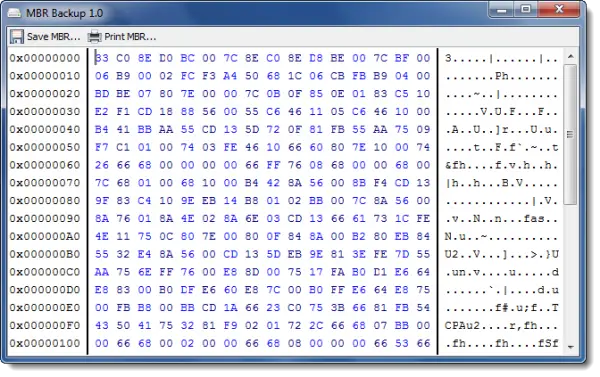
How to backup Master Boot Record
MBR Backup helps you create a backup of your Master Boot Record. If you ever need to restore it you know, you will have a valid copy available. It offers two ways of backing up your MBR – to a file or by printing it.
Printing it is actually the best method to back up your MBR, for several reasons:
- With a printout, you always have a physical copy of the MBR to hand
- No chance of saving the MBR to a file on the hard drive that gets corrupted
- The MBR is only 512 bytes in size. Typing it in manually will be the least of your concerns if all your data is gone.
MBR Backup download
You can download this freeware from its download page.
See this if you need to Repair Master Boot Record.
TIPS:
- HDHacker helps you Backup & Restore Boot Sector & MBR
- Protect your computer’s Master Boot Record with MBR Filter.

You’re welcome, Anand.
Aside from a damaged or corrupted MBR, with MBR rootkits such as TDL3 (also known as TDSS or Alureon), recovery from such situations may be possible with MBR Backup.
how to restore MBR backup from BIOS or using windows disk? If MBR is lost.
I would like to know that too…