
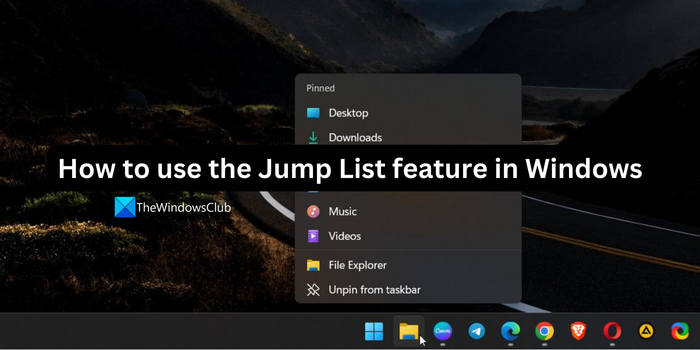
Windows 11/10 offers a new UI feature called the Jump List. Jump Lists is a list of recent documents for that program. You also see a list of features unique to that application. For example, Messenger’s Jump List displays tasks like instant messaging, signing off, changing online status, etc.
What is the use of the jump list feature?
The jumplist consists of documents or files that you have recently opened. When you enable the jumplist feature, you can easily jump into the file without navigating to its original file location, thereby cutting some time. The jump list feature gives you the convenience of going to the recently opened files instantly.
How to use the Jump List feature in Windows 11/10
Right-click on a taskbar icon and you will see a list of previously opened files or documents in that application.
You will see Recent items as well as Pinned items.
To show Recent items as well as Pinned items in Windows 11, open Settings > Personalization > Start.
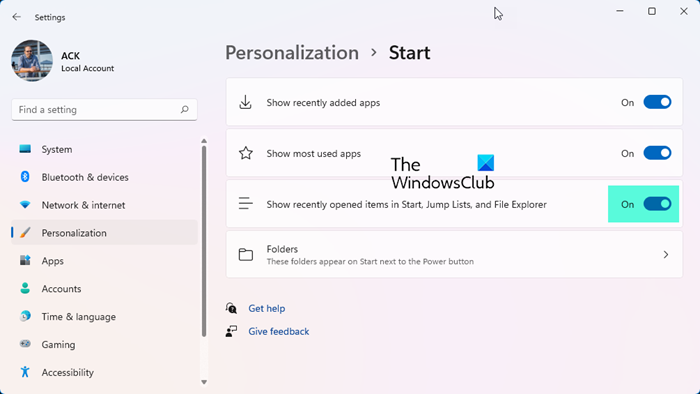
Turn On the switch against Show recently opened items in Start, Jump Lists and File Explorer.

You will then be able to see the full Jump List in Windows 11.
In Windows 7, you can also click on the taskbar item and hold the click down while moving the cursor up.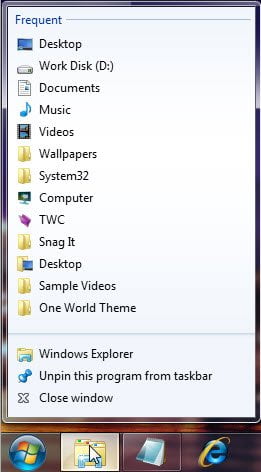
Go here if you find that your Jump List is missing or disappeared permanently in Windows.
Also read:
How to enable a jump list in Windows 11?
To enable the Jump list on Windows 11, open the Settings app, click on Personalization on the left side menu, and select Start. In the Start settings, toggle the button on beside Show recently opened items in Start, Jump Lists, and File Explorer.
Related read: Recent items not visible under Taskbar icons in Windows
