
The Windows Experience Index measures the capability of your computer’s hardware and software configuration and expresses this measurement as a number called a base score.
Reset Windows Experience Index
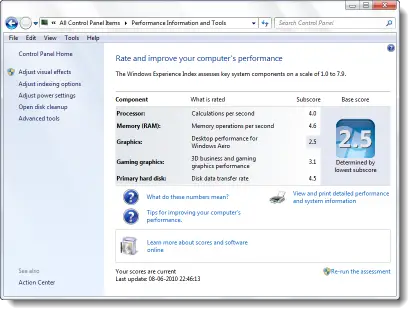
In Windows 7 this figure is between 1.0 to 7.9 .
A higher base score generally means that your computer will perform better and faster than a computer with a lower base score, especially when performing more advanced and resource-intensive tasks.
To access WEI open Control Panel > All Control Panel Items > Performance Information and Tools. Here you get to see all the information and also run the WEI Tool.
The WEI log file is located at:
C:\Windows\Performance\WinSAT\winsat.log
This may help in troubleshooting WEI issues.
If you wish to reset your WEI navigate to the following folder:
C:\Windows\Performance\WinSat\DataStore
In the DataStore folder, select all of the .xml files & delete them.
Now you can re-run the WEI assessment.
Do note that WEI assessment will not run if the computer is running on battery power, does not have enough free space, has outdated display drivers, or no multimedia support!

