
Has your Microsoft Office installation been corrupted? Are your Office programs not working properly? In this case, rather than go for an uninstall – reinstall, you might want to repair Microsoft Office 2024/21 or Microsoft 365 installation first. Here are the steps you will have to take to repair Microsoft Office, Office for Business, Office 365 Home, and Business editions on Windows 11/10.
How to Repair Office in Windows 11
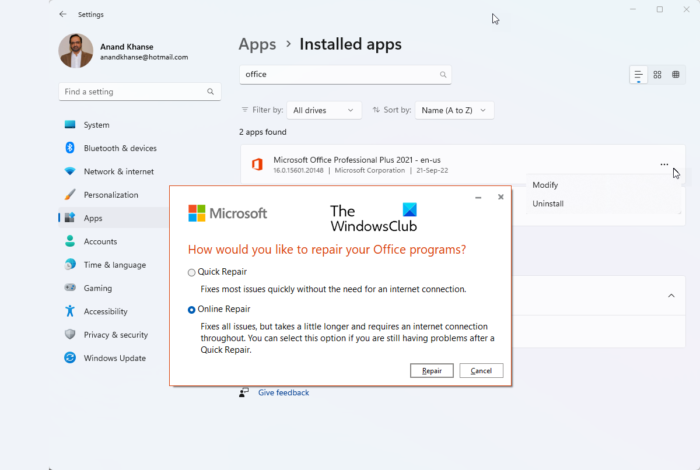
You can repair Microsoft Office or Microsoft 365 using Settings in Windows 11 as follows:
- Press Win+I to open Windows Settings
- From the left side, select Apps
- Search for Office
- Click on the 3-dots to open more options
- Select Modify
- From the pop-up select:
- Quick Repair or
- Online Repair
- Once the process starts and completes, restart your computer.
In Windows 10, you will see this UI:
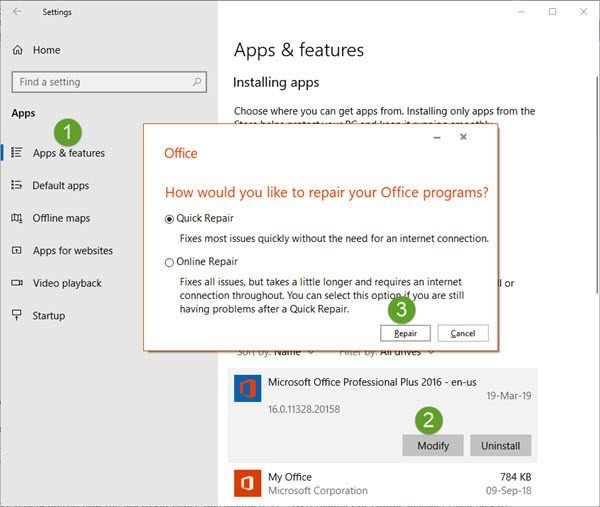
When you choose to repair, you might get two options. It depends on how the Microsoft Office was installed, i.e., Web Installer or Offline installer (MSI based).
- Web Installer: When prompted ‘How would you like to repair Office’, select Online Repair > Repair. Do not use Quick repair option here.
- MSI-based: In ‘Change your installation’, select Repair and then click Continue.
The repair process ensures that the app data remains intact.
Read: How to repair Microsoft 365 using Command Prompt
Repair Office using Windows Control Panel
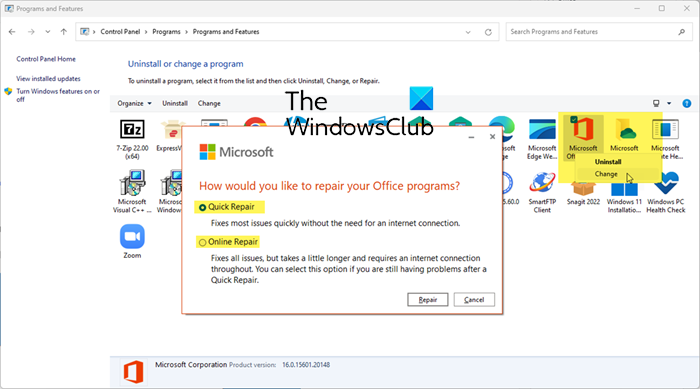
To repair Office using Control Panel:
- Open Control Panel > Programs > Programs and Features > Uninstall a program
- Locate Office > Right-click on it > Select Change.
- Select Quick Repair or Online Repair to initiate the process.
What is Office Quick Repair?
It’s a built-in feature in Microsoft Office that anyone can use to repair common issues, including detecting and replacing corrupted files. It can also resolve issues with documents and settings that cause Office programs to malfunction. The repair is carried out locally, so you do not need an Internet connection.
What is Office Online Repair?
Online Repair takes longer but does an uninstall and complete repair, so it fixes all issues. You will an Internet connection for this. It also checks for updates and service packs that may be available and install them as needed. It is better than offline repair as it can connect to the internet and update files or programs with the latest update that could be causing the problem.
How to repair earlier versions of Microsoft Office 2016/2013/2010/2007?
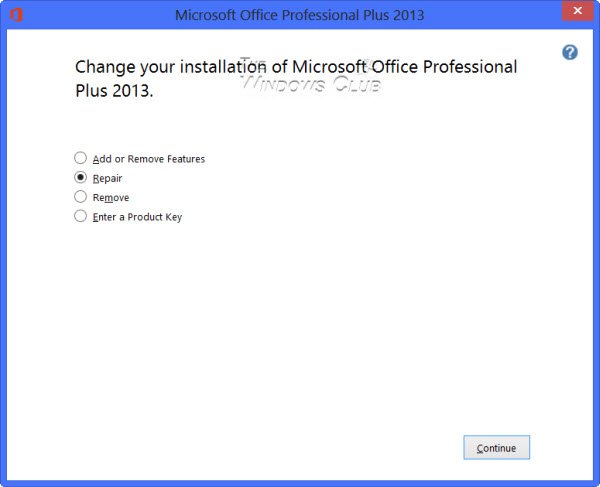
Open Control Panel and click Programs and Features.
Right-click the Office program that you want to repair, and select Change.
Next click Repair > Continue. Office will start repairing the apps.
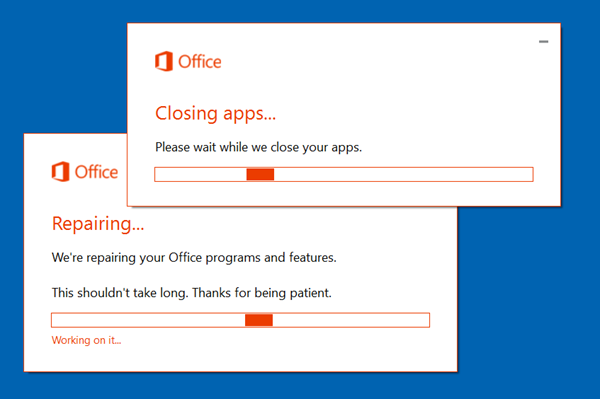
Once the process is completed, restart your computer.
Switches to help you troubleshoot and repair Microsoft Word
- To simply reset the Word registry values to default type winword /r in start search and hit Enter.
- To prevent Word from loading the macros type winword /m and hit Enter.
- To prevent Word from loading its add-ins, type winword /a and hit Enter.
How to Uninstall Office
- Open Control Panel and click Programs and Features.
- Double click Office.
- The program will start its un-installation process
- On completion, restart the computer
Now you can go in for a fresh install of Office again.
TIP: You can remove or Uninstall Microsoft Office or Office 365 using this tool from Microsoft.
Uninstall individual Office programs
You cannot uninstall individual Office programs. If you want to install only specific Office programs, you must uninstall Office first, and then reinstall it using a custom installation, and select the programs that you want to install.
TIP: How to repair, update or uninstall Microsoft Office Click-to-Run may also interest you.
Install only select programs in Office 2016/2013/2010/2007
- Start the installation of your Office suite.
- In the Choose the installation you want dialog box, click Customize.
- On the Installation Options tab, right-click the program(s) that you do not want to be installed.
- Click Install now to complete the custom installation.
TIP: Have a look at Office Configuration Analyzer Tool. It will help you analyze & identify Office program problems.
