
If you have several Windows Live ID’s and if you prefer to logon into Messenger with more than one of them, then you can hack your Windows 7 registry to allow running of multiple instances of Messenger.
Run regedit as Administrator and navigate to the following key
HKEY_LOCAL_MACHINE\SOFTWARE\Microsoft\Windows Live
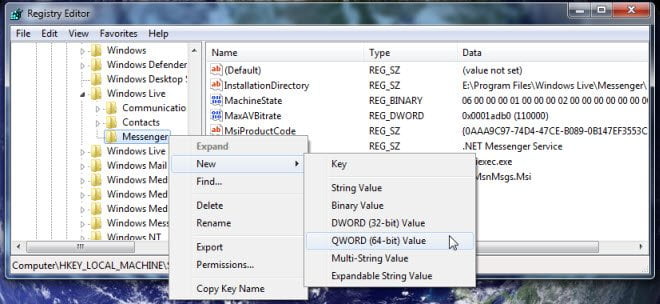
In the left pane, right click Messenger and create a new DWORD called MultipleInstances.
Next, right click the newly added registry key and choose Modify
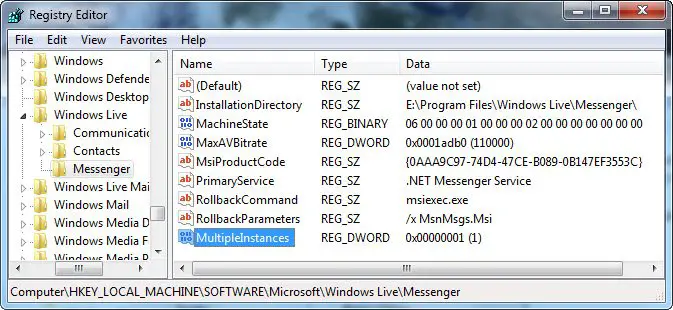
Set its Value data to 1.
Close Regedit.

You will be able to allow polygamy or run multiple instances of Messenger at the same time signed into different id’s, on one computer.

