
Fix: STOP 0x0000006B PROCESS1_INITIALIZATION_FAILED Blue Screen

Speed Up My PC

If you have a computer that is running Windows 7 or Windows Server 2008 R2, which crashes during the startup process before you are prompted for user credentials, then this article may interest you.
hotfix icon Fix: STOP 0x0000006B PROCESS1 INITIALIZATION FAILED Blue Screen

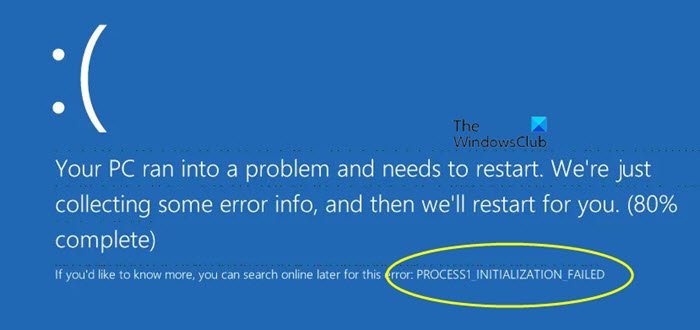
In addition, you may also receive the following Stop Error message or Blue Screen Of Death:

STOP: 0x0000006B (Parameter1, Parameter2, Parameter3, Parameter4) PROCESS1_INITIALIZATION_FAILED

This occurs because the Bootcat.cache file, located at %SystemRoot%\system32\codeintegrity, is corrupted or because the size of the Bootcat.cache file is changed since the last successful start.

To work around this issue, start the computer from the disc drive or from the USB drive by using the Windows installation media. Delete the Bootcat.cache file, and then restart the computer.

Microsoft has also released Fix314438 to address this issue.

To download this hotfix and for more details visit KB981833.

Posted by on , in Category Windows with Tags
Anand aka HappyAndyK is an end-user Windows enthusiast, a Microsoft MVP in Windows Desktop Experience since 2007, and the Admin of TheWindowsClub.com, TheGeeksClub.com & WinVistaClub.com. Creating a System Restore Point before trying out a new software or a tweak is always recommended.
  • Can

    thanks so so so much!!!i del that file and become normal.

  • jordan bagnell

    Worked 100% thanks for the easy fix!

  • http://aristaautomation.wordpress.com/ Ashish Kumar Singh

    Thanks a lot, works perfectly. Recommended.

  • Revenio

    Uff!!! It’s works!!! Thanks a lot.

  • The confused dude

    How do i use the windows install media to delete it exactly?

  • Frank

    Here’s a real fix for this bastard of a problem! (Issue involved a Dell C640 laptop). I removed the HD – scanned on another computer where I could look at the HD separately. Found a virus – unfortunately I didn’t write down its name. Removed same. That helped slightly as I got a different error msg. Now saying that it was missing a start up file. Long story made short: In the WINDOWS\SYSTEM32 folder ->>> The SERVICES.EXE file had been renamed as SERWICES.EXE, I replaced the ADVAPI32.DLL file (it was missing!), the NTDLL.DLL file was zero bytes long, whereas it should be 698k. I replaced (copied) the bad files from my XP system w/o any problem and rebooted. ALL THE PROBLEMS WENT AWAY! To be sure, I scanned the laptop with the free on line scanner at ESET.COM – nothing found. NOTE: After I replace the ADVAPI32.DLL and the NTDLL.DLL files, the computer was horrendously slow and it took many minutes to boot at all. That was solved by renaming the bad SERWICES.EXE file to SERVICES.EXE. I hope this helps somone!

  • Michael

    Beautiful, Thanks Mate, such a simple fix, to when i was reading on forums about the issue seemed so completed, Worked Great!

  • Michael

    ^^^ *So Complicated

  • Led

    Thanks Bro!!! Easy fix.

  • Leandro Seba

    i deleted the bootcat.cache file, and restarted, and i get the blue screen again
    with se same error id 0x0000006b (0×000000 0×0000000 0×00000000 0×0000000000)

    and then, i get another HDD, and instaled a new fresh copy of windows 7 (64bits)
    copy the bootcat.cache on a usb drive, put back the old HDD booted up with hiren boot cd (miniwin xp) and put the bootcat.cache inside the empty folder %SystemRoot%system32codeintegrity (do not delete/remplase the file driver.stl)
    restarted and whoolaa! fixed

    I hope this help someone :D
    sorry for my bad english jeje

  • Ayous2

    Thanks so much works perfectly

  • http://www.facebook.com/people/Ryan-Clemens/1117714190 Ryan Clemens

    Okay this is for all you guys who have tried everything to fix this and so far nothing has worked. Personally I tried system restoring both through the setup and manually, tried all Bootrec commands, deleted Bootcat.cache, ran SFC, ran Chkdsk, tested the RAM and everything else I could find on the web offered as a solution but to no avail. The fix for me was quite easy but took some time to discover. Boot using your favorite Boot disc (Windows setup DVD / Hirens boot CD etc) and navigate to (system drive letter):WindowsSystem32config and find the file called components. Now delete the hell out of it (Or rename it) and restart. Enjoy.

  • Martin_thibeault

    Thanks yo very much you save me a lot of works!

  • Martin_thibeault

    Thanks yo very much you save me a lot of works!

  • Scoobydoo

    This didnt work for me. named it compotents, restarted, still same problem.

  • Pca_pca

    didn’t work

  • thunder

    HI,
    i have this error too, but after a few reboots (3-4) it comes again!?
    What can i do, please help.
    greetings
    thunder

  • Saytosujit

    thanks man thanks a lot work hundred % keep up the good work!

  • RB

    bootcat.cache was not in the folder specified so after all the suggested fixes didn’t work, including startup repair failing and asking me to send an error report, I copied bootcat.cache from an existing windows install (dual boot) and pasted it into the codeintegrity folder and it booted straight away.

  • Manservic

    Thanks so much! It work perfect!

  • Darwin Solano

    This works for me… Thanks a lot!!!

  • Acmuller

    Thanks RB, worked like a charm.