If you are unable to open an Excel, Word, or PowerPoint attachment from Microsoft Outlook or a file from the Internet, and you get an error message, The file is corrupted and cannot be opened then you may want to try this solution.
Cannot open Word, Excel, PowerPoint files or email attachments in Office
In such cases, Office may report the file as being corrupt. The exact errors may include:
-
Excel: The file is corrupted and cannot be opened
-
Word: Word Experienced an error trying to open the file
-
PowerPoint: PowerPoint found a problem with content in file, PowerPoint can attempt to repair the presentation
In such a case you can try the following:
- Open Control Panel
- Select Administrative Tools
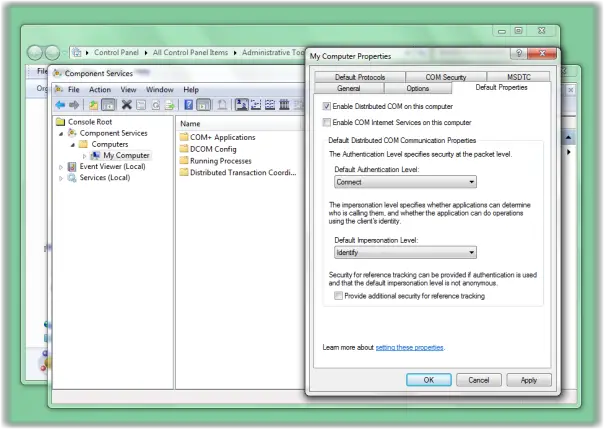
- Click on Component Services and expand the tree under Console Root to Computers > My Computer.
- Now right-click on My Computer and select Properties.
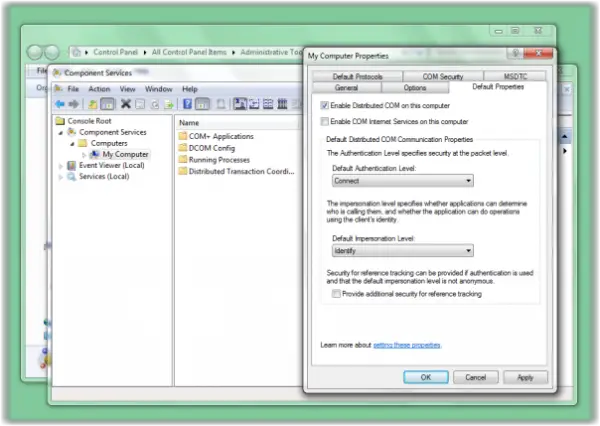
- Select the Default Properties tab and set the following values:
- Default Authentication Level: Connect
- Default Impersonation Level: Identify.
KB2387587 explains that this happens if your DCOM security settings may have changed and they do not allow the temporary file structure that must be created. By carrying out the above suggestion you will set component security settings back to the defaults.
Read next: Excel not opening on Windows computer.