
When an organization plans to enroll its old devices for an upgrade, it goes through the usual wipe-and-load process. This task is cumbersome. There appears no simple solution to customize this end-user experience. Fortunately, things are changing a bit with the Windows AutoPilot deployment program. It is a cloud-based Microsoft service that automates setting up and pre-configuring new Windows devices.
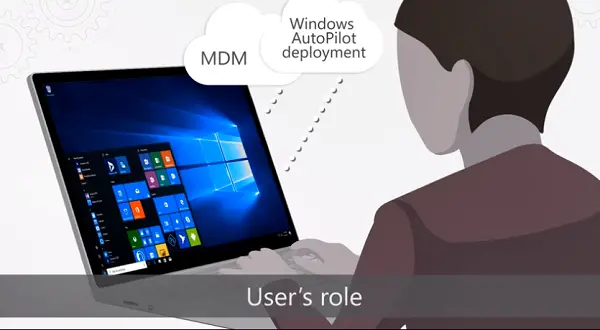
Windows AutoPilot in Windows 11
Windows AutoPilot feature can be used in Windows 11 Deployment to set up & pre-configure new devices, as well as to reset, repurpose & recover devices. It is designed to reduce the hassle of setting up a new Windows 11 PC by allowing PC vendors to link a device to an organization. Once the connection is enabled, the machine can link to Microsoft services like Azure Active Directory, enroll in Intune, and more. In short, the Windows AutoPilot Deployment Program will do almost everything for you automatically.
This new feature is intended to make setting up a business PC a breeze. This could accelerate Windows 11 adoption, since anything that simplifies deploying a new OS is likely to become popular.
More importantly, Windows AutoPilot is a Cloud-Driven scenario, so you need to pre-register devices. When registered, your devices will be fully configured at no additional cost and with no additional intervention required on the users’ side. You can complete configuration in a few simple steps. These include,
- Selecting a language and keyboard layout
- Connect to the network
- Provide email address (the email of the user’s Azure Active Directory account) and password.
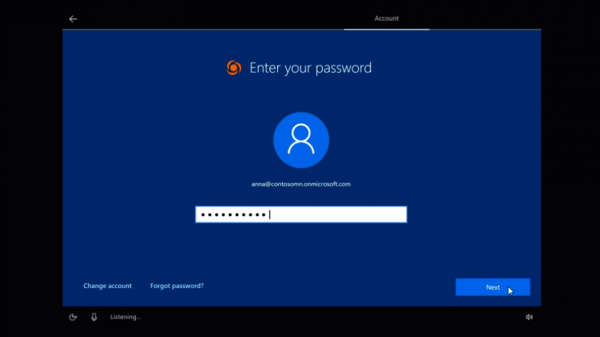
A key feature of this configuration is that it skips several additional settings because the device automatically recognizes it belongs to an organization. Following this, the device is joined to Azure Active Directory and enrolled in Microsoft Intune (or any other MDM service). Enrollment in the second is key because it ensures relevant policies are applied, necessary apps are installed, and important settings are configured on the device. Windows Update for Business also applies the latest updates to keep the device up to date.
Benefits of Windows AutoPilot
You will agree that IT Pros have to spend a considerable amount of time on building and customizing images to be deployed later to devices with a perfectly good OS already installed on them. Windows AutoPilot marks a departure from this via its innovative approach to automation. The only interaction required from the end-user is to connect to a network and verify their credentials. From the users’ perspective, it only requires a few simple steps to make devices ready for use.
If you are interested, you can get a further overview of Windows AutoPilot deployment in this video from Microsoft Mechanics:
In addition to the above, Windows AutoPilot allows you to:
- Restrict the Administrator account creation
- Create and auto-assign devices to configuration groups based on the devices’ profile
- Customize OOBE content specific to the organization
You can read more on this subject at Microsoft.com.
What is the difference between Intune and Autopilot?
Intune, a cloud-based service from Microsoft, manages mobile devices (MDM) and mobile applications (MAM). Windows Autopilot lets you set up new devices and have them ready for use as soon as they are purchased.
Does Windows Autopilot need Intune?
Microsoft Autopilot relies on specific capabilities in the Windows client and Azure Active Directory (Azure AD). You will also need an MDM service like Microsoft Intune. Organizations can distribute new devices to end-users with Microsoft Intune and Autopilot without building, maintaining, and applying custom operating systems. When you use Intune to manage Autopilot devices, policies, profiles, apps, and more can be managed.
