
Photos carry a lot of details. From the person’s identification features to location details and much more metadata. Once we upload a photo to a public social media account, we cannot control who saves it, how many times it is copied, etc. A lot happens without us knowing. People use other people’s photos, catfish them, or commit crimes, etc. If you are wondering why photos get stolen online and how you can stop it and protect your privacy, follow this guide.
Why do Photos get stolen online and how to stop it?
Photos we upload online are stolen for many reasons. These are some reasons photos get stolen online.
- No knowledge of copyright or ownership
- Create fake profiles or catfish someone
- Impersonation and other related scams
- Misuse or harassment.
Let’s get into the details.
1] No knowledge of copyright or ownership
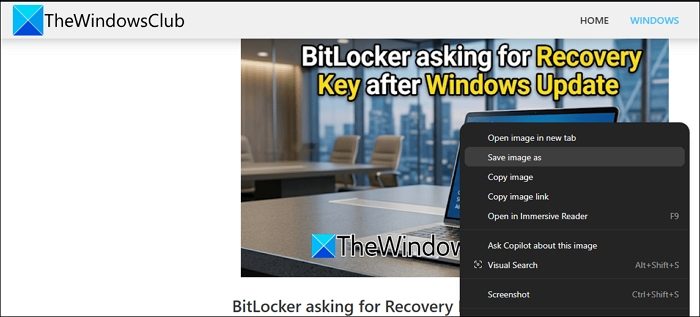
Not knowing the copyright and ownership of photos available online is the primary reason they get stolen. Some people genuinely think photos available online are free and have no owner. They save the photos for different uses and download the available photos. Saving a photo from the internet is easier than creating a new one.
2] Create fake profiles or catfish someone
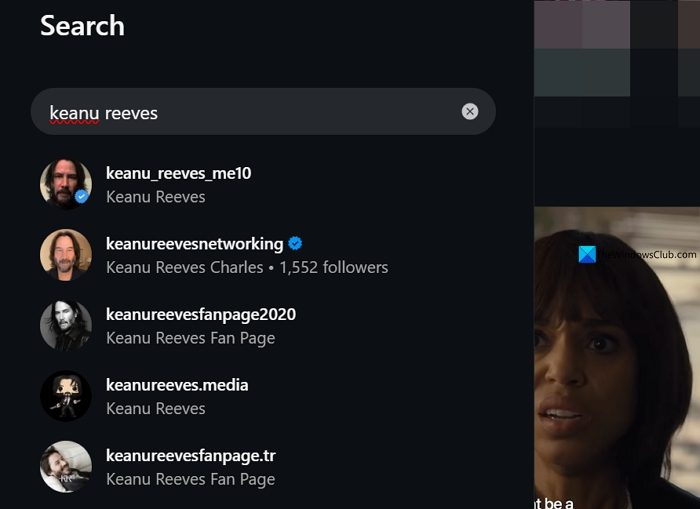
Since many photos of people are available online, it is easier to create fake profiles and catfish someone. This way, fake accounts gain thousands of followers with regular posts or stolen photos. Now, with the availability of various image and video AI tools, it is a no-brainer to create multiple videos and images, build a lifestyle and an online persona for a non-existent person using a single online photo. In recent times, we have seen people subscribing to Instagram accounts that post AI-generated images and videos to farm engagement by paying a monthly subscription fee, believing the people shown in the accounts are real.
3] Impersonation and other related scams

People use the photos of a person available online and defraud their family and friends financially by impersonating them. They make others believe they are family or friends and defraud them financially, or commit scams where the impersonator benefits while the gullible family and friends suffer.
4] Misuse or harassment
Photos available online can be used in many ways to harass or misuse someone. The photos can be morphed, used to generate obscene content with AI, and made to make others believe. The AI takes it to the ultimate level, where people may really get hurt or harm them mentally.
How to stop photos from getting stolen online?
We can prevent the stealing of photos online in many ways. We need to be aware of the platform we are posting on and follow the methods below carefully.
- Upload to private accounts
- Add a watermark to photos
- Do not strip metadata
- Use privacy laws
- Disable Hotlinking
- Restrict unknown crawlers or bots
- Provide licensing and terms of use
- Regularly use reverse image search and report stolen content
Let’s get into the details of each option to stop photos from getting stolen.
1] Upload to private accounts

The easiest and most effective way to prevent photos from being stolen online is to use and upload them to a private account. Private accounts give you more options for controlling who can see or access your photos. This way, you can avert a lot of things from happening. You need to assess your followers list regularly on your private accounts to prevent people you do not know from accessing the photos you’ve shared.
2] Add a watermark to photos
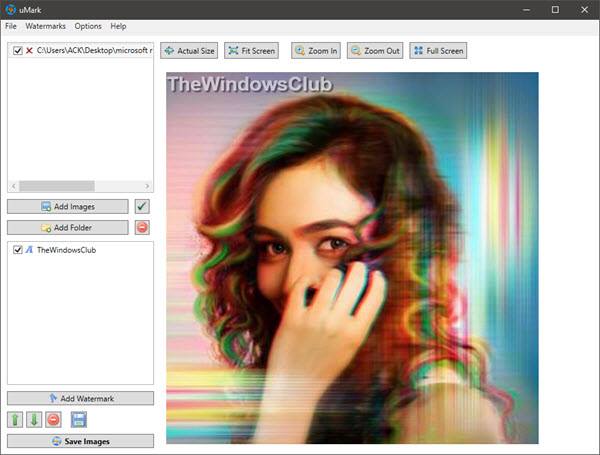
Add a watermark to every photo you upload online. It may be on social media or your website. The watermark, typically centered in the image, makes it hard for anyone to misuse it. There are many free watermark creator software programs for Windows 11 you can use. Add a watermark and then upload.
3] Do not strip metadata
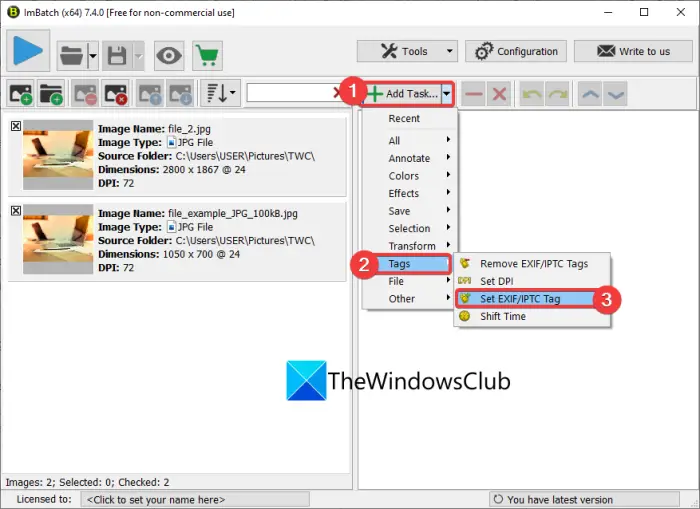
Every photo we create has metadata or EXIF data. It includes details such as when it was shot, the editing software, the time, the date, the location, etc. That also includes ownership details. When you upload something on social media, the metadata cannot be read by anyone except the social media platforms. But when you upload images to your website, the metadata can be visible to anyone who accesses them. Just remove the location details from every image you upload online using EXIF data editing programs and upload.
Keeping the metadata with images helps you prove ownership if there is any misuse.
4] Use privacy laws
Every country has laws to protect personal data, like the General Data Protection Regulation (GDPR). You can use those laws to warn people from stealing data or photos that identify you. They enable you to take action against the people who steal your photos and to serve notice to remove those photos instantly.
5] Disable Hotlinking
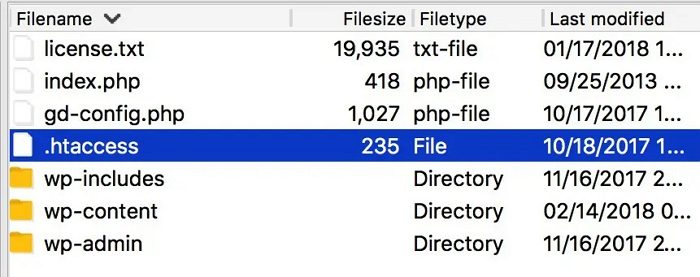
If you manage a website and carefully create original images for your use, you can disable hotlinking, which makes it harder for others to embed your photos on their sites. You can disable hotlinking with the help of your developer on the backend configuration of your website.
6] Restrict unknown crawlers or bots
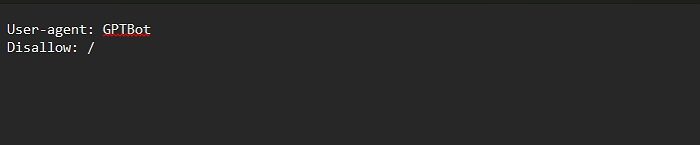
Restricting unknown crawlers or bots from accessing your website is one of the best ways to safeguard and protect your content and photos. You can use the robots.txt file to control the access and restrictions for various bots. You can also use content delivery networks like Cloudflare to restrict bots or crawlers from unauthorized crawling of your website.
7] Provide licensing and terms of use
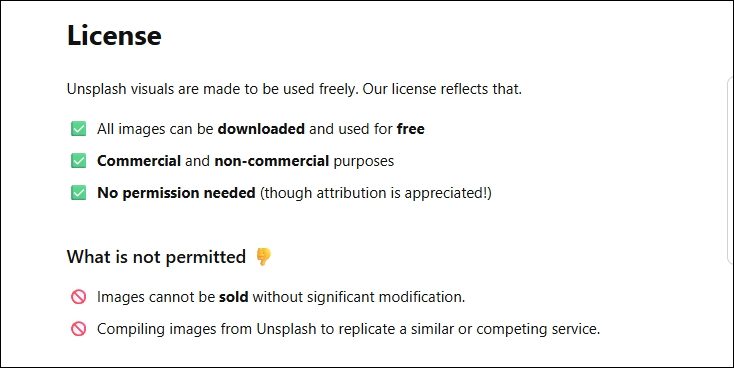
If you cannot control the unauthorized usage of your photos, it would be better to offer licensing and its terms of use. This may create a bigger platform for your work and may also monetize the options. Just add a licensing page and contact information for original images and additional information.
8] Regularly use reverse image search and report stolen content
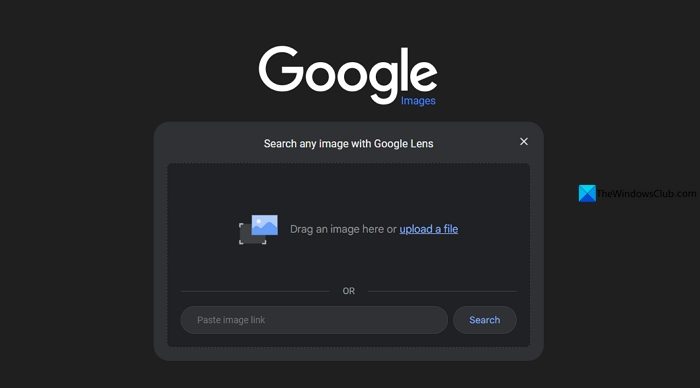
Regularly reverse image search the images you uploaded onto your social media profiles and websites. It helps you easily find the stolen content. Then, contact the person who uploaded your photos online using the contact forms on the website, or report the image to social media platforms for impersonation or similar options. If they do not respond, you can serve legal notices in accordance with local data protection laws and remove them.
Read: Top 10 most common Online, Internet and Email scams & frauds
What to do if someone steals your pictures online?
If someone stole your photos online, you can ask them to take them down via email or a message. If they do not comply, you can serve legal notice of removal according to the laws of your country that protect your data. If they do not even comply with the legal notice, you can send notices to hosting providers, search engines, and other platforms to remove them.
How to check if someone is using your photos online?
If you believe someone is using your photos online, just do a reverse image search with some of your images. Search engines can find similar images and show them to you. Then, you can proceed to take action with the links you have got from the reverse image search.
Related read: What is Personally Identifiable Information (PII) & how to protect it online?
