
One of the most significant advantages of using software and hardware built by the same company is that they can deliver the best results. SSDs from Transcend is widespread, and they happen to have their software for SSD — Transcend SSD Scope. The software offers features to help you maintain a healthy, efficient SSD.
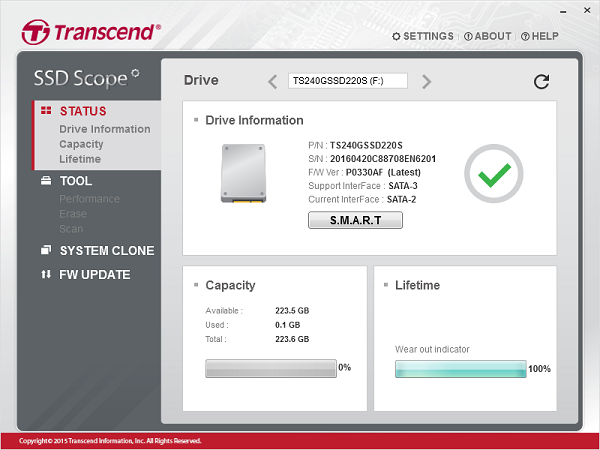
Transcend SSD Scope for PC
Transcend SSD Scope helps you maintain a healthy and efficient SSD. Its features include View Drive Information, View S.M.A.R.T. Status, Diagnostic Scan, Secure Erase, Firmware Update, TRIM Enable, Health Indicator, and System Clone. Available only for Transcend SSD, it offers tools that can help you optimize the SSD performance and determine the hardware condition. It provides:
- View Drive Information, S.M.A.R.T. Status, and Health Indicators
- Diagnostic Scan
- Secure Erase
- TRIM Enable
- System Clone
- Firmware Update
If you have multiple Transcend SSDs, switch between them from the top of the software.
Features of Transcend SSD Scope
1] View Drive Info, S.M.A.R.T. Status, and Health Indicators
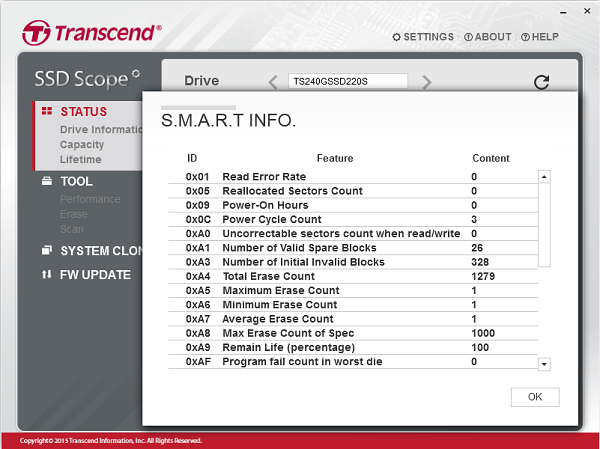
This section displays drive information and S.M.A.R.T. (Self-Monitoring, Analysis, and Reporting Technology) status. It’s a monitoring system which can share the health status of HDD and SSD. That way, you will be warned before hardware failure.
Also, the health indicator gives you a fair idea of the state of wear-out level of a Transcend SSD
2] Diagnostic Scan
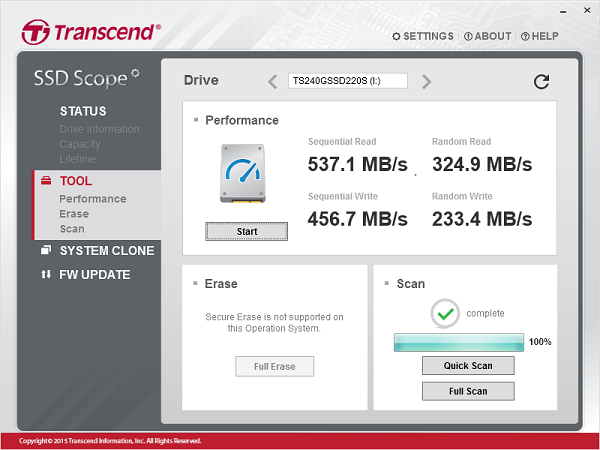
The regular scan keeps you on top of the data stored on the Transcend SSD.
3] Secure Erase
If you are giving away your SSD or replacing it, it is best to use this feature to permanently remove all data from the SSD.
4] TRIM Detect & Enable
TRIM is a feature for SSDs only. It tells the OS that there is a data block that can be reused, making it faster for OS to find it. The advantage? It results in faster access and storage of files. Since OS doesn’t have to guess, the rewrites are less, and the health of the SSD gets better.
5] System Clone
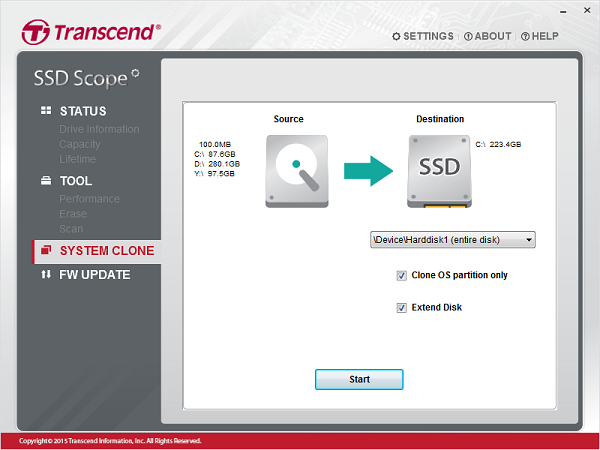
If you are planning to change SSD, use this program to create an exact copy of the OS. It will include all programs, drivers and related components. All you need to do is switch and select this drive as the default boot drive.
5] Firmware Update
Lastly, the firmware update ensures the SSD performs at the level you always wanted.
You can download Transcend SSD Scope from transcend-info.com.
That said, overall, the software looks great and is easy to use, and I wish every OEM would come with a software like this.
