
Some users, when trying to install Microsoft 365, may receive the following error message: Office, We can’t install – The following product(s) can’t be installed at the same time. It could be for O365ProPlusRetail, O365BusinessRetail, O365HomePremRetail, HomeBusinessRetail, ProfessionalRetail, or any version. We provide the solution to fix this error in this post.
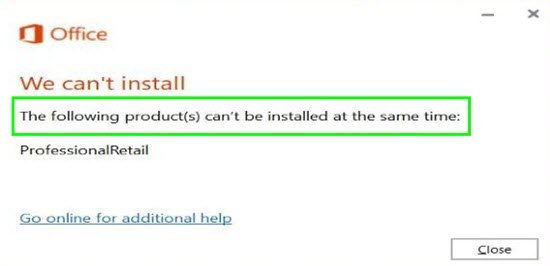
From the above, you can see there are no error codes, just a link to go online for more help. The message will vary depending on the Microsoft 365 edition you are installing. So, how do you resolve this error?
The following products cannot be installed at the same time Office error
Based on the error message, intuitively, you’ll think the error is caused by a conflict of an already installed Microsoft 365. But, alas, this isn’t the case.
This error is solely caused by older versions of the setup.exe file.
So to fix this error-
1] IT administrators, can download the latest version of the Office Deployment Tool, and also the Office Customisation Tool for help with XML configuration files. Once you have the setup.exe, you can replace your older setup.exe.
Then run setup.exe /download configuration.xml (or change the file name to whatever XML name you’re using).
This downloads the files according to your configuration.xml file.
Then you can run setup.exe /configure configuration.xml to install according to your configuration.xml file.
2] Consumers, simply visit Office.com to download a fresh installer (setup.exe) and run it.
That’s it, folks. Happy computing!
