
While I love dark themes on both my Windows PC and Xbox One, Microsoft offers a scheduled theme that automatically switches between Dark and Light based on sunrise and sunset.
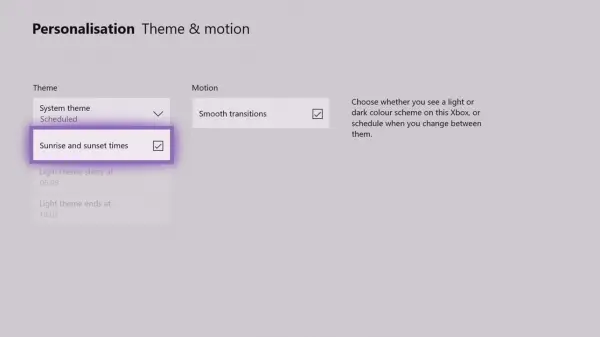
Automatically change Themes based on Sunrise & Sunset on Xbox One
- Press the Guide or the Xbox Button on your controller.
- Navigate to complete right-end and open settings.
- Navigate to Personalization tab, and select Theme & Motion.
- You should see a System Theme drop-down.
- Select Scheduled from it, and then choose Sunrise & Sunset.
That said, here are my two cents. The switching option works well when your Xbox One is placed in a living room with ample outdoor light. So as it gets darker outside, the theme can switch to dark. This ensures it doesn’t hurt your eyes and stays light when there is sufficient outdoor light.
Most gamers have Xbox One either in their room or a closed environment where themes don’t matter, and if you are playing in the dark, you will always need a dark theme. In this case, there is no point in using the themes option.
In addition to all these new features on Xbox One, a subset of users may also see additional experimental features that Microsoft didn’t mention here.
These features are only enabled for a portion of the Xbox audience to gauge interest and collect feedback.
Read next: What is Xbox One FastStart?
