
You can stop Yahoo from scanning your email & displaying personalized ads. You can opt out of this service from the Yahoo Ad Interest Manager. Yahoo has been one of the oldest players in the dot-com era. It was one of the most famous services, along with AOL, when it was launched in 1996. Their main feature was to index the Internet. Then came Yahoo Mail and other services that dominated the Internet in its early days. But Yahoo slowly started to fade out.
Yahoo was sold to Verizon and even after being acquired by Verizon, Yahoo works fine with the dominance of Google, Apple, and Microsoft on the Internet. This does not stop them from scanning its users’ emails. They conduct this scanning to identify their topics of interest and to gain a deeper understanding of their users. This is similar to what Google does with Gmail users.
Yahoo says that, in the Terms of Service and Privacy Policy, which almost everyone ignores and agrees to, they have clearly stated that the user is accepting the “acceptance of automated content scanning and analyzing of your communications content”. But fortunately, you can opt out of this scan and just continue using the services on Yahoo Mail.
Stop Yahoo from displaying personalized ads
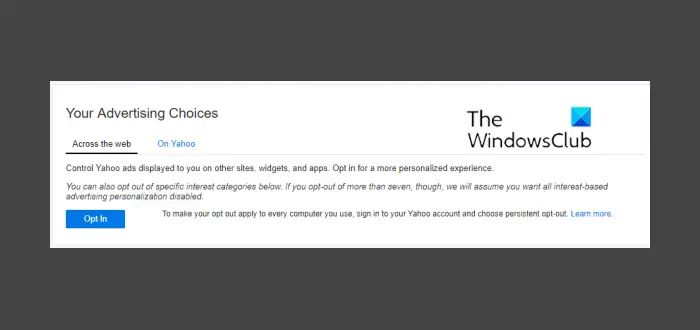
First of all, start by visiting the Ad Interest Manager on Yahoo!’s privacy website. You can find it here at – https://aim.yahoo.com/aim/us/en/optout/
[UPDATE: This link redirects now to https://policies.oath.com/. If you click on your country, you will be taken to a page that is full of legalese and a few broken links.]
On the page, you will be able to find the panel, as shown in the screen snippet. Inside it, you can just Opt Out of every tab, including Across the web as well as On Yahoo.
Once you do this, the button will change into Opt In.
Voila! You are done with stopping Yahoo from scanning your email and displaying personalized ads.
If you notice on the bottom portion, you will see a section called Your Device & You.
There, you can find all the details of your location, IP Address, OS, Browser, and other details.
You can manage the locations from where your account has been accessed.
For this advertising tracking and scanning, you need to opt-out separately from each device that you use because the cookie storage policy applies to each device separately.
Other similar posts that may interest you:
