
In Microsoft Word, there’s a little-known feature about the application Readability Statistics that allows a user to display readability statistics as a part of the spelling and grammar check. Specifically, the feature displays information about the reading level of the document, including readability scores based on the following tests:
- Flesch Reading Ease
- Flesch-Kincaid Grade Level
The above-mentioned readability tests are sort of a procedure for testing the level of difficulty to understand content in the English language. Each readability test calculates its rating based on the average number of syllables per word and the number of words in each sentence.
A short description of the test will help avoid confusion and clear the air.
- Flesch Reading Ease: Statistically calculates the readability of your content on a scale that ranges between 0-100. A lower score indicates that the content is harder to understand. If your content scores 100%, it is 100% readable and easy for everyone to understand.
- Flesch –Kincaid Grade Level: Helps a person know how many years of education does one needs to understand your level of writing. To try this, add 5 to the grade number to estimate the average age of someone who can read your content.
You need to balance the two tests above to improve your content’s readability.
How to use Readability Statistics in Word
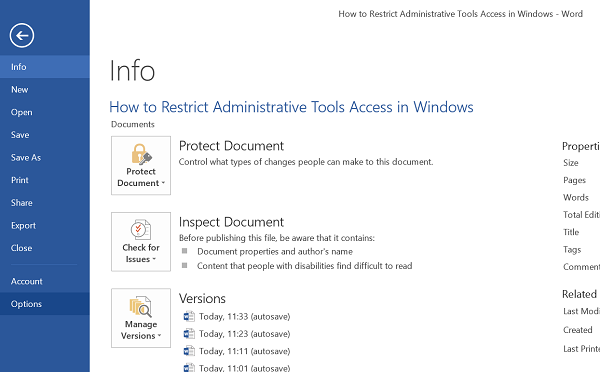
Begin by clicking the ‘File’ button. From the bottom of the menu that appears, select ‘Options’.
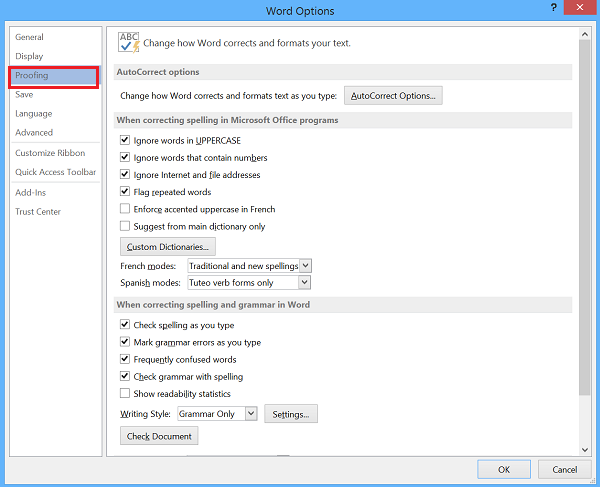
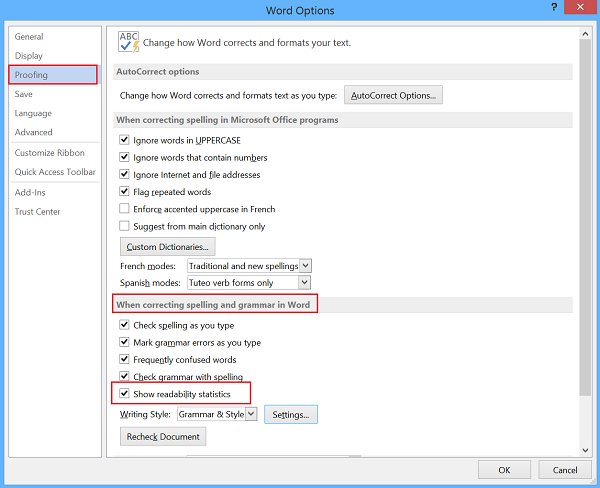
After that select “Proofing” option and under the heading “When correcting spelling in Grammar and Word”, check if Readability Statistics option is checked.
The action will enable the Flesch-Kincaid scale.
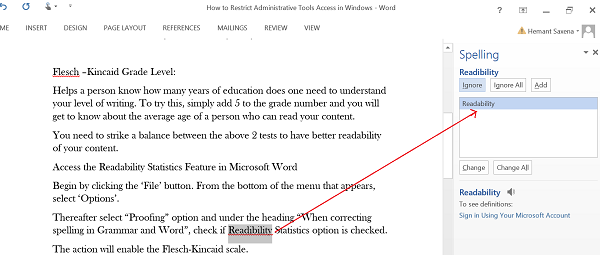
Bear in mind; Word will not assess the document’s readability until it has also checked the spelling and grammar. For this, click the “Review” tab and then “Spelling & Grammar”.
If Word has changes to propose, a pane should slide in on the right. The changes are non-essential, but they can highlight minor adjustments that improve readability. Another window should appear once this task is complete.
The final part deals with document readability. Note that Reading Ease” is scored between 0 and 100. Documents that score a perfect “100” are simple and easy to read.
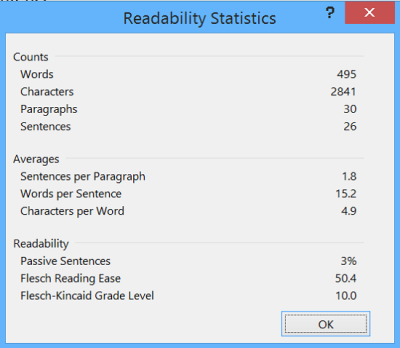
Highlighting a sentence allows you to assess it alone. As a general rule, you will notice that simple sentences will score 100% on readability but score low on the grade level. A higher grade is indicative of a more complex writing style.
Let us know if you find this feature useful.
